
AgonyKepler - Minecraft Skins & Skin History
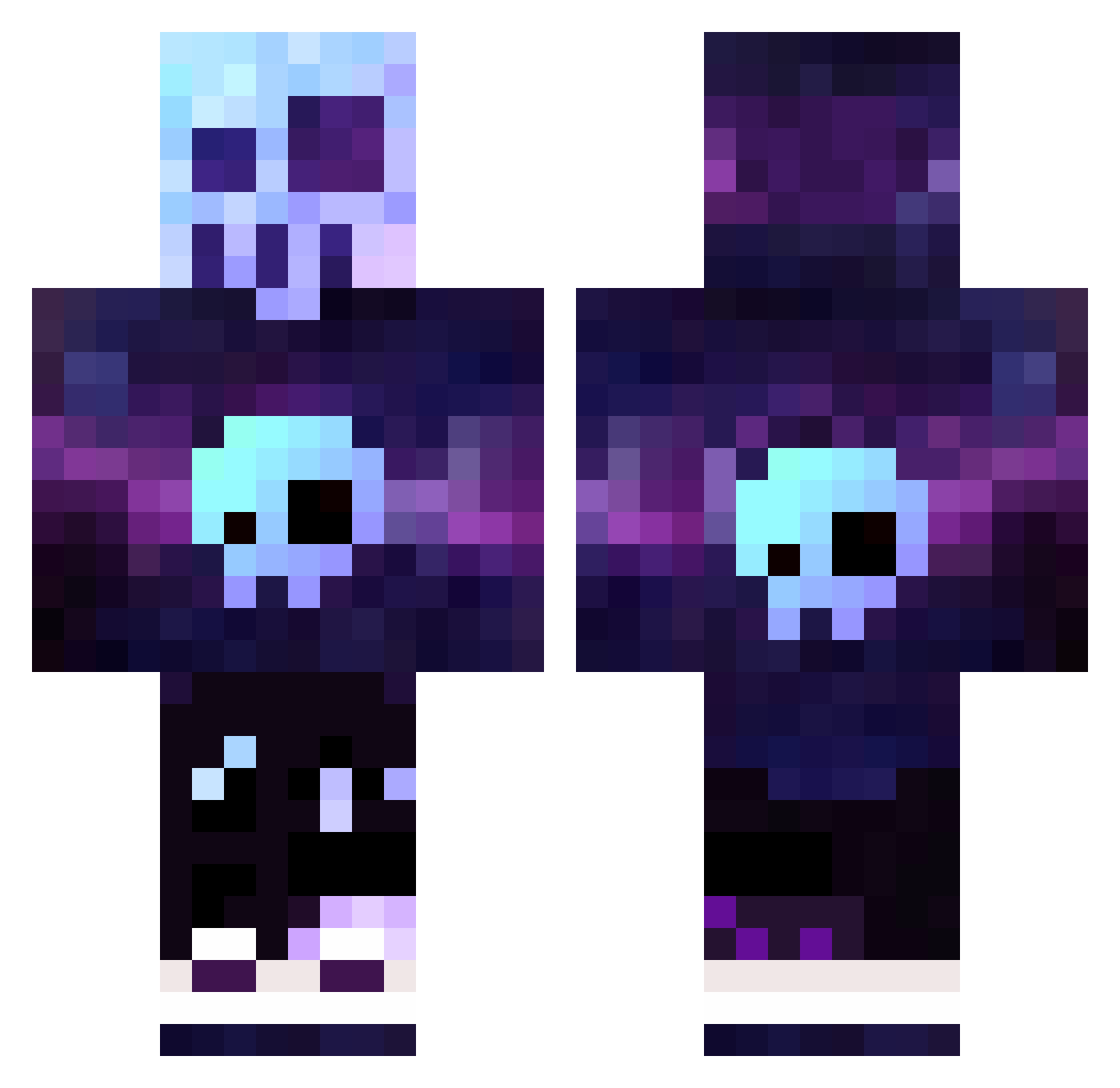
Current Minecraft skin of the player AgonyKepler, loaded from the official Mojang API. Rotate the 3D model with your mouse or finger, then download the skin as a PNG file and use it in Minecraft: Bedrock Edition or Java Edition for free. When AgonyKepler changes their skin, this page updates automatically and the old skin stays in the history below.
Other players with this skin (320)
AgonyKepler was the 105th player we have seen with this skin, first spotted on 26.08.2026. The same skin was seen on these players. Open a nickname to see their current skin and skin history.
 Shrek_kiNg Maikelbaretta asiertxipi game_studio FBR1337 FutureMirror176 plutocold iiTaurusTerrorHD CorruptedNPCFile Kanye_easttt Elbozo_6789_ AndoResuLord MR_sergio69 koolaidman01 LuthurP Rex74114 D66dle A_Tucking_Fypo TUTITANSITO Demursum EVang168 FREECS33 ItsPeetyz 2004razor DaBoiNamedCis JuanPapino tpain8655 HellbentHorse Razluka DerpGod123 connorheller2 Dimidy HugoBozzz Shadowmewtwo3542 Tupi_art FluxyML EllieCat07 Puzzy_Eater planewalker255 FranLu15 Likeakitkat Rindigo Shoemacker SuperSwaggyE xXTRex_TonyXx Omnia89 Senpai141 l_Esdras_l Xercron schelfhorst TheNochi killerflo33 RiderA MrLuisKiller Ergitnoso SCONZI Kozaczeq123 AbdieelLS Hawkwaard JuliGamer888Z
More Nebula Minecraft skins
How to install the AgonyKepler skin
- Press the Download button above to save the skin as a PNG file.
- Minecraft: Bedrock Edition (PE): open the Dressing Room from the main menu (or tap your character → Edit Character), go to Classic Skins → Owned, press the + (new skin) button, choose the downloaded PNG and pick the Classic (Steve) model. Works on PC and mobile; consoles cannot import custom skins.
- Minecraft: Java Edition: open the Minecraft Launcher, go to the Skins tab, click New Skin, load the PNG, pick the Classic (Steve) model and press Save & Use. You can also upload it at minecraft.net → Profile → Change Skin.
The skin does not show up after import - what should I do?
Restart Minecraft and open the Dressing Room again - imported skins sometimes appear only after a restart. Also make sure you selected the imported skin and picked the Classic (Steve) model.
Which model should I choose, Classic or Slim?
This skin is designed for the Classic (Steve) model. If you pick the wrong model, the arms of the skin will look stretched or squeezed.
Is the skin of AgonyKepler free to download?
Yes. Press Download, save the PNG file and use it in Minecraft: Bedrock Edition or Java Edition - no payment or registration needed. The skin also works on multiplayer servers and Realms.
More skins
Looking for more? Go back to all Minecraft skins and check the top skins of the week, month and all time, or find any player's skin by nickname.