
AggaBear - Minecraft Skins & Skin History
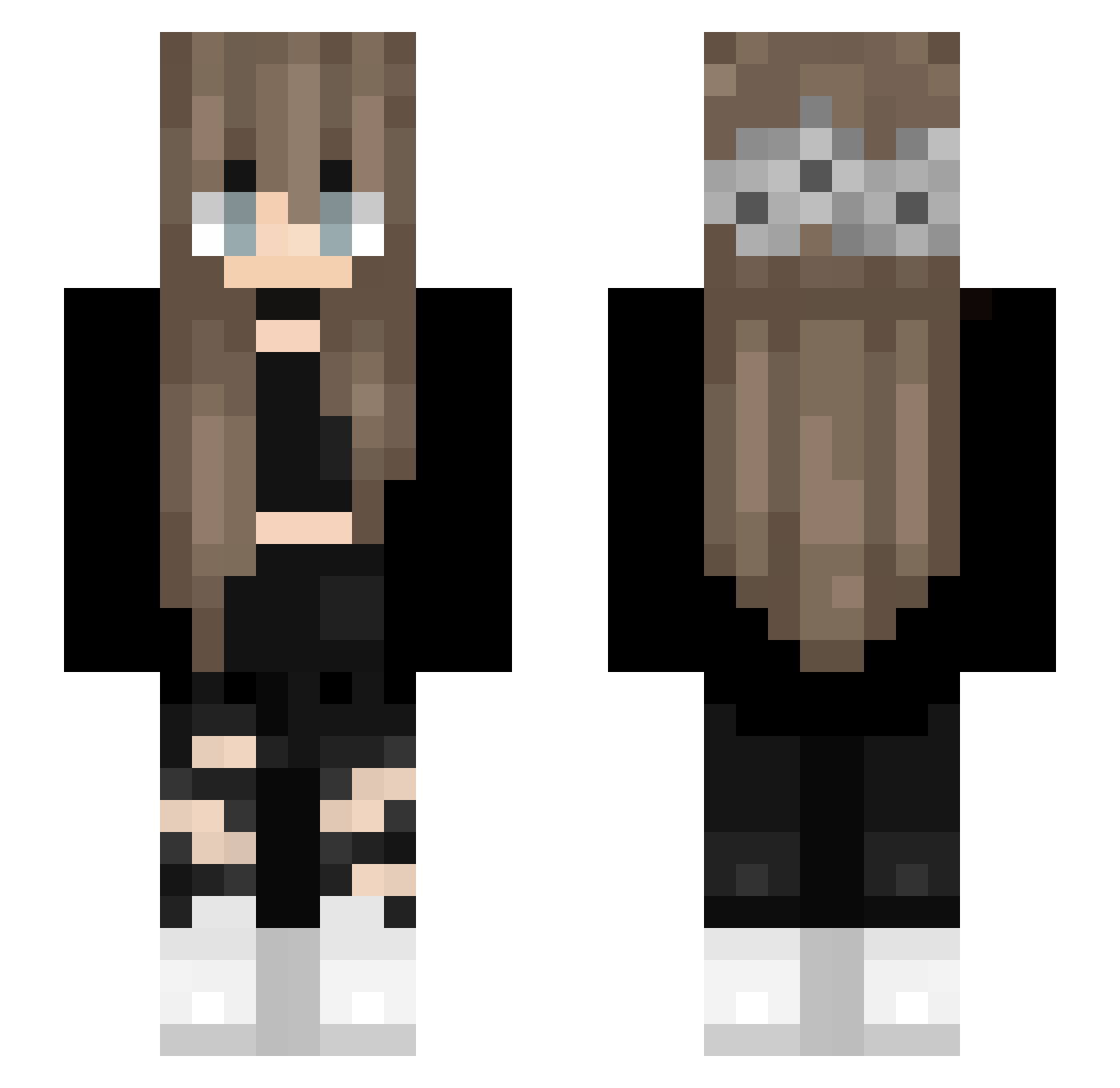
Current Minecraft skin of the player AggaBear, loaded from the official Mojang API. Rotate the 3D model with your mouse or finger, then download the skin as a PNG file and use it in Minecraft: Bedrock Edition or Java Edition for free. When AggaBear changes their skin, this page updates automatically and the old skin stays in the history below.
Other players with this skin (141)
AggaBear was the 83rd player we have seen with this skin, first spotted on 18.09.2026. The same skin was seen on these players. Open a nickname to see their current skin and skin history.
 jenish00 _Nightime_ gulpy UnleqitNinja Julia19001 spyQT cardiibean RacierClock2756 ImADoctor Batatav2_2303 saraevelina2389 Atainnn Alse_ Junoppo Freeple MrMordekaii Kotsumoe gvbriela_ livia_liuthe Bloodhunter1303 Capybara1903 FamingSpider ImTom coffee_bea leon_uwu_ KimberlyLoaiza _official_Lena_ joodah Celina_7979 Cilxy TwoUsesVape U2W InfiniteATL Lastercpvp 0986_dvqr Snowsmoon Mainzel Goinfrexx PeachRose2048 Directioners Yelfine leNickel realcog VanesaFromAvalor M1NYONG tarabyyyte F_Skyler xcswd1 IlllIlllIlll grzybica_pochfy Annabelle000 Invectius xarachips Naymee Unicorn_pinkie yoitsahmed Fortuitism EraserGamerZZ svabis jentheestallion
More Flower Crown Minecraft skins
See all 3459 Flower Crown skins
How to install the AggaBear skin
- Press the Download button above to save the skin as a PNG file.
- Minecraft: Bedrock Edition (PE): open the Dressing Room from the main menu (or tap your character → Edit Character), go to Classic Skins → Owned, press the + (new skin) button, choose the downloaded PNG and pick the Slim (Alex) model. Works on PC and mobile; consoles cannot import custom skins.
- Minecraft: Java Edition: open the Minecraft Launcher, go to the Skins tab, click New Skin, load the PNG, pick the Slim (Alex) model and press Save & Use. You can also upload it at minecraft.net → Profile → Change Skin.
The skin does not show up after import - what should I do?
Restart Minecraft and open the Dressing Room again - imported skins sometimes appear only after a restart. Also make sure you selected the imported skin and picked the Slim (Alex) model.
Which model should I choose, Classic or Slim?
This skin is designed for the Slim (Alex) model. If you pick the wrong model, the arms of the skin will look stretched or squeezed.
Is the skin of AggaBear free to download?
Yes. Press Download, save the PNG file and use it in Minecraft: Bedrock Edition or Java Edition - no payment or registration needed. The skin also works on multiplayer servers and Realms.
More skins
Looking for more? Go back to all Minecraft skins and check the top skins of the week, month and all time, or find any player's skin by nickname.