
AgentSwirly - Minecraft Skins & Skin History
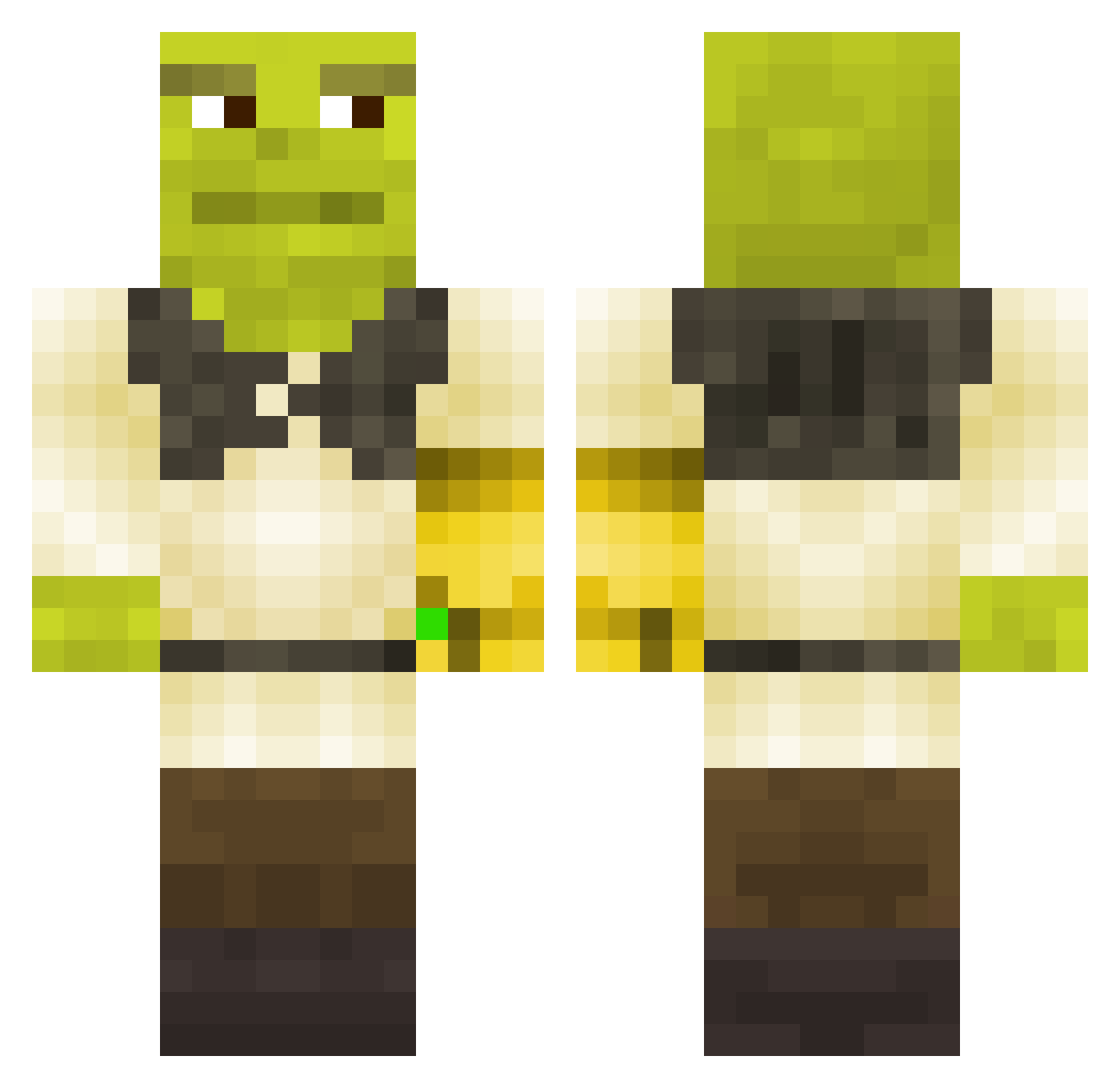
Current Minecraft skin of the player AgentSwirly, loaded from the official Mojang API. Rotate the 3D model with your mouse or finger, then download the skin as a PNG file and use it in Minecraft: Bedrock Edition or Java Edition for free. When AgentSwirly changes their skin, this page updates automatically and the old skin stays in the history below.
Other players with this skin (323)
AgentSwirly was the 252nd player we have seen with this skin, first spotted on 07.10.2026. The same skin was seen on these players. Open a nickname to see their current skin and skin history.
 ChawiChikenNuget Devilmnm pedroverdept actual_shrek Yolo64mens Reibice Pepigo flaks_ HMOStevo hellafast Debacles ben0m rossifeh kobcia lumpymaggot bananolama J_Wog megatiny kriziuu FattyLard CreepyCass ryrius E3tu_ DiseaseOfKings FoulFish ZOIPPI meatballmaster69 Twomad1 csGraFx MrAltTab Sun_side kraakesolv02 caseycasem93 _Shrek_Shrek_ jotanha DairohCryptpaw Lil_Crocky Villarregal luismarvado king_raaa legolasthero Kell_p shnrq Tutancamon01 Senor7359 Pepegasaur jhopelover69 sametabi852 kuen___ BenjaBen14 pazzo_04 Lightning7k Syxgott_187 maxneilson Dsaxzer SpecialJoker300 Omarxzyw Rbwhy Maekdog thiefwannabe
More Thanos Minecraft skins
How to install the AgentSwirly skin
- Press the Download button above to save the skin as a PNG file.
- Minecraft: Bedrock Edition (PE): open the Dressing Room from the main menu (or tap your character → Edit Character), go to Classic Skins → Owned, press the + (new skin) button, choose the downloaded PNG and pick the Classic (Steve) model. Works on PC and mobile; consoles cannot import custom skins.
- Minecraft: Java Edition: open the Minecraft Launcher, go to the Skins tab, click New Skin, load the PNG, pick the Classic (Steve) model and press Save & Use. You can also upload it at minecraft.net → Profile → Change Skin.
The skin does not show up after import - what should I do?
Restart Minecraft and open the Dressing Room again - imported skins sometimes appear only after a restart. Also make sure you selected the imported skin and picked the Classic (Steve) model.
Which model should I choose, Classic or Slim?
This skin is designed for the Classic (Steve) model. If you pick the wrong model, the arms of the skin will look stretched or squeezed.
Is the skin of AgentSwirly free to download?
Yes. Press Download, save the PNG file and use it in Minecraft: Bedrock Edition or Java Edition - no payment or registration needed. The skin also works on multiplayer servers and Realms.
More skins
Looking for more? Go back to all Minecraft skins and check the top skins of the week, month and all time, or find any player's skin by nickname.