
AgEnT2oo - Minecraft Skins & Skin History
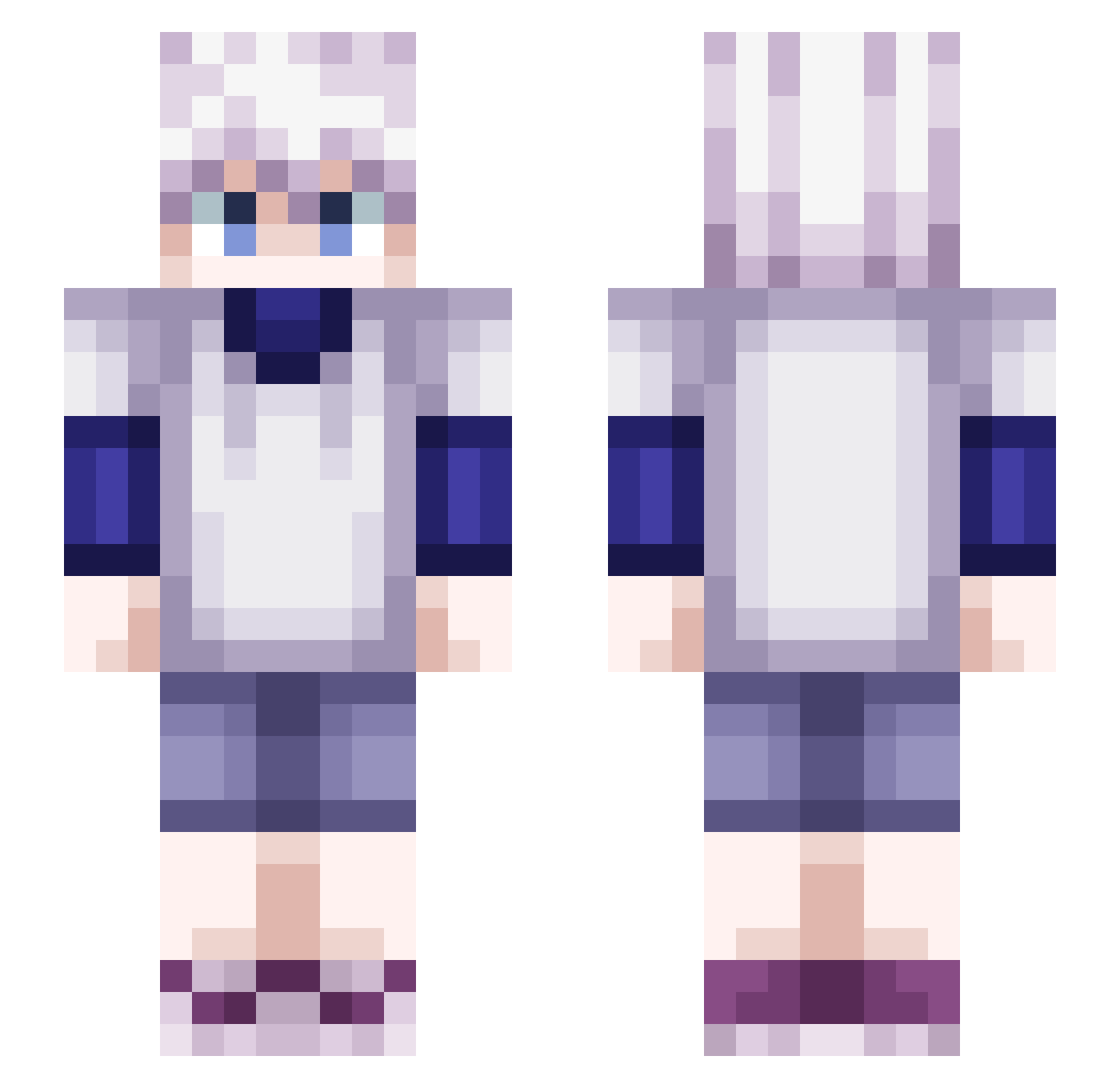
Current Minecraft skin of the player AgEnT2oo, loaded from the official Mojang API. Rotate the 3D model with your mouse or finger, then download the skin as a PNG file and use it in Minecraft: Bedrock Edition or Java Edition for free. When AgEnT2oo changes their skin, this page updates automatically and the old skin stays in the history below.
Other players with this skin (493)
AgEnT2oo was the 209th player we have seen with this skin, first spotted on 10.09.2026. The same skin was seen on these players. Open a nickname to see their current skin and skin history.
 punisher_007 yomido_yt FAROMIGNON kurosaki_neo hannifart ricslp Killua212296 PastaFaria_RAmen TokyoLoup nanofs Joaquin51 Drummeye Jampect Jeynkaa tkzsqd _SHARKO_ PetitPapier eF_Edwyn dwaynex Galle14 unegapplecancer Laughingrobot MisterPop TiemKetchup XieKa SuperMath01 VICvictini Wednem amaroflores BoubouXXX bomchinna Wizzzarium MDG500 viniwzx Draco1200 Pel0w CarrySlave18 Fr33zK11l3r 6erSnus Jointrau Kurai_Yoru04 VASOgirly ItsTempting Z_urg Joker_DawnDusk Sala335 cobra_sixiage SkyTheKid625 HaraHara2 Herobrine_hack33 kyo490 SokeyHD jksond625 JonahLee123 Killua_Zoldyck__ SmallsC137 migueldolmen ChickenNugg124 Twitch_Si_Yota ryanfadul
More Killua Zoldyck Minecraft skins
See all 180 Killua Zoldyck skins
How to install the AgEnT2oo skin
- Press the Download button above to save the skin as a PNG file.
- Minecraft: Bedrock Edition (PE): open the Dressing Room from the main menu (or tap your character → Edit Character), go to Classic Skins → Owned, press the + (new skin) button, choose the downloaded PNG and pick the Slim (Alex) model. Works on PC and mobile; consoles cannot import custom skins.
- Minecraft: Java Edition: open the Minecraft Launcher, go to the Skins tab, click New Skin, load the PNG, pick the Slim (Alex) model and press Save & Use. You can also upload it at minecraft.net → Profile → Change Skin.
The skin does not show up after import - what should I do?
Restart Minecraft and open the Dressing Room again - imported skins sometimes appear only after a restart. Also make sure you selected the imported skin and picked the Slim (Alex) model.
Which model should I choose, Classic or Slim?
This skin is designed for the Slim (Alex) model. If you pick the wrong model, the arms of the skin will look stretched or squeezed.
Is the skin of AgEnT2oo free to download?
Yes. Press Download, save the PNG file and use it in Minecraft: Bedrock Edition or Java Edition - no payment or registration needed. The skin also works on multiplayer servers and Realms.
More skins
Looking for more? Go back to all Minecraft skins and check the top skins of the week, month and all time, or find any player's skin by nickname.