
Aftershine - Minecraft Skins & Skin History
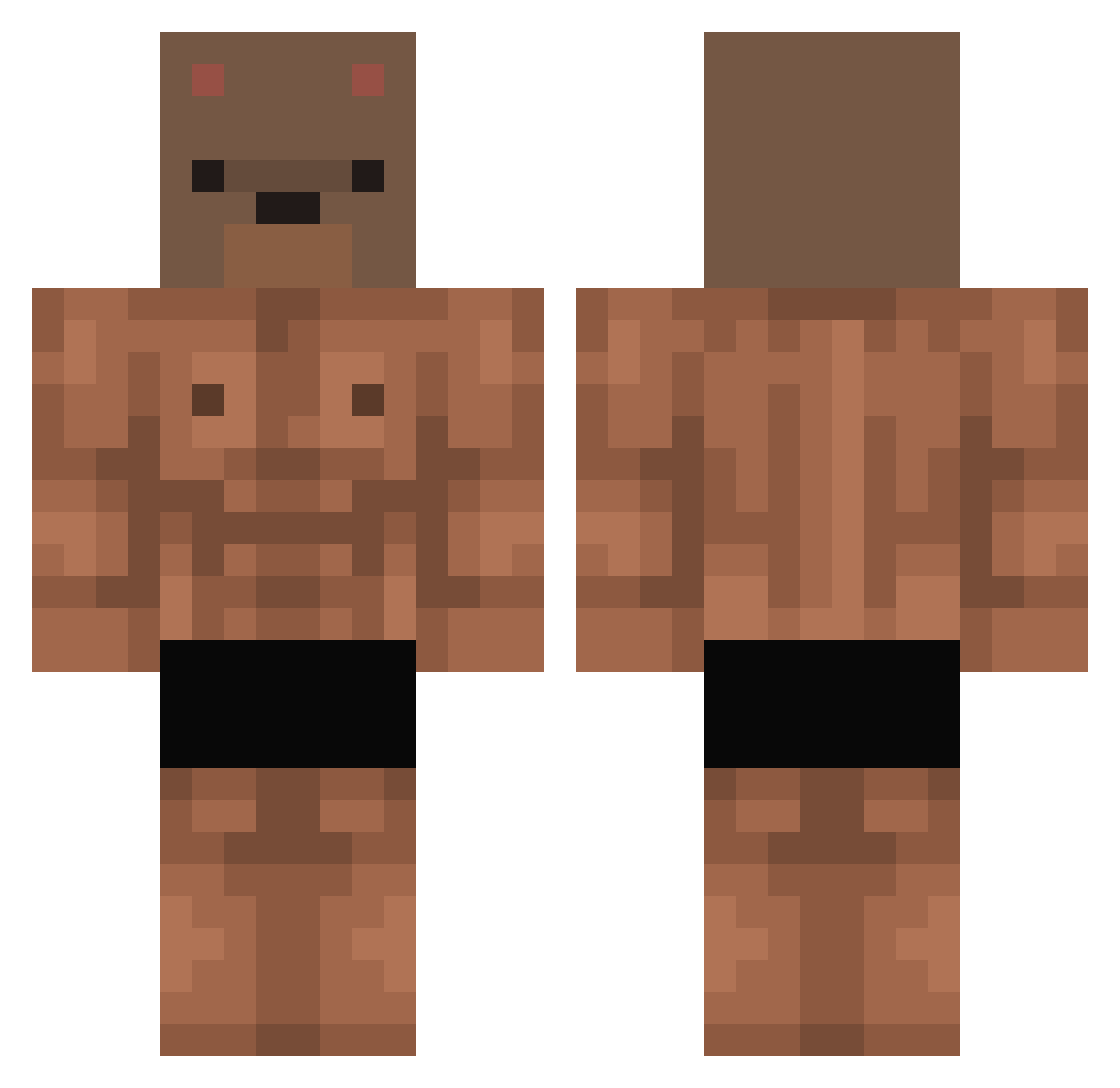
Current Minecraft skin of the player Aftershine, loaded from the official Mojang API. Rotate the 3D model with your mouse or finger, then download the skin as a PNG file and use it in Minecraft: Bedrock Edition or Java Edition for free. When Aftershine changes their skin, this page updates automatically and the old skin stays in the history below.
Other players with this skin (411)
Aftershine was the 97th player we have seen with this skin, first spotted on 20.08.2026. The same skin was seen on these players. Open a nickname to see their current skin and skin history.
 Nutts4puddin chs0807 catttmannn GamingShoot Pup89AA atsuki1000 yun764 u_winter Ryvak Khan208 pro_steroid _BrF LimChaeWon711 KronosArda FlyingFishdnmd KajPrzyjazd EnjoyerGotyku jojo589 PixelsSk_ Nootian Gondholf
 SumoBear_ MatuSHka_SPB ImDavidGP _wakson Yur4a1 TOMOSMEYER NithanialHiggers ichpachmak hyang005 Alangoenaga3014 ynvyy chen004 Nest01 Brambear Nicopussi claudio2810 Kunesan XRipper117 Blackbear0816 AdolfHitler666 bmyniall Ozyerco TLucho_ BearOfCanada Roroffy Lyagush Dav1sek__ Anthy_420 _letsstartnow rafacrbll yeogyoyoko _dulee011 VoRTeXoSvK GustavoCelestino misiuw0w ckscjr Diozi Luuuuh BlocSage8
More Bear Mask Minecraft skins
How to install the Aftershine skin
- Press the Download button above to save the skin as a PNG file.
- Minecraft: Bedrock Edition (PE): open the Dressing Room from the main menu (or tap your character → Edit Character), go to Classic Skins → Owned, press the + (new skin) button, choose the downloaded PNG and pick the Classic (Steve) model. Works on PC and mobile; consoles cannot import custom skins.
- Minecraft: Java Edition: open the Minecraft Launcher, go to the Skins tab, click New Skin, load the PNG, pick the Classic (Steve) model and press Save & Use. You can also upload it at minecraft.net → Profile → Change Skin.
The skin does not show up after import - what should I do?
Restart Minecraft and open the Dressing Room again - imported skins sometimes appear only after a restart. Also make sure you selected the imported skin and picked the Classic (Steve) model.
Which model should I choose, Classic or Slim?
This skin is designed for the Classic (Steve) model. If you pick the wrong model, the arms of the skin will look stretched or squeezed.
Is the skin of Aftershine free to download?
Yes. Press Download, save the PNG file and use it in Minecraft: Bedrock Edition or Java Edition - no payment or registration needed. The skin also works on multiplayer servers and Realms.
More skins
Looking for more? Go back to all Minecraft skins and check the top skins of the week, month and all time, or find any player's skin by nickname.