
Affe_to - Minecraft Skins & Skin History
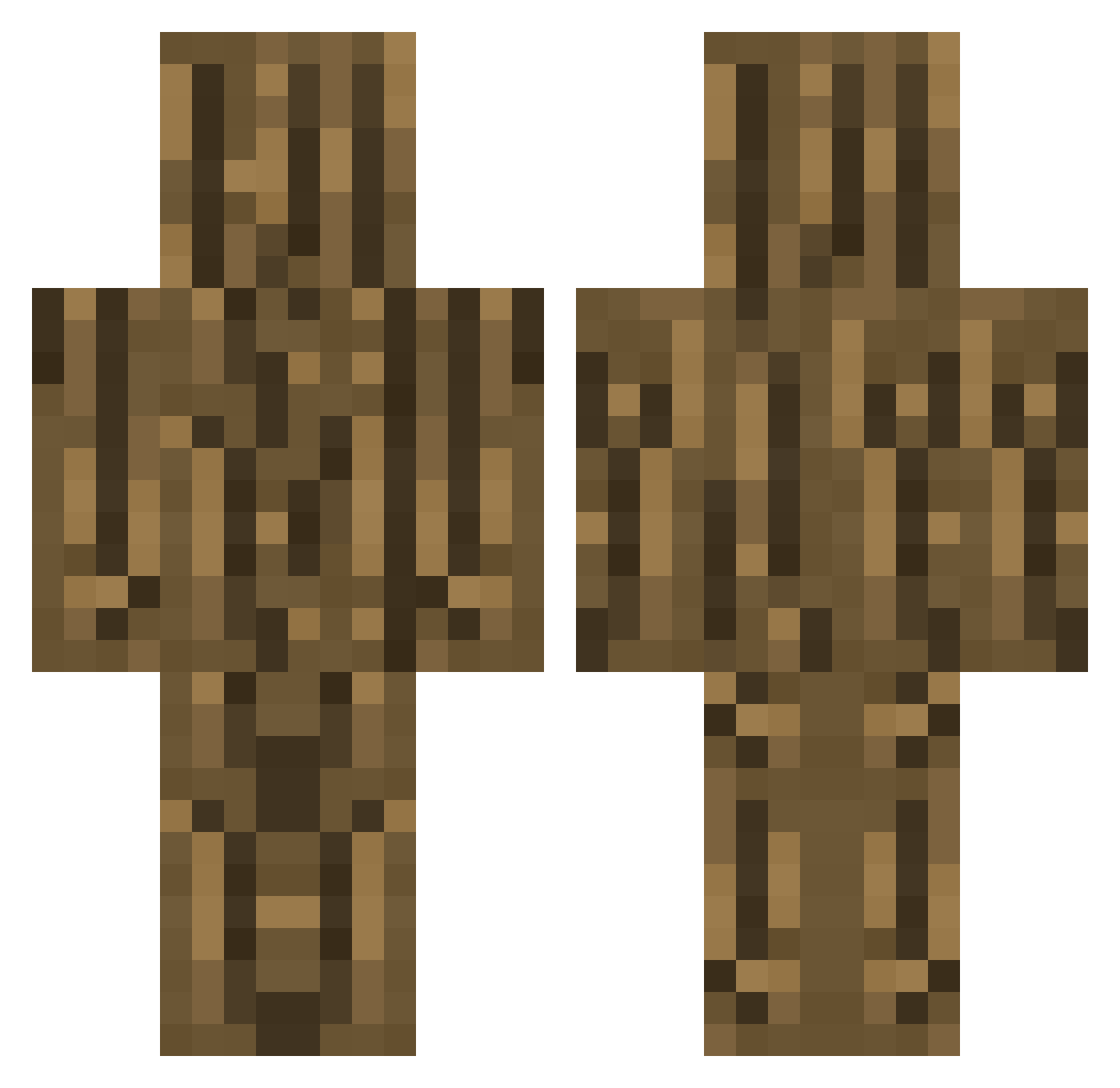
Current Minecraft skin of the player Affe_to, loaded from the official Mojang API. Rotate the 3D model with your mouse or finger, then download the skin as a PNG file and use it in Minecraft: Bedrock Edition or Java Edition for free. When Affe_to changes their skin, this page updates automatically and the old skin stays in the history below.
Other players with this skin (317)
Affe_to was the 264th player we have seen with this skin, first spotted on 05.11.2026. The same skin was seen on these players. Open a nickname to see their current skin and skin history.
 WackerPal lil_Nico08 Tman3301_ Rustble diana_suarez rearobi bambagame123 karasuuriuka Boese_Kanone BigMarek The_Real_OG_ MISIO_PL swaggerdog12342 kyatteru DriesBorstlap wizard_322 jessyvisje Eibhlin Dsteller56 eugostodevoce Hyppo94 patmat0829 toniahq_ polarbearmc Thebossl20m09 blaumann_ eyp35 zacian97434 Jayo_Sama mutti0218 Danadinho06 qt3023 ShiroNagazawa kuhlerjunge1234 Tree_Namu quantizedatom Samm_MC nomoreman0 Age_Restricted Lopsimus Monoron nicobabis Level_3 JXNIOR_ subhan_mahasigma Jajko8888 nacho11xd You_mom_ TheCatSniper Frozntree Dawid_Poland phw_ maty456666 MAAATTIA LePurzel Dzoler TSA_Benjamin Vince_PlayzzzYT johastevan LogicGalaxy
More Log Minecraft skins
How to install the Affe_to skin
- Press the Download button above to save the skin as a PNG file.
- Minecraft: Bedrock Edition (PE): open the Dressing Room from the main menu (or tap your character → Edit Character), go to Classic Skins → Owned, press the + (new skin) button, choose the downloaded PNG and pick the Classic (Steve) model. Works on PC and mobile; consoles cannot import custom skins.
- Minecraft: Java Edition: open the Minecraft Launcher, go to the Skins tab, click New Skin, load the PNG, pick the Classic (Steve) model and press Save & Use. You can also upload it at minecraft.net → Profile → Change Skin.
The skin does not show up after import - what should I do?
Restart Minecraft and open the Dressing Room again - imported skins sometimes appear only after a restart. Also make sure you selected the imported skin and picked the Classic (Steve) model.
Which model should I choose, Classic or Slim?
This skin is designed for the Classic (Steve) model. If you pick the wrong model, the arms of the skin will look stretched or squeezed.
Is the skin of Affe_to free to download?
Yes. Press Download, save the PNG file and use it in Minecraft: Bedrock Edition or Java Edition - no payment or registration needed. The skin also works on multiplayer servers and Realms.
More skins
Looking for more? Go back to all Minecraft skins and check the top skins of the week, month and all time, or find any player's skin by nickname.