
Aeoliann - Minecraft Skins & Skin History
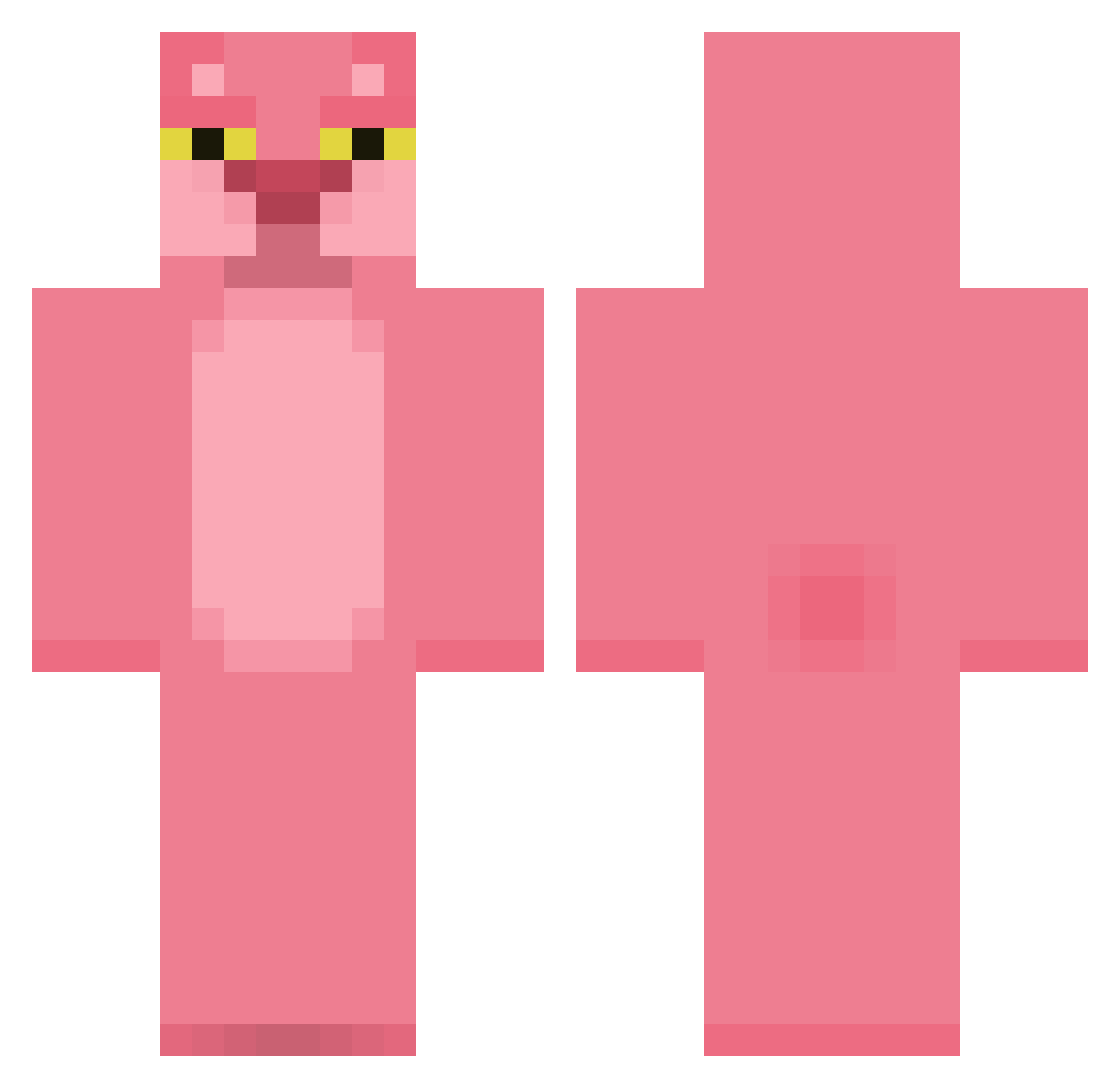
Current Minecraft skin of the player Aeoliann, loaded from the official Mojang API. Rotate the 3D model with your mouse or finger, then download the skin as a PNG file and use it in Minecraft: Bedrock Edition or Java Edition for free. When Aeoliann changes their skin, this page updates automatically and the old skin stays in the history below.
Other players with this skin (420)
Aeoliann was the 162nd player we have seen with this skin, first spotted on 08.09.2026. The same skin was seen on these players. Open a nickname to see their current skin and skin history.
 Khozi PenguinEdwin77 AlejoRL steaminman Lito890 Slayerforever Tenebror Tboneless Joxerking PinNorth zoo777 azizducoindelaru Brendonian vximoraes Bitouan SAFE_Jae zionzlegacy CacoTnk EruIluvatar1973 zestymango231 HoukMan Steelerr Treavl SimK321 wzop2 BIDE0 Lorwood MKonstantinov i_PABLOo aubreyplazawife2 LivingLegend95 UnloosedBear810 Selpung 2Dpanda Rysqinho Aowlapezed Wineskins Skalith Royal_Chappy clarinha33 RYcxry LeGrosGuitoune KrisDills satirehut Xweed__ Avengers1004 kakkmothafakka strongtofu xoryMC enrique1712 andrewtwo tisha2000 huangping lbyzbc jenDaDDy Joey7247 someothergirl Jokerwanwan oliviaarb TwentyOne21
More The Pink Panther Minecraft skins
See all 148 The Pink Panther skins
How to install the Aeoliann skin
- Press the Download button above to save the skin as a PNG file.
- Minecraft: Bedrock Edition (PE): open the Dressing Room from the main menu (or tap your character → Edit Character), go to Classic Skins → Owned, press the + (new skin) button, choose the downloaded PNG and pick the Classic (Steve) model. Works on PC and mobile; consoles cannot import custom skins.
- Minecraft: Java Edition: open the Minecraft Launcher, go to the Skins tab, click New Skin, load the PNG, pick the Classic (Steve) model and press Save & Use. You can also upload it at minecraft.net → Profile → Change Skin.
The skin does not show up after import - what should I do?
Restart Minecraft and open the Dressing Room again - imported skins sometimes appear only after a restart. Also make sure you selected the imported skin and picked the Classic (Steve) model.
Which model should I choose, Classic or Slim?
This skin is designed for the Classic (Steve) model. If you pick the wrong model, the arms of the skin will look stretched or squeezed.
Is the skin of Aeoliann free to download?
Yes. Press Download, save the PNG file and use it in Minecraft: Bedrock Edition or Java Edition - no payment or registration needed. The skin also works on multiplayer servers and Realms.
More skins
Looking for more? Go back to all Minecraft skins and check the top skins of the week, month and all time, or find any player's skin by nickname.