
Adropofwater - Minecraft Skins & Skin History
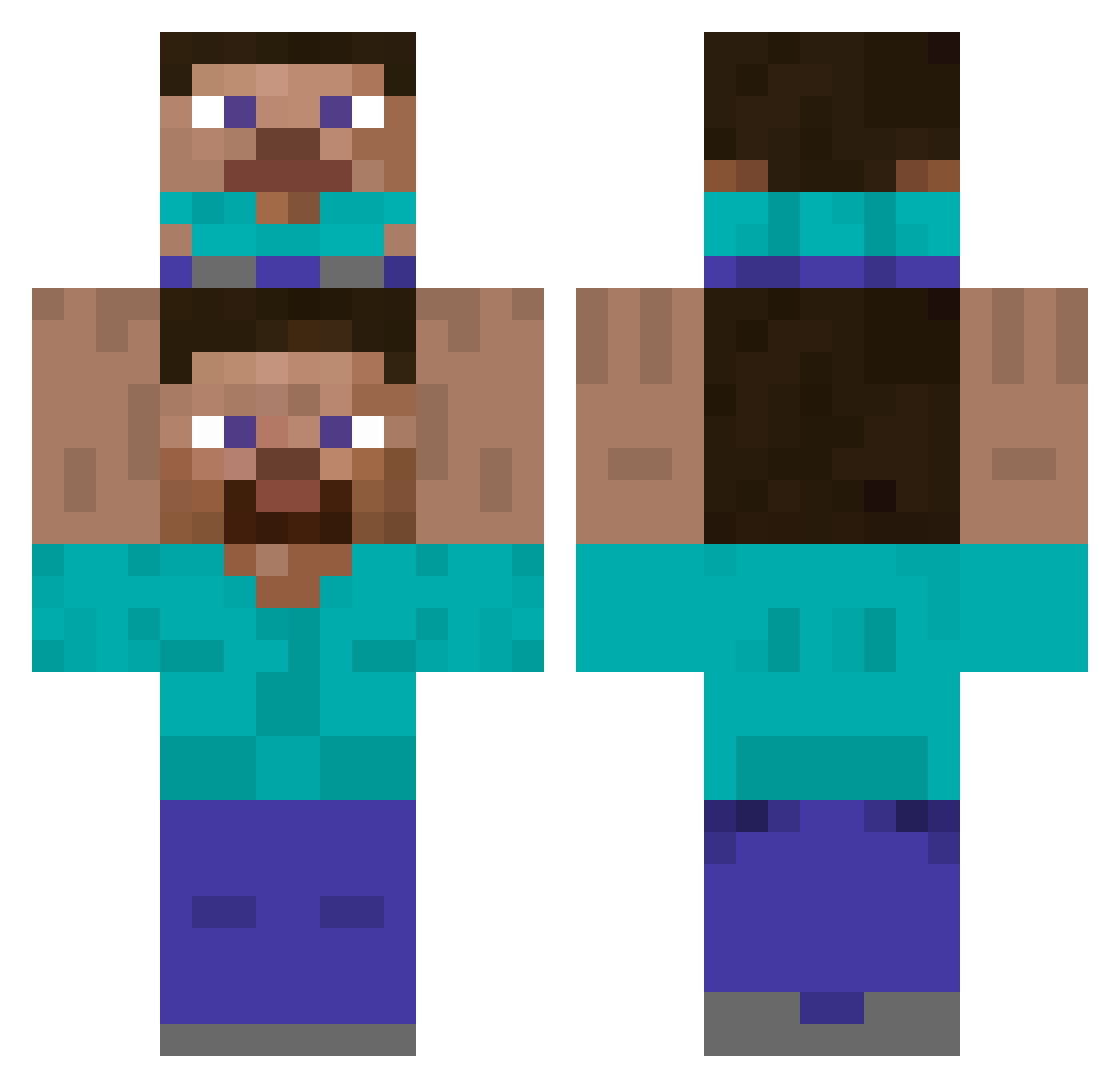
Current Minecraft skin of the player Adropofwater, loaded from the official Mojang API. Rotate the 3D model with your mouse or finger, then download the skin as a PNG file and use it in Minecraft: Bedrock Edition or Java Edition for free. When Adropofwater changes their skin, this page updates automatically and the old skin stays in the history below.
Other players with this skin (504)
Adropofwater was the 213th player we have seen with this skin, first spotted on 10.09.2026. The same skin was seen on these players. Open a nickname to see their current skin and skin history.
 AprotCoin Bacteria911 seunghooon_ kiernoz mdkegs Cynicast AnimalMother1987 shiwa1111 TheDearbear galchokawaiiommc Hogfeldt112 NotBumps PochatokKukuruzy chelseabig6 FloridaKeys1 sina708 SiuchaNub bluestreeter ELEPER ferretnoodles SoySam156 Galuum Ozyloth Jswan534
 WSSSSSSSSSS nabr lingyu114514 XPLORER1234 ekwnrdlsmsrjdi KingPool29 2Hwarang2 bole_bro SharpRed jogaesujib spelunke55 SeongyongE FRSTBITEZ Batmanote _MrMapka_ Gabe_Wemm ArthurColson XawS2 Lins3D Gh_oust twilight078 _Erikaaaaaa_ Ton_Cena BIGHEE531 F1f11 CoOKiE02082 alemario spongecus RogiZzZ _I1l smokecarrych JahweIV GGUSTER sunhsong IHHHHOO MTSDY
How to install the Adropofwater skin
- Press the Download button above to save the skin as a PNG file.
- Minecraft: Bedrock Edition (PE): open the Dressing Room from the main menu (or tap your character → Edit Character), go to Classic Skins → Owned, press the + (new skin) button, choose the downloaded PNG and pick the Classic (Steve) model. Works on PC and mobile; consoles cannot import custom skins.
- Minecraft: Java Edition: open the Minecraft Launcher, go to the Skins tab, click New Skin, load the PNG, pick the Classic (Steve) model and press Save & Use. You can also upload it at minecraft.net → Profile → Change Skin.
The skin does not show up after import - what should I do?
Restart Minecraft and open the Dressing Room again - imported skins sometimes appear only after a restart. Also make sure you selected the imported skin and picked the Classic (Steve) model.
Which model should I choose, Classic or Slim?
This skin is designed for the Classic (Steve) model. If you pick the wrong model, the arms of the skin will look stretched or squeezed.
Is the skin of Adropofwater free to download?
Yes. Press Download, save the PNG file and use it in Minecraft: Bedrock Edition or Java Edition - no payment or registration needed. The skin also works on multiplayer servers and Realms.
More skins
Looking for more? Go back to all Minecraft skins and check the top skins of the week, month and all time, or find any player's skin by nickname.