
Administrator14 - Minecraft Skins & Skin History
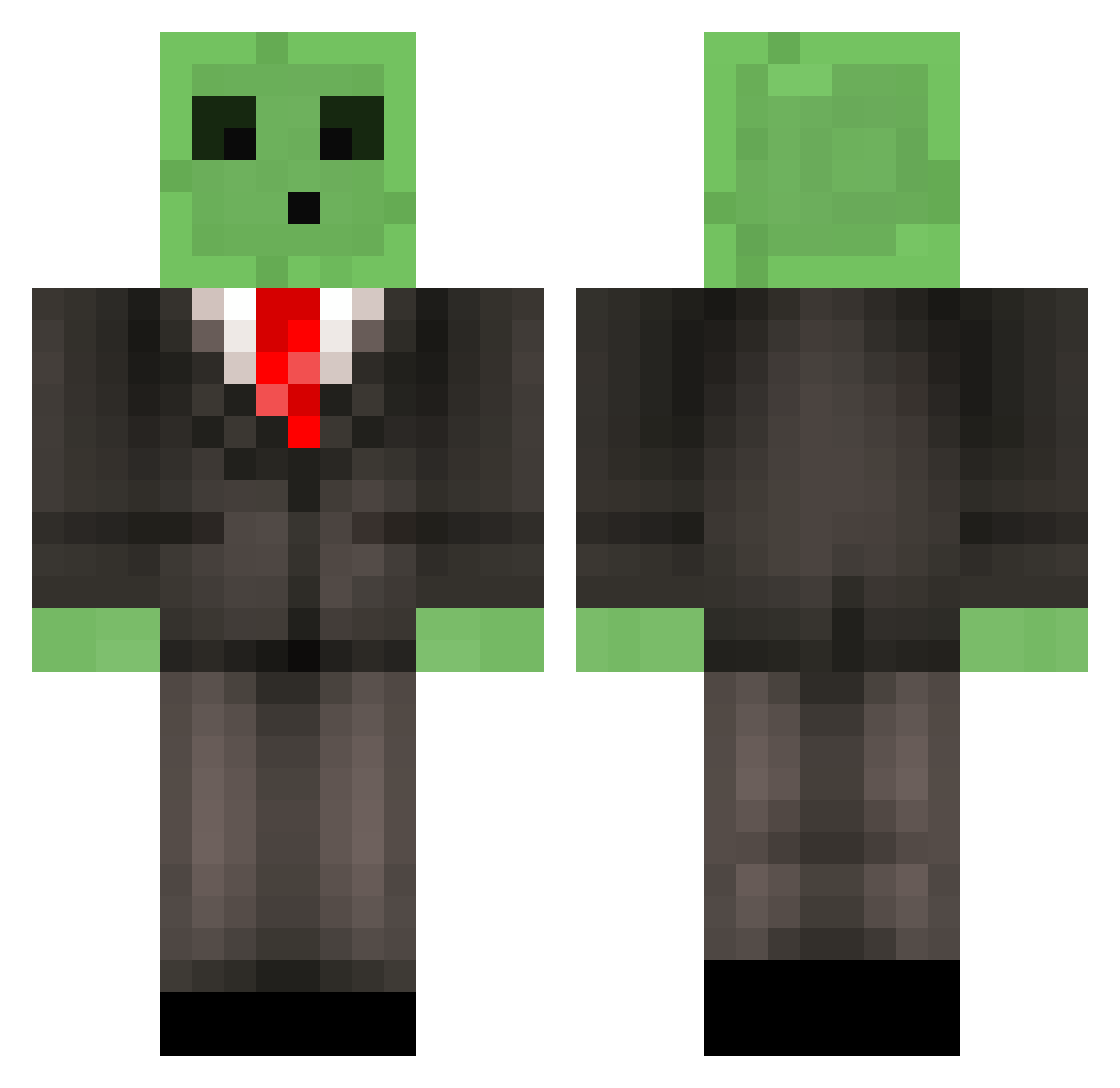
Current Minecraft skin of the player Administrator14, loaded from the official Mojang API. Rotate the 3D model with your mouse or finger, then download the skin as a PNG file and use it in Minecraft: Bedrock Edition or Java Edition for free. When Administrator14 changes their skin, this page updates automatically and the old skin stays in the history below.
Other players with this skin (510)
Administrator14 was the 211th player we have seen with this skin, first spotted on 31.08.2026. The same skin was seen on these players. Open a nickname to see their current skin and skin history.
 RobNaughton GRLoRz colehman2 30Liam30 aquaticking butler9614 lj14356 majikman123 Jack19001 M4x2000 zolland02 Politelol Fred1and LetsPlayLouca BitchsSon Jonzsa edt49er DutchBeasting mtownshend Khalifians Splat_ brundand Catfish1027 crazyredneck123 Necas_31 Hazza_213 MistSkylark slipzor WhyDaEf klar_pepsi Blupp1910 simc11 Dukkoman BIGCREEP01 Stealthy_Mango12 DrSkillaura23 Viper4051 zakeho 1502 Dinossaurinho33 killernut95 jjhmur brendankingducky blueberrybutter Flanki Terrorist69420 jazmine6447 squintmonk peanutbutta95 toyxmadness7 ronanoconn Flambo101 Edgar44 JesusEatsPie ghosty49221 Junkouille major1234 laphroaig_ AmLynn77 Sondermolle
More Slime Minecraft skins
How to install the Administrator14 skin
- Press the Download button above to save the skin as a PNG file.
- Minecraft: Bedrock Edition (PE): open the Dressing Room from the main menu (or tap your character → Edit Character), go to Classic Skins → Owned, press the + (new skin) button, choose the downloaded PNG and pick the Classic (Steve) model. Works on PC and mobile; consoles cannot import custom skins.
- Minecraft: Java Edition: open the Minecraft Launcher, go to the Skins tab, click New Skin, load the PNG, pick the Classic (Steve) model and press Save & Use. You can also upload it at minecraft.net → Profile → Change Skin.
The skin does not show up after import - what should I do?
Restart Minecraft and open the Dressing Room again - imported skins sometimes appear only after a restart. Also make sure you selected the imported skin and picked the Classic (Steve) model.
Which model should I choose, Classic or Slim?
This skin is designed for the Classic (Steve) model. If you pick the wrong model, the arms of the skin will look stretched or squeezed.
Is the skin of Administrator14 free to download?
Yes. Press Download, save the PNG file and use it in Minecraft: Bedrock Edition or Java Edition - no payment or registration needed. The skin also works on multiplayer servers and Realms.
More skins
Looking for more? Go back to all Minecraft skins and check the top skins of the week, month and all time, or find any player's skin by nickname.