
Achilla91 - Minecraft Skins & Skin History
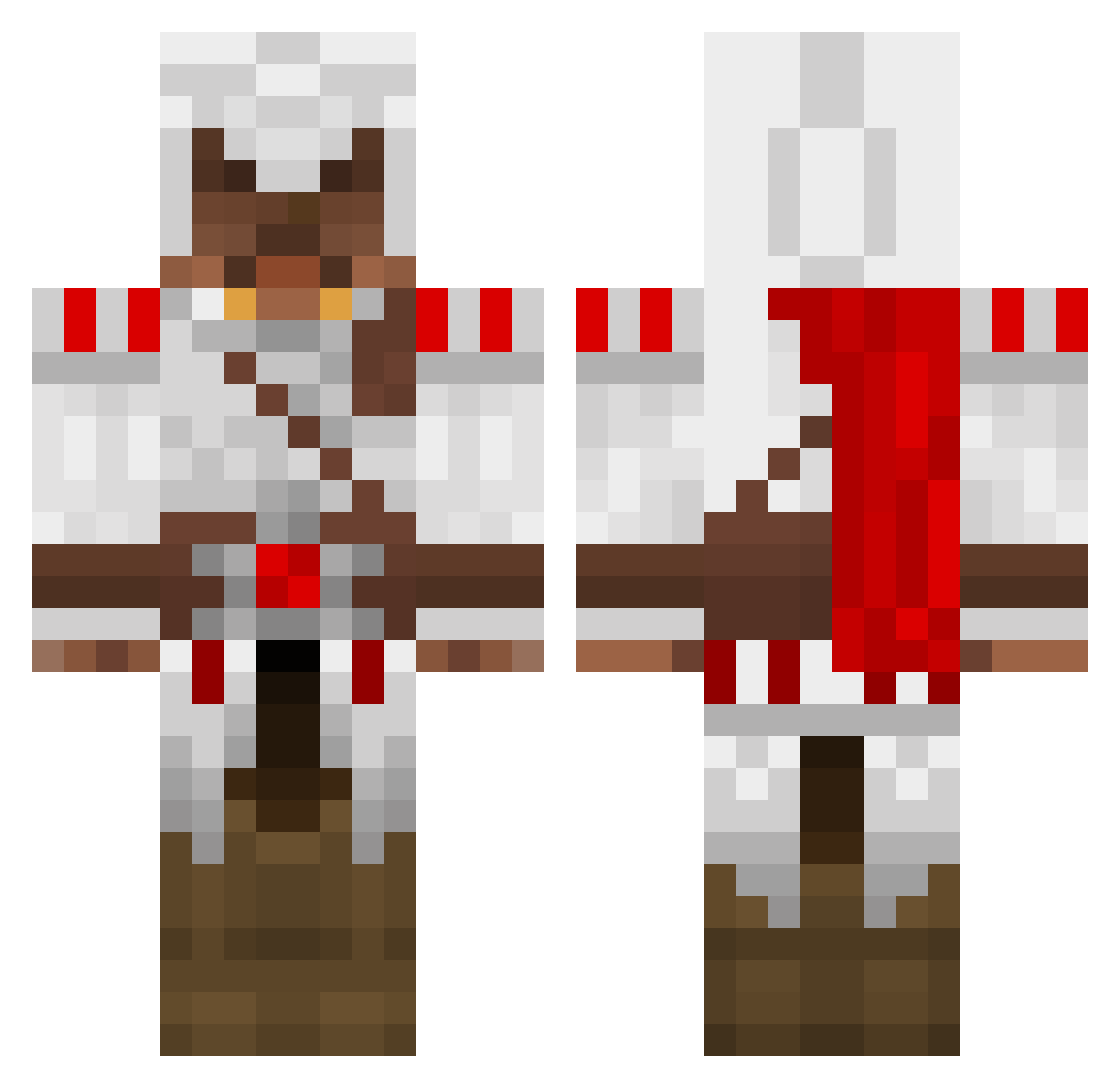
Current Minecraft skin of the player Achilla91, loaded from the official Mojang API. Rotate the 3D model with your mouse or finger, then download the skin as a PNG file and use it in Minecraft: Bedrock Edition or Java Edition for free. When Achilla91 changes their skin, this page updates automatically and the old skin stays in the history below.
Other players with this skin (93)
Achilla91 was the 33rd player we have seen with this skin, first spotted on 05.09.2026. The same skin was seen on these players. Open a nickname to see their current skin and skin history.
 shenround Qc_CuiCui Hxypz POCKETWHATCH War_Freak666 Spartacusdeluxe sleurtet44 Lencien Marc24bb Fleauryant Mortacie JordaniTF spacey500 Cappyyyyy Filionder hoffinaut zztop25 Luce_Heavenly Harkabe Ay_Mick Paintap yori05 Desley1992 Norrix knet3000 vulturer AlarickThedude Minecrafterololo reticulis Nessilian PudzianGaming Colard WrongfulMovie Durgraal Smitheroos Muffelbrot TheMonty vinco2 Kakan94 VacHam DanC987 Glodion rzufior froggy266 felmike RiodShield khaosryder Zank18 awesome1299 Unitarded Robotertyp Paravellum markrz njutangers inedible_trout Avispaa SerqHD The_Wolfkiller creeperbomb101 Shrykoss
More Ezio Auditore Minecraft skins
See all 136 Ezio Auditore skins
How to install the Achilla91 skin
- Press the Download button above to save the skin as a PNG file.
- Minecraft: Bedrock Edition (PE): open the Dressing Room from the main menu (or tap your character → Edit Character), go to Classic Skins → Owned, press the + (new skin) button, choose the downloaded PNG and pick the Classic (Steve) model. Works on PC and mobile; consoles cannot import custom skins.
- Minecraft: Java Edition: open the Minecraft Launcher, go to the Skins tab, click New Skin, load the PNG, pick the Classic (Steve) model and press Save & Use. You can also upload it at minecraft.net → Profile → Change Skin.
The skin does not show up after import - what should I do?
Restart Minecraft and open the Dressing Room again - imported skins sometimes appear only after a restart. Also make sure you selected the imported skin and picked the Classic (Steve) model.
Which model should I choose, Classic or Slim?
This skin is designed for the Classic (Steve) model. If you pick the wrong model, the arms of the skin will look stretched or squeezed.
Is the skin of Achilla91 free to download?
Yes. Press Download, save the PNG file and use it in Minecraft: Bedrock Edition or Java Edition - no payment or registration needed. The skin also works on multiplayer servers and Realms.
More skins
Looking for more? Go back to all Minecraft skins and check the top skins of the week, month and all time, or find any player's skin by nickname.