
Acheropita - Minecraft Skins & Skin History
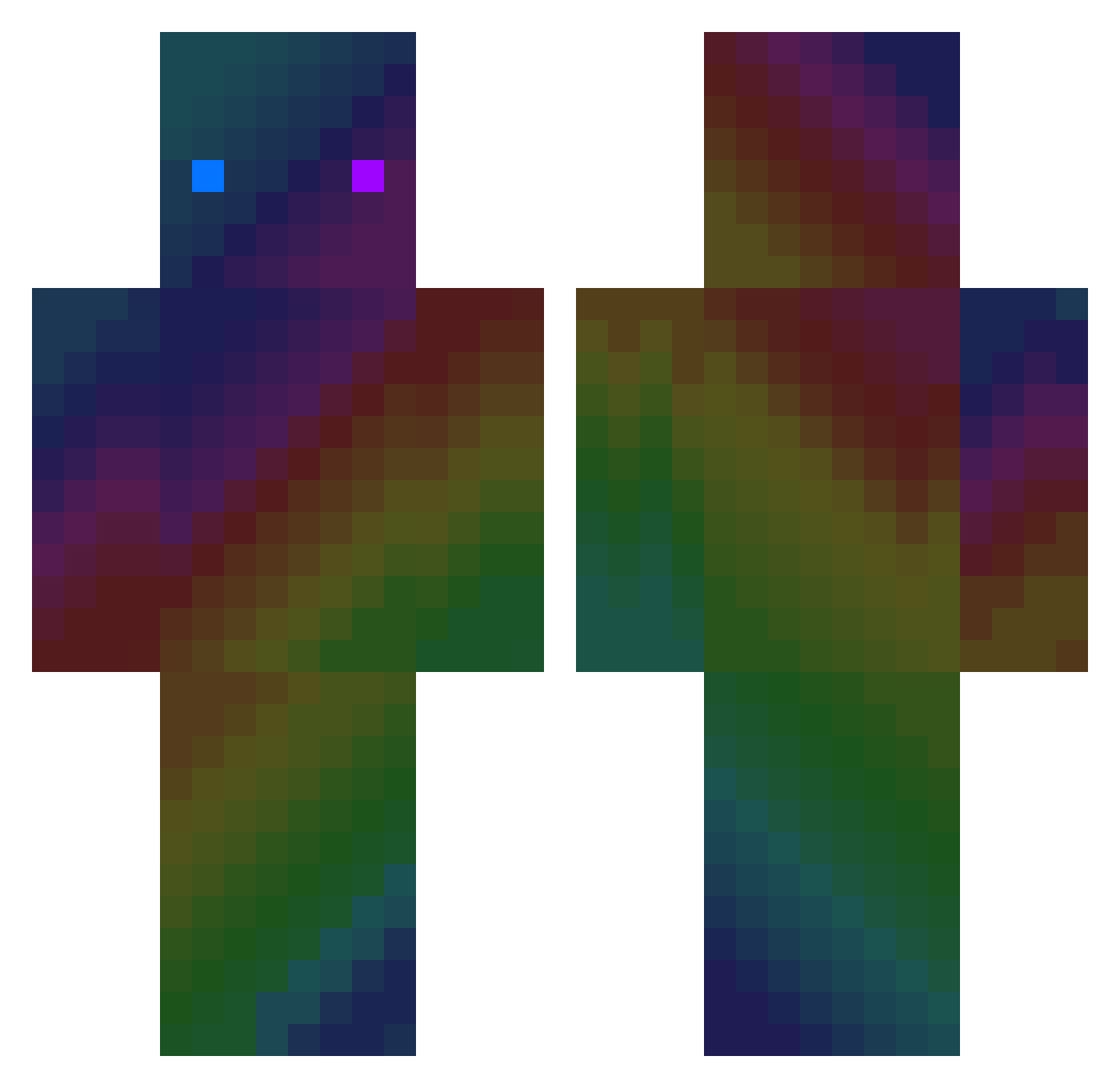
Current Minecraft skin of the player Acheropita, loaded from the official Mojang API. Rotate the 3D model with your mouse or finger, then download the skin as a PNG file and use it in Minecraft: Bedrock Edition or Java Edition for free. When Acheropita changes their skin, this page updates automatically and the old skin stays in the history below.
Other players with this skin (412)
Acheropita was the 268th player we have seen with this skin, first spotted on 11.10.2026. The same skin was seen on these players. Open a nickname to see their current skin and skin history.
 granatadepresso1 NOOB_0202 CostaTuf Vamot Zephoya _Death_Hunter_19 Rafin14 kokos2 rladntmd1 Muine Fuzzyboy_pussdog MrEasyyy honestlies ItzMundi DauphinCoquin30 TaKo_88 slayzefishy HGHENRY321 Cloudy0017 KAJOW ItsALDragon IAmHadees KRhipin RITTO_DA ssam0218 WebMonster321 Gael_123 The_DA Ak1_1b slapeur115 a177301 dla0913 Qizzy TitanCrafter Yofondo kody2198 Onwar1 han_hua_ klajove _KopiGame_ XxerwsdafxX Awo0ri blackbolt121 2iqNoComplex StillBark1 Dadanmai Corn_flex91 alphara28 Veelooce MoRda_____ _Profecy Woxod RKJackson MTBR_06 Pereza777 sirgiac Sivabo EasonnnnnnSun Slydizoff QWERDDY
How to install the Acheropita skin
- Press the Download button above to save the skin as a PNG file.
- Minecraft: Bedrock Edition (PE): open the Dressing Room from the main menu (or tap your character → Edit Character), go to Classic Skins → Owned, press the + (new skin) button, choose the downloaded PNG and pick the Classic (Steve) model. Works on PC and mobile; consoles cannot import custom skins.
- Minecraft: Java Edition: open the Minecraft Launcher, go to the Skins tab, click New Skin, load the PNG, pick the Classic (Steve) model and press Save & Use. You can also upload it at minecraft.net → Profile → Change Skin.
The skin does not show up after import - what should I do?
Restart Minecraft and open the Dressing Room again - imported skins sometimes appear only after a restart. Also make sure you selected the imported skin and picked the Classic (Steve) model.
Which model should I choose, Classic or Slim?
This skin is designed for the Classic (Steve) model. If you pick the wrong model, the arms of the skin will look stretched or squeezed.
Is the skin of Acheropita free to download?
Yes. Press Download, save the PNG file and use it in Minecraft: Bedrock Edition or Java Edition - no payment or registration needed. The skin also works on multiplayer servers and Realms.
More skins
Looking for more? Go back to all Minecraft skins and check the top skins of the week, month and all time, or find any player's skin by nickname.