
Acheee - Minecraft Skins & Skin History
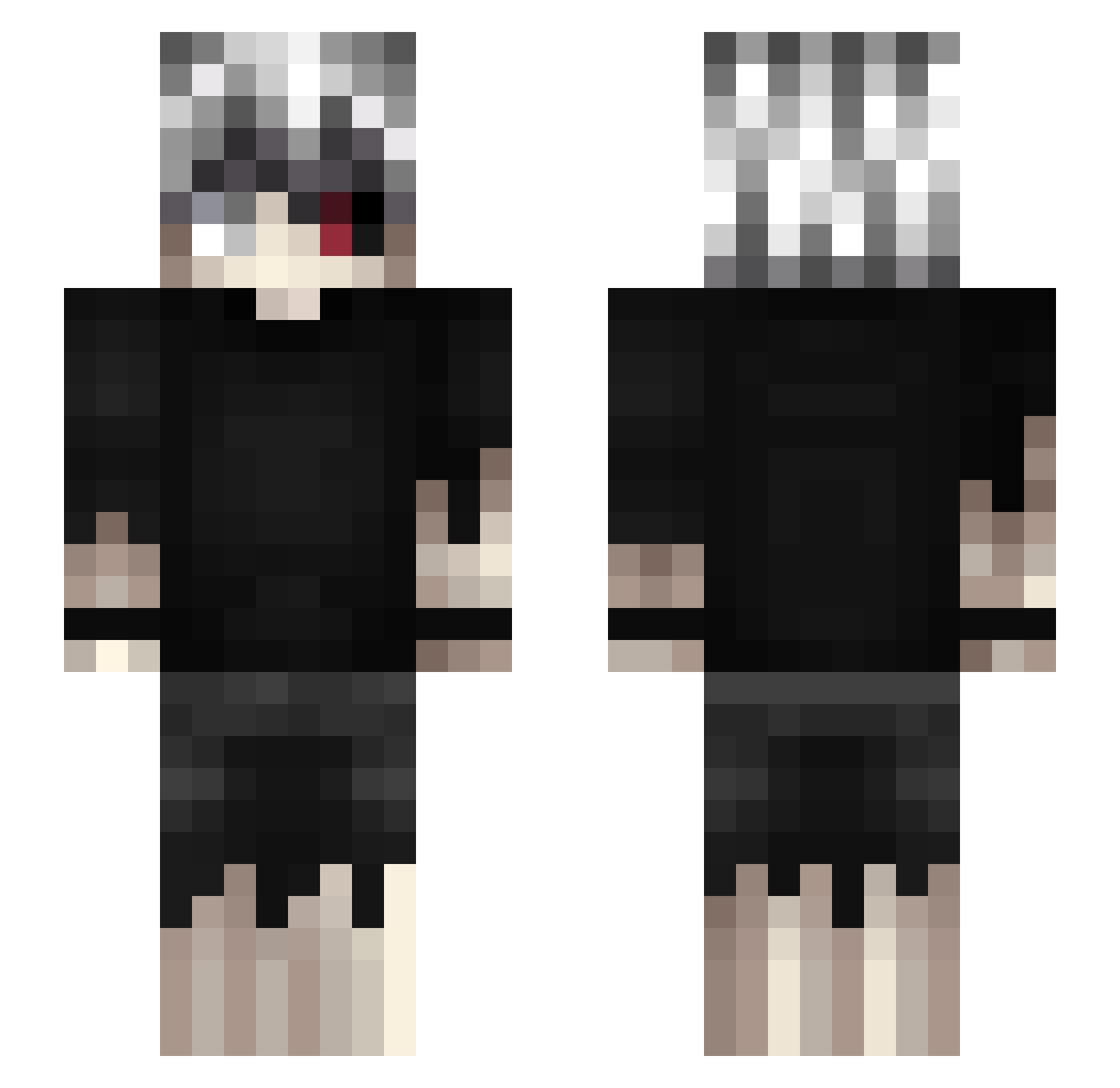
Current Minecraft skin of the player Acheee, loaded from the official Mojang API. Rotate the 3D model with your mouse or finger, then download the skin as a PNG file and use it in Minecraft: Bedrock Edition or Java Edition for free. When Acheee changes their skin, this page updates automatically and the old skin stays in the history below.
Other players with this skin (462)
Acheee was the 180th player we have seen with this skin, first spotted on 03.09.2026. The same skin was seen on these players. Open a nickname to see their current skin and skin history.
 Jeffersonsd1 BounceNN 7ZDk NekVR NeroD_ wolfrebels Habibi23 loreks111 DaProfTim SpartanLE87 nSkipperZ montz21 HAISESASAK1 nakshaa Merkur03 SeeMunkee picojanet fragmentado ShockPunk DELUCZE7 Saulesmit145 YiJhangLee EpicKnock fanatWQJ DeadKiller1983 MisterKaname PapaPerk sw123123 Whiteshark67 Issei_Hyoudou1 Asusenergy Nao_QwQ Mati23gg Adrian_52 peurp Caww_ IvyyyHD petetes SkullDiggerz Inestvan DECOAki MrExposeU LeBibaard love2214036 KillerGhost_020 sv_zn grapoo_ N0ctaly StrayCat12m Creepy33FR_ Kobest raizumu D630R63 kunoichi__ pickleChinA55Boi xAbod_x Dentzo Dabbe06 Descensions MysticGinger
More Kaneki Ken Minecraft skins
How to install the Acheee skin
- Press the Download button above to save the skin as a PNG file.
- Minecraft: Bedrock Edition (PE): open the Dressing Room from the main menu (or tap your character → Edit Character), go to Classic Skins → Owned, press the + (new skin) button, choose the downloaded PNG and pick the Slim (Alex) model. Works on PC and mobile; consoles cannot import custom skins.
- Minecraft: Java Edition: open the Minecraft Launcher, go to the Skins tab, click New Skin, load the PNG, pick the Slim (Alex) model and press Save & Use. You can also upload it at minecraft.net → Profile → Change Skin.
The skin does not show up after import - what should I do?
Restart Minecraft and open the Dressing Room again - imported skins sometimes appear only after a restart. Also make sure you selected the imported skin and picked the Slim (Alex) model.
Which model should I choose, Classic or Slim?
This skin is designed for the Slim (Alex) model. If you pick the wrong model, the arms of the skin will look stretched or squeezed.
Is the skin of Acheee free to download?
Yes. Press Download, save the PNG file and use it in Minecraft: Bedrock Edition or Java Edition - no payment or registration needed. The skin also works on multiplayer servers and Realms.
More skins
Looking for more? Go back to all Minecraft skins and check the top skins of the week, month and all time, or find any player's skin by nickname.