
Abscission - Minecraft Skins & Skin History
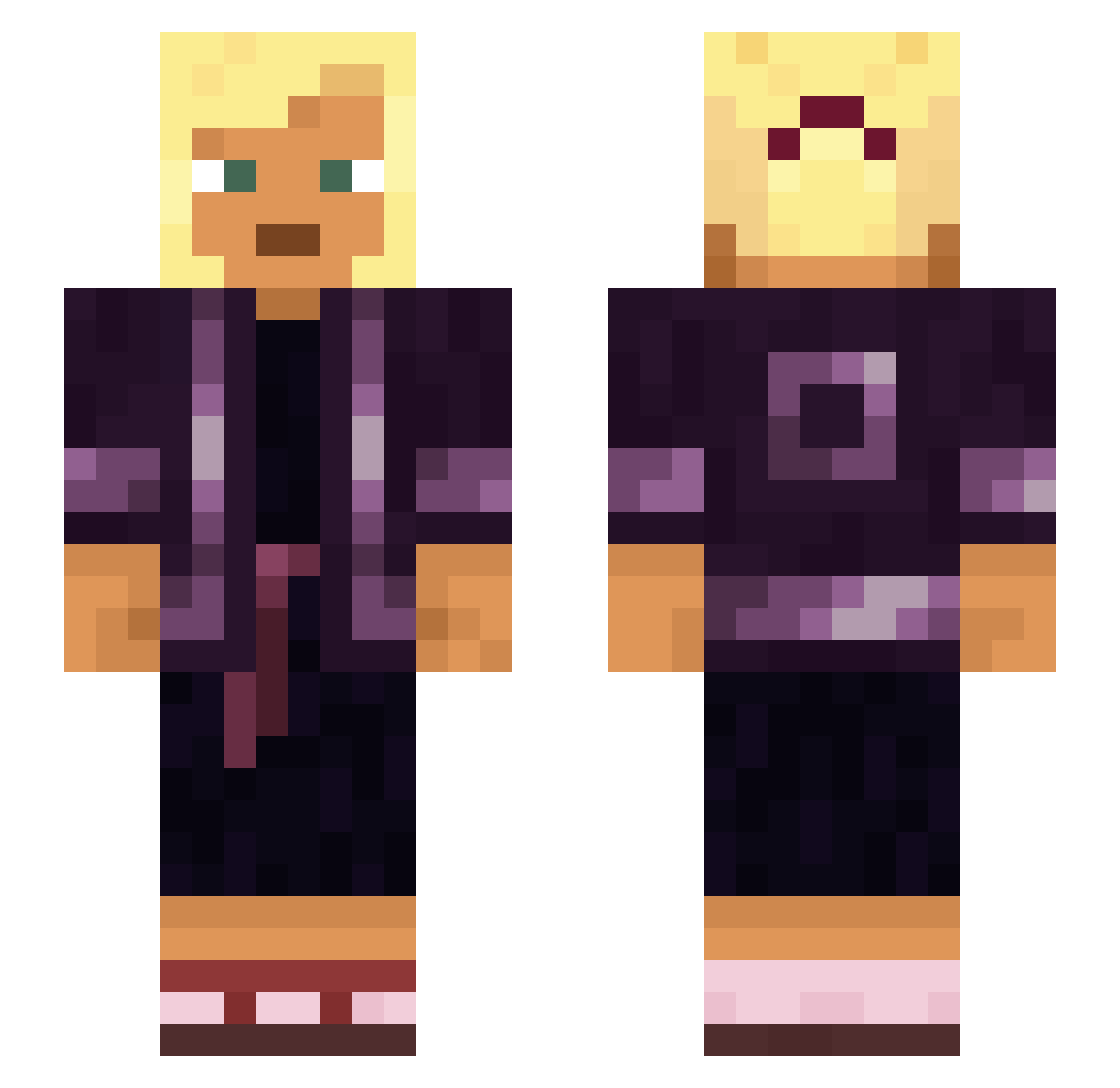
Current Minecraft skin of the player Abscission, loaded from the official Mojang API. Rotate the 3D model with your mouse or finger, then download the skin as a PNG file and use it in Minecraft: Bedrock Edition or Java Edition for free. When Abscission changes their skin, this page updates automatically and the old skin stays in the history below.
Other players with this skin (930)
Abscission was the 875th player we have seen with this skin, first spotted on 29.10.2026. The same skin was seen on these players. Open a nickname to see their current skin and skin history.
 Aliconde anchylosis change0fheart Undria57 yenisei AdramMelech HoldenHoots2 SeMang pennyworth Baegel1337 Troublesome Picaninny guilhemxz Protoxid Stonepecker Unauthorization uncasual unscannable LastSoltero hodowca JacobThe3de Pilling Suuzan_ kauwgombal Shortbread Luckieeeee Xercros Taxidea Awokzz goorgexd sagamore Megatom Sarcophaguses heily ldots Ruddiest porphyra Septembqr Perh Dralisar HeilHltler69 OuKengang yenite i7aziz Logarhythm1 Spinal trashy colorist LoffleCake Tobybeautiful Blitzo Miikkee_010 Bolve Drachm Fairways benty Shokkadin WireWalker Cornua Tienisch
More Asian Minecraft skins
How to install the Abscission skin
- Press the Download button above to save the skin as a PNG file.
- Minecraft: Bedrock Edition (PE): open the Dressing Room from the main menu (or tap your character → Edit Character), go to Classic Skins → Owned, press the + (new skin) button, choose the downloaded PNG and pick the Slim (Alex) model. Works on PC and mobile; consoles cannot import custom skins.
- Minecraft: Java Edition: open the Minecraft Launcher, go to the Skins tab, click New Skin, load the PNG, pick the Slim (Alex) model and press Save & Use. You can also upload it at minecraft.net → Profile → Change Skin.
The skin does not show up after import - what should I do?
Restart Minecraft and open the Dressing Room again - imported skins sometimes appear only after a restart. Also make sure you selected the imported skin and picked the Slim (Alex) model.
Which model should I choose, Classic or Slim?
This skin is designed for the Slim (Alex) model. If you pick the wrong model, the arms of the skin will look stretched or squeezed.
Is the skin of Abscission free to download?
Yes. Press Download, save the PNG file and use it in Minecraft: Bedrock Edition or Java Edition - no payment or registration needed. The skin also works on multiplayer servers and Realms.
More skins
Looking for more? Go back to all Minecraft skins and check the top skins of the week, month and all time, or find any player's skin by nickname.