
AbcJob - Minecraft Skins & Skin History
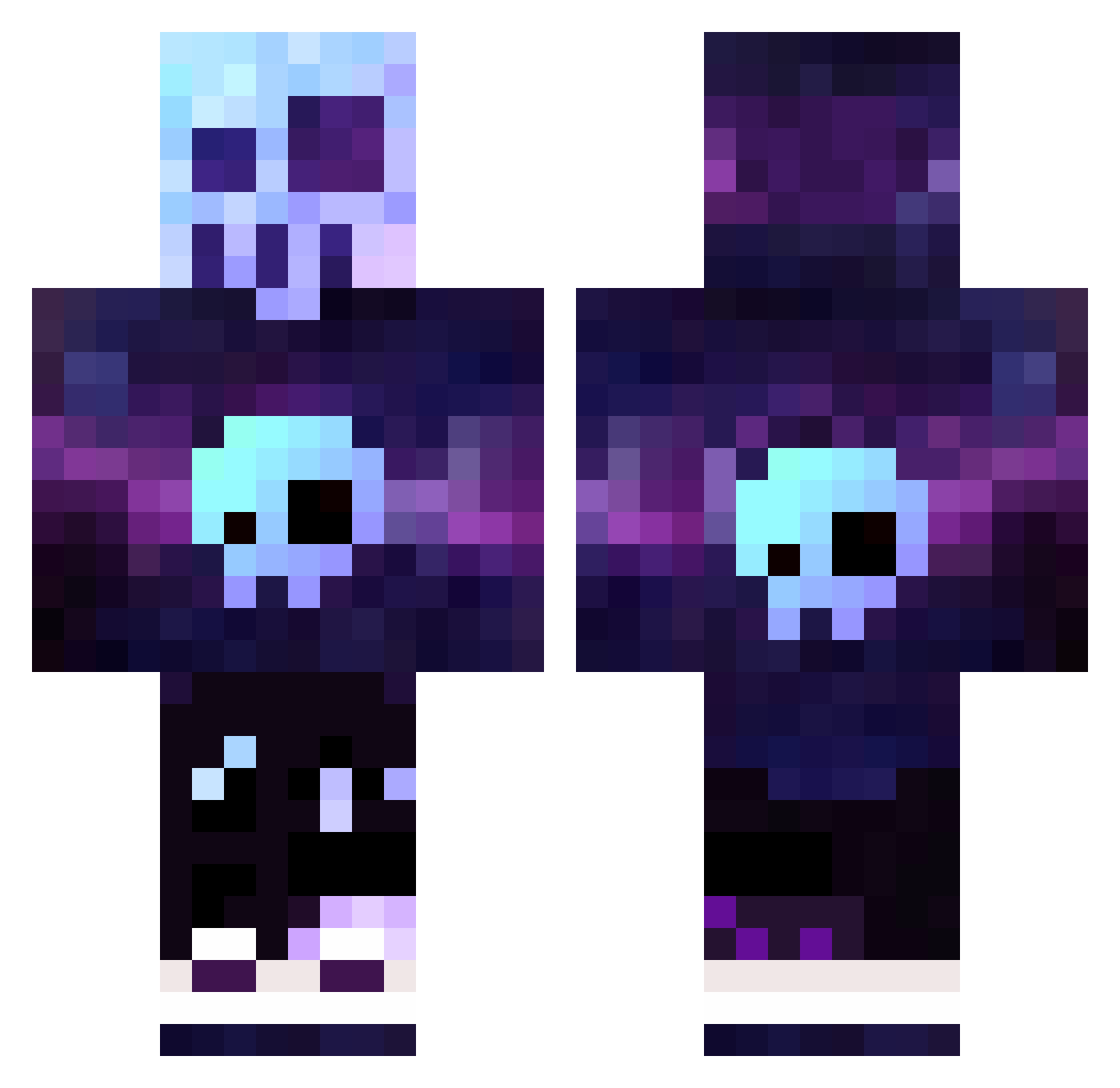
Current Minecraft skin of the player AbcJob, loaded from the official Mojang API. Rotate the 3D model with your mouse or finger, then download the skin as a PNG file and use it in Minecraft: Bedrock Edition or Java Edition for free. When AbcJob changes their skin, this page updates automatically and the old skin stays in the history below.
Other players with this skin (320)
AbcJob was the 50th player we have seen with this skin, first spotted on 07.08.2026. The same skin was seen on these players. Open a nickname to see their current skin and skin history.
 MrLicorneDu10 briian1198 Matri45 Im_a_Duckman Samsquatch132 ELBARTO878 LeMovo JesterMeijin liorbianchi kapperguy6900 Mavrik1017 dragonrey Snugglefresh Andresedfg DrEspendo1 Ghost_Toast69 nilskills1 MooseLegion1313 Terranova113204 minithemight ohOdzn TItanEra ABOTIGER1 megadani_13 TheSavageOne_414 CookieBear6720 ssqp781 AnzyBanzy Magnett199 dhill8x flyburnsteen04 xZaviYT NoNameBoys ManiacMoen IrgendeinDude Greenskeeper18 ModernFenrir luckytrash IsavL HazeWentMisty justanotherR2D2 Reaper_YT7636 MrBadBoytje V4rl3x iinvalue BoyPogi FATNEEK101 prestonmnos mcmullett42 bxar1 Finnibaer AbdieelLS eLTouca Kozaczeq123 mysticblox wiiktor16 Cyberzero8597 Gnar57 TheNochi schelfhorst
More Nebula Minecraft skins
How to install the AbcJob skin
- Press the Download button above to save the skin as a PNG file.
- Minecraft: Bedrock Edition (PE): open the Dressing Room from the main menu (or tap your character → Edit Character), go to Classic Skins → Owned, press the + (new skin) button, choose the downloaded PNG and pick the Classic (Steve) model. Works on PC and mobile; consoles cannot import custom skins.
- Minecraft: Java Edition: open the Minecraft Launcher, go to the Skins tab, click New Skin, load the PNG, pick the Classic (Steve) model and press Save & Use. You can also upload it at minecraft.net → Profile → Change Skin.
The skin does not show up after import - what should I do?
Restart Minecraft and open the Dressing Room again - imported skins sometimes appear only after a restart. Also make sure you selected the imported skin and picked the Classic (Steve) model.
Which model should I choose, Classic or Slim?
This skin is designed for the Classic (Steve) model. If you pick the wrong model, the arms of the skin will look stretched or squeezed.
Is the skin of AbcJob free to download?
Yes. Press Download, save the PNG file and use it in Minecraft: Bedrock Edition or Java Edition - no payment or registration needed. The skin also works on multiplayer servers and Realms.
More skins
Looking for more? Go back to all Minecraft skins and check the top skins of the week, month and all time, or find any player's skin by nickname.