
A_Bozo_ - Minecraft Skins & Skin History
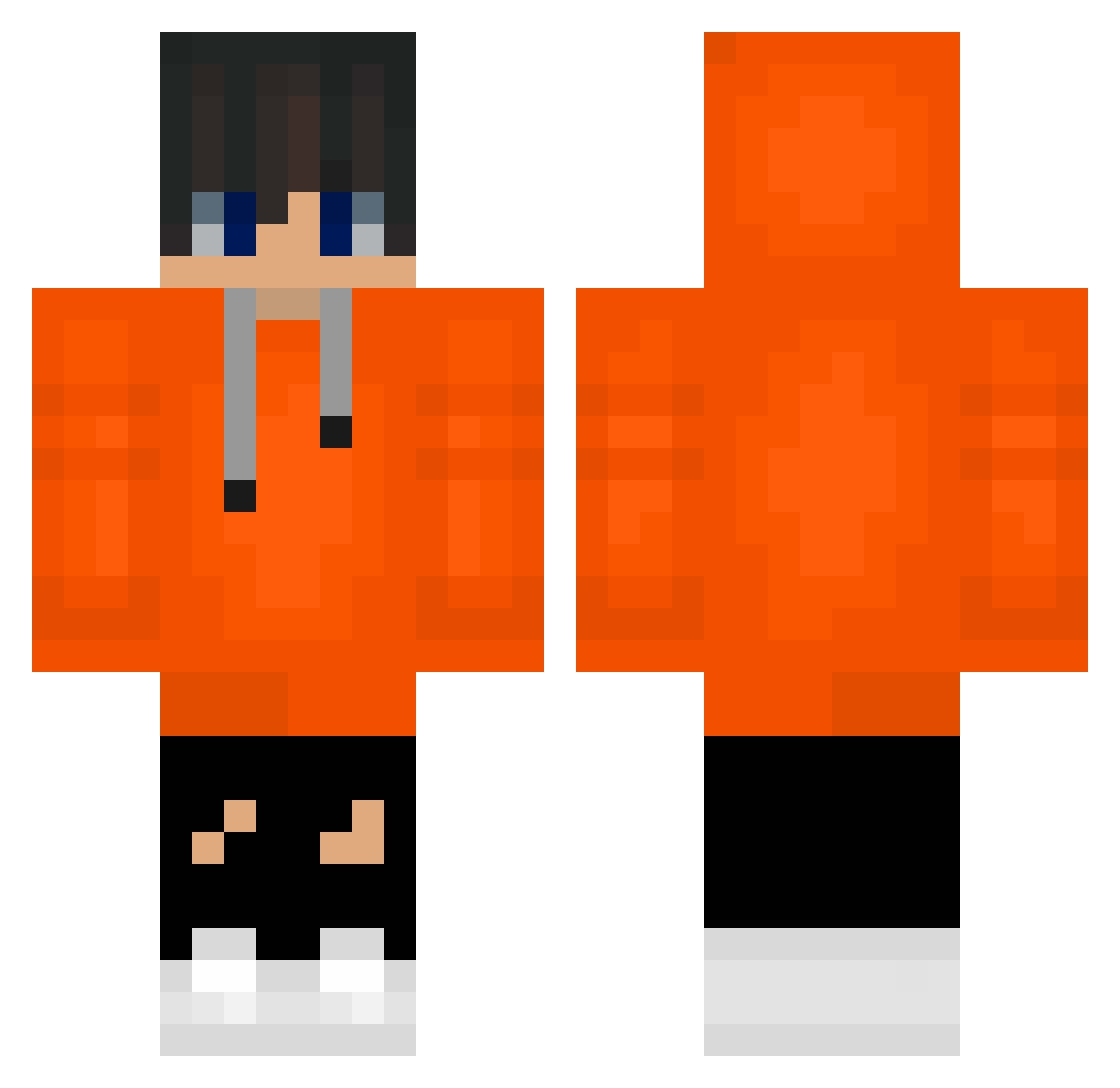
Current Minecraft skin of the player A_Bozo_, loaded from the official Mojang API. Rotate the 3D model with your mouse or finger, then download the skin as a PNG file and use it in Minecraft: Bedrock Edition or Java Edition for free. When A_Bozo_ changes their skin, this page updates automatically and the old skin stays in the history below.
Other players with this skin (488)
A_Bozo_ was the 61st player we have seen with this skin, first spotted on 05.08.2026. The same skin was seen on these players. Open a nickname to see their current skin and skin history.
 genshin9874 Renaisssance752 mminsu Laviton mlrohizi ChansXDS2 corsair1029 Tritunus2 DeivyMC1 Osun427 877777_777778 Braril_ King__Panda00 kshIII lemon9 prokikil Skylormx makerkhan komq7 anihoan sou_19355 JLOVEhynjun
 HnossKJ ZOrangeBoi26 kyusxg BRUMPIESAN AYQUT_ skfie1625 Tlqkf0907
 kai_the_shani SixBerry5489854 Godraccoori simonrfgg HanielA gloriouspyramid dofpk X_4U anggimozzi12 holmol12 jamsoojong S_whalesharkYT
 roou_ caradrien9 b0l069 GinsoTv songokuuuuuu DH_2023 kaka36 centur_ion hajinna RoundGound remonjamon rlaegus komqNyang_ RAMI511XX Pegasus1029 kyle1102 CAT9090117 monon04 rlfwogus2
How to install the A_Bozo_ skin
- Press the Download button above to save the skin as a PNG file.
- Minecraft: Bedrock Edition (PE): open the Dressing Room from the main menu (or tap your character → Edit Character), go to Classic Skins → Owned, press the + (new skin) button, choose the downloaded PNG and pick the Classic (Steve) model. Works on PC and mobile; consoles cannot import custom skins.
- Minecraft: Java Edition: open the Minecraft Launcher, go to the Skins tab, click New Skin, load the PNG, pick the Classic (Steve) model and press Save & Use. You can also upload it at minecraft.net → Profile → Change Skin.
The skin does not show up after import - what should I do?
Restart Minecraft and open the Dressing Room again - imported skins sometimes appear only after a restart. Also make sure you selected the imported skin and picked the Classic (Steve) model.
Which model should I choose, Classic or Slim?
This skin is designed for the Classic (Steve) model. If you pick the wrong model, the arms of the skin will look stretched or squeezed.
Is the skin of A_Bozo_ free to download?
Yes. Press Download, save the PNG file and use it in Minecraft: Bedrock Edition or Java Edition - no payment or registration needed. The skin also works on multiplayer servers and Realms.
More skins
Looking for more? Go back to all Minecraft skins and check the top skins of the week, month and all time, or find any player's skin by nickname.