
AYINO_MOTO - Minecraft Skins & Skin History
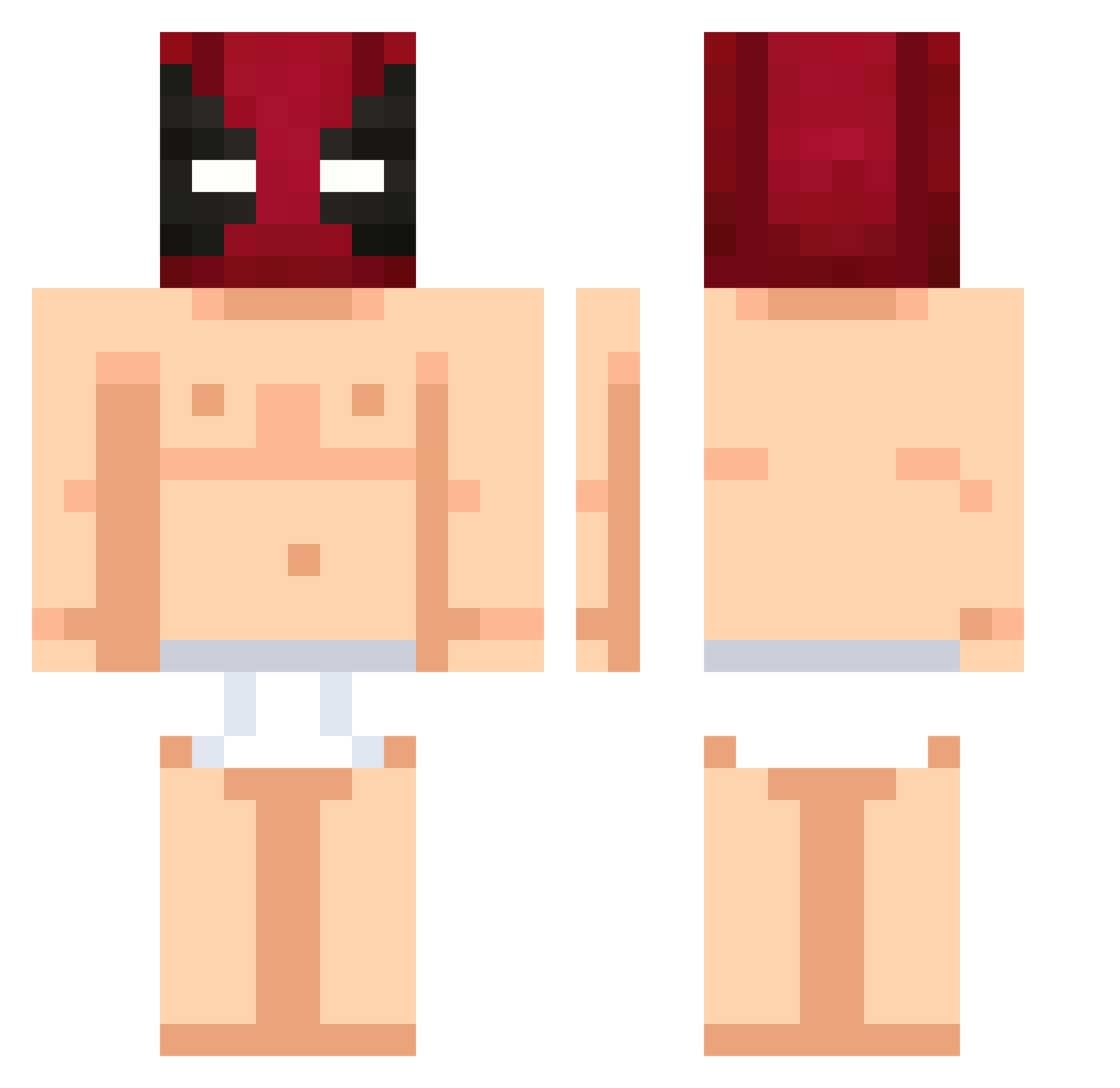
Current Minecraft skin of the player AYINO_MOTO, loaded from the official Mojang API. Rotate the 3D model with your mouse or finger, then download the skin as a PNG file and use it in Minecraft: Bedrock Edition or Java Edition for free. When AYINO_MOTO changes their skin, this page updates automatically and the old skin stays in the history below.
Other players with this skin (501)
AYINO_MOTO was the 452nd player we have seen with this skin, first spotted on 27.10.2026. The same skin was seen on these players. Open a nickname to see their current skin and skin history.
 TheSamoanHammer kurzwielang Saturski Enricalle ImMomoo miguelassis LoIek Jolibatot Fr6nk Famik_AT coollolly3 GuilhermeFerr Naeld PewBede H4r4shi heineken10 neckopunch joeyables ChilliKong Player4768 Petronilo2 Josessj97 GabrielLR17 21Dedachos Jimon1 EnderSmith35 albruges LilRuehl Xavitx30 pedrinnnn21 berax76 DKxia Minecraft4Suchti Pipeelindio Venen0__ FenttiPommi Crush3RR countyvassoura silva333 tannentante DarkLudio speitor YANGMAX sufrex1 CoutoRicardo Highman_min ytmf klsnts TANGJACKY Judoka79_YT Semih_bo2 rayraya kxql ggeorgiaw V0iD_L_0_ aowuna Vollrexz Fleksnes1 Alvinko10 happand
More Deadpool Minecraft skins
How to install the AYINO_MOTO skin
- Press the Download button above to save the skin as a PNG file.
- Minecraft: Bedrock Edition (PE): open the Dressing Room from the main menu (or tap your character → Edit Character), go to Classic Skins → Owned, press the + (new skin) button, choose the downloaded PNG and pick the Classic (Steve) model. Works on PC and mobile; consoles cannot import custom skins.
- Minecraft: Java Edition: open the Minecraft Launcher, go to the Skins tab, click New Skin, load the PNG, pick the Classic (Steve) model and press Save & Use. You can also upload it at minecraft.net → Profile → Change Skin.
The skin does not show up after import - what should I do?
Restart Minecraft and open the Dressing Room again - imported skins sometimes appear only after a restart. Also make sure you selected the imported skin and picked the Classic (Steve) model.
Which model should I choose, Classic or Slim?
This skin is designed for the Classic (Steve) model. If you pick the wrong model, the arms of the skin will look stretched or squeezed.
Is the skin of AYINO_MOTO free to download?
Yes. Press Download, save the PNG file and use it in Minecraft: Bedrock Edition or Java Edition - no payment or registration needed. The skin also works on multiplayer servers and Realms.
More skins
Looking for more? Go back to all Minecraft skins and check the top skins of the week, month and all time, or find any player's skin by nickname.