
AY0824 - Minecraft Skins & Skin History
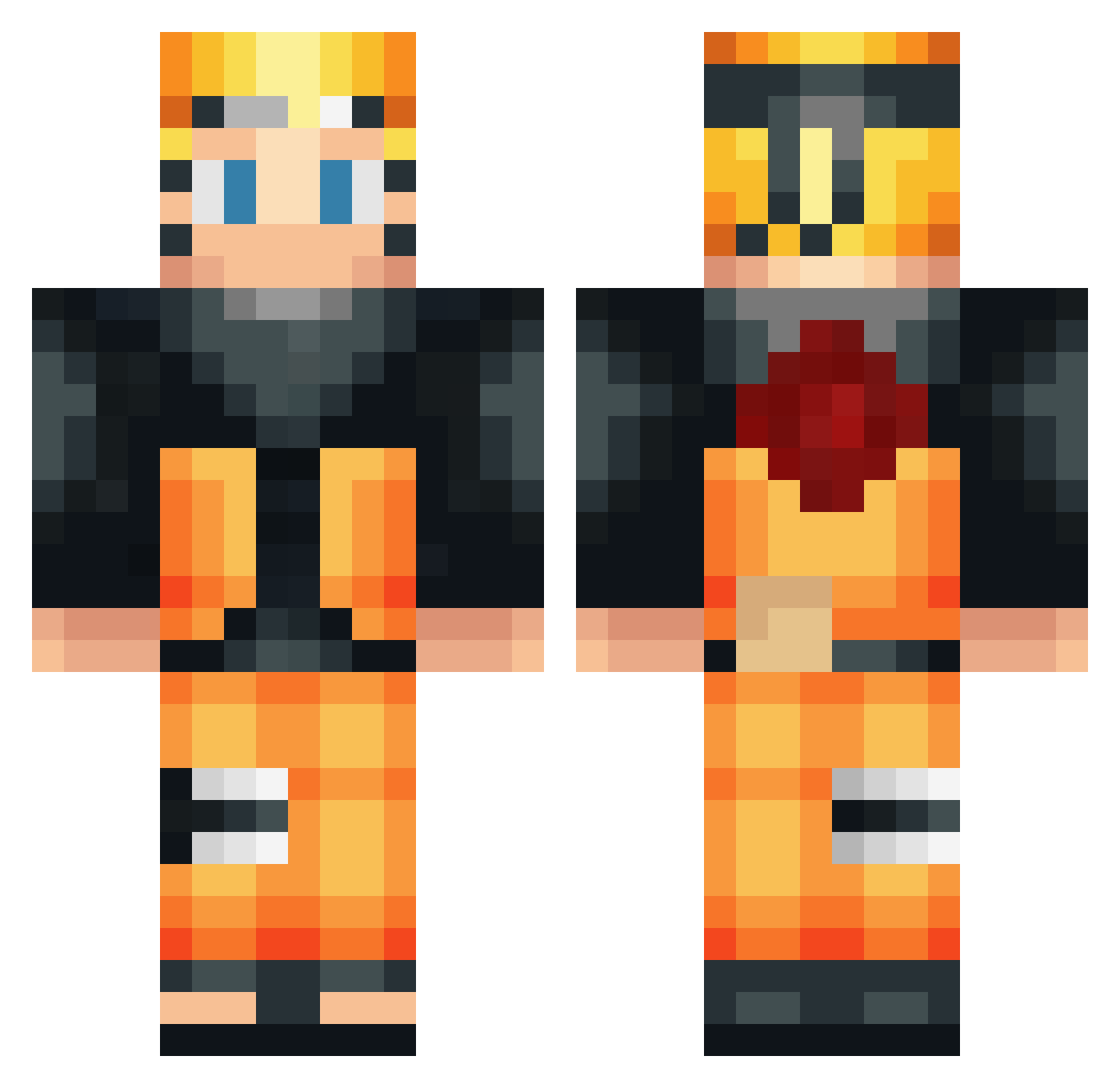
Current Minecraft skin of the player AY0824, loaded from the official Mojang API. Rotate the 3D model with your mouse or finger, then download the skin as a PNG file and use it in Minecraft: Bedrock Edition or Java Edition for free. When AY0824 changes their skin, this page updates automatically and the old skin stays in the history below.
Other players with this skin (533)
AY0824 was the 241st player we have seen with this skin, first spotted on 20.09.2026. The same skin was seen on these players. Open a nickname to see their current skin and skin history.
 1stnkz URlZEN Maxlfreak swanyoxygen MADBERRY25 azdin008 MrBoByNous Flarpoo Lupax23 willfarmer Ionut_265 Starlightking12 SPD48 IchBinNebenDir Tam514 Gaebulmatpuding DylVnn99 SaltySnapJaw _Konichiwaa Titi_Yoshi IssakW19 janeBanane27 l_sam10 Gameplay_Sp DarkWinnerYT TheJordanThomas CarvalhodeSousa CBlue_78 franki_2000 ocampossoto MedbhMacSwag Lemonaydee EnchiGamer Netoralin FazeRoman777 MaduStarke gahennn Luccammartins F8L_Hollowz TheFearedPillow TakeoSouza V4g4th SalientBrush David_Dvs oscarcads12 MAAAAAAAARN __BarackObama BigSmokeGS sclexx l_OVO_l ismaytt RektBySFR_ UncleStreak Majekal HylTomTom Gaspachorelien GhostMaxXx EL_swesy AsianTh Judeslaktare
More Naruto Uzumaki Minecraft skins
See all 473 Naruto Uzumaki skins
How to install the AY0824 skin
- Press the Download button above to save the skin as a PNG file.
- Minecraft: Bedrock Edition (PE): open the Dressing Room from the main menu (or tap your character → Edit Character), go to Classic Skins → Owned, press the + (new skin) button, choose the downloaded PNG and pick the Classic (Steve) model. Works on PC and mobile; consoles cannot import custom skins.
- Minecraft: Java Edition: open the Minecraft Launcher, go to the Skins tab, click New Skin, load the PNG, pick the Classic (Steve) model and press Save & Use. You can also upload it at minecraft.net → Profile → Change Skin.
The skin does not show up after import - what should I do?
Restart Minecraft and open the Dressing Room again - imported skins sometimes appear only after a restart. Also make sure you selected the imported skin and picked the Classic (Steve) model.
Which model should I choose, Classic or Slim?
This skin is designed for the Classic (Steve) model. If you pick the wrong model, the arms of the skin will look stretched or squeezed.
Is the skin of AY0824 free to download?
Yes. Press Download, save the PNG file and use it in Minecraft: Bedrock Edition or Java Edition - no payment or registration needed. The skin also works on multiplayer servers and Realms.
More skins
Looking for more? Go back to all Minecraft skins and check the top skins of the week, month and all time, or find any player's skin by nickname.