
AXMZXYXbFeatO368 - Minecraft Skins & Skin History
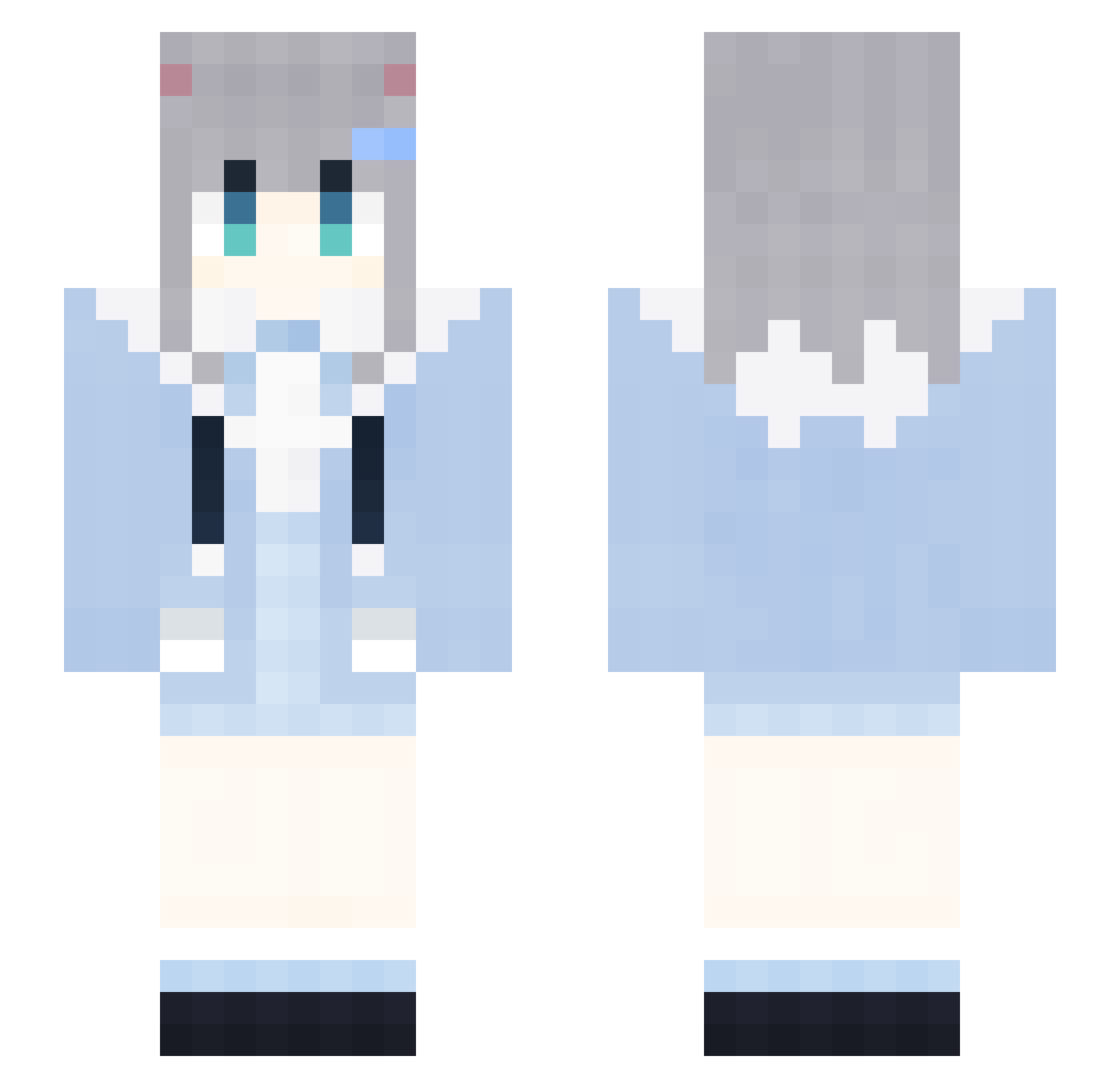
Current Minecraft skin of the player AXMZXYXbFeatO368, loaded from the official Mojang API. Rotate the 3D model with your mouse or finger, then download the skin as a PNG file and use it in Minecraft: Bedrock Edition or Java Edition for free. When AXMZXYXbFeatO368 changes their skin, this page updates automatically and the old skin stays in the history below.
Other players with this skin (1851)
AXMZXYXbFeatO368 was the 1783rd player we have seen with this skin, first spotted on 04.11.2026. The same skin was seen on these players. Open a nickname to see their current skin and skin history.
 gML917 Sleep_SQRxNxI665 WhyNotLove HQn134 dTq370 osL153 yxi612 zNv459 RabbitMicehEm423 zh12363 gps785 rZp65 Slientiaop DontShoutPlsc511 JcG152 mrR374 kKa569 Rqs582 XxxxX_MAGA_Xx230 FireFoxChorme661 XxxxX_MAGA_Xx810 spO890 ZNe536 LAWSONCOFFEEv122 DdK440 HmB479 qwn202 mRn638 BfR643 XJj478 QRC718 Qdl759 CherryHarrytd809 RabbitMiceDly875 XxxxX_MAGA_Xx124 lgT203 TyJ424 yMq376 Nrk165 Rte665 qkC86 Nvz848 Kkq965 MDm828 DWm275 fjD244 cNN716 GapRapGpdNiEy722 mIv61 Guy337 Cdc535 AGi533 nNy554 dNZ240 YYB765 tHW524 GongZhen9707 IfashionXboxx332 xOs392 LoveZxyLikexv261
More Cat Ears Minecraft skins
How to install the AXMZXYXbFeatO368 skin
- Press the Download button above to save the skin as a PNG file.
- Minecraft: Bedrock Edition (PE): open the Dressing Room from the main menu (or tap your character → Edit Character), go to Classic Skins → Owned, press the + (new skin) button, choose the downloaded PNG and pick the Slim (Alex) model. Works on PC and mobile; consoles cannot import custom skins.
- Minecraft: Java Edition: open the Minecraft Launcher, go to the Skins tab, click New Skin, load the PNG, pick the Slim (Alex) model and press Save & Use. You can also upload it at minecraft.net → Profile → Change Skin.
The skin does not show up after import - what should I do?
Restart Minecraft and open the Dressing Room again - imported skins sometimes appear only after a restart. Also make sure you selected the imported skin and picked the Slim (Alex) model.
Which model should I choose, Classic or Slim?
This skin is designed for the Slim (Alex) model. If you pick the wrong model, the arms of the skin will look stretched or squeezed.
Is the skin of AXMZXYXbFeatO368 free to download?
Yes. Press Download, save the PNG file and use it in Minecraft: Bedrock Edition or Java Edition - no payment or registration needed. The skin also works on multiplayer servers and Realms.
More skins
Looking for more? Go back to all Minecraft skins and check the top skins of the week, month and all time, or find any player's skin by nickname.