
IfashionXboxx332 - Minecraft Skins & Skin History
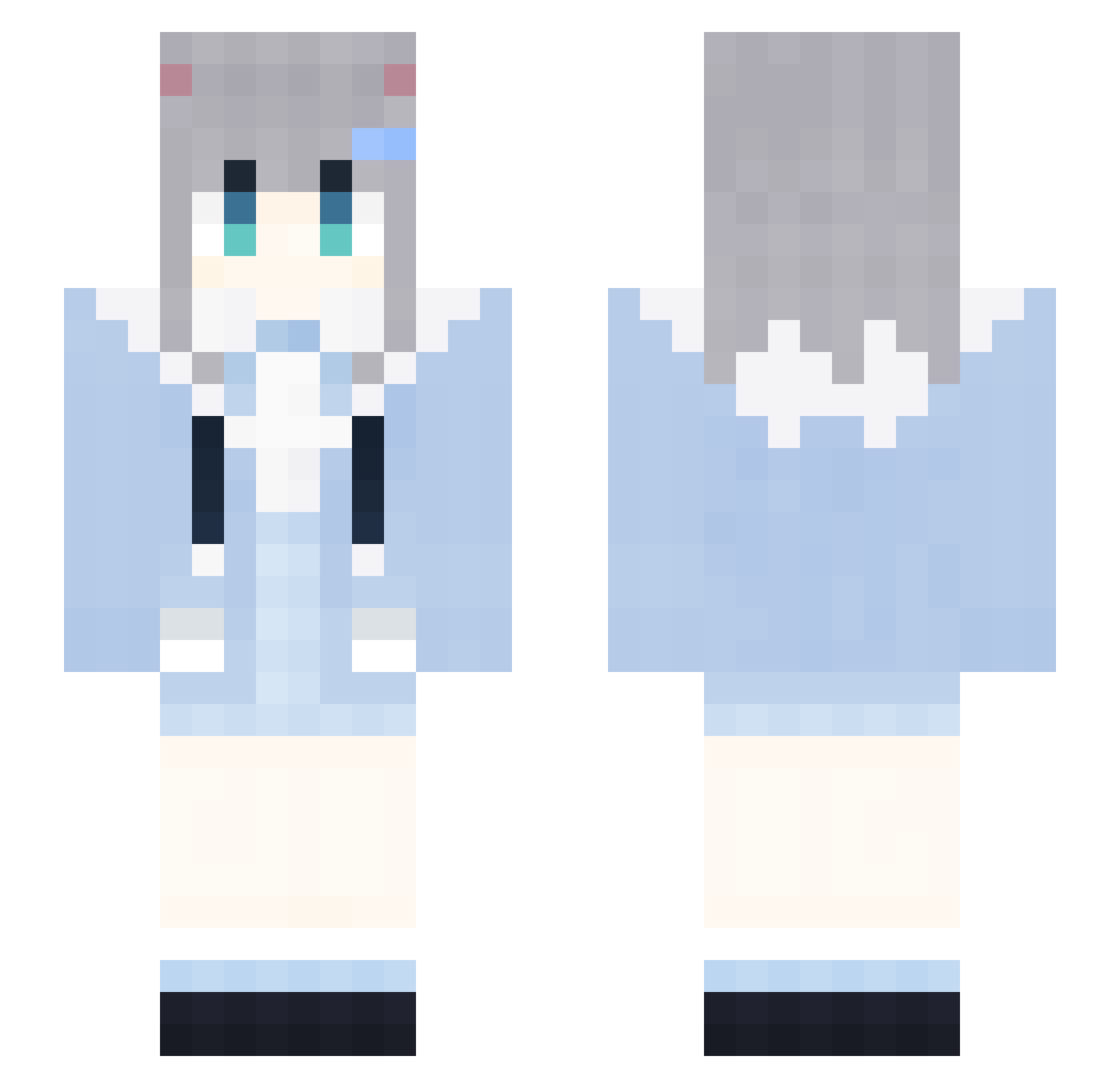
Current Minecraft skin of the player IfashionXboxx332, loaded from the official Mojang API. Rotate the 3D model with your mouse or finger, then download the skin as a PNG file and use it in Minecraft: Bedrock Edition or Java Edition for free. When IfashionXboxx332 changes their skin, this page updates automatically and the old skin stays in the history below.
Other players with this skin (1851)
IfashionXboxx332 was the 1815th player we have seen with this skin, first spotted on 06.11.2026. The same skin was seen on these players. Open a nickname to see their current skin and skin history.
 xOs392 rul162 2021COCA_COLA675 GapRapGpdNixn187 tHW524 DfD493 YYB765 dNZ240 nNy554 Cdc535 avm468 Gzw383 mva702 tYY353 kWD385 fjD244 Ipe822 Ynv461 CvM928 Nvz848 Trr304 qkC86 NXa768 NAW558 LoveZxyLikeIk323 Nrk165 TMP10 Acef1 AIRCUSHIONEJL932 ujZ486 wPHxubQdUaQAY501 TxN715 ygS737 TyJ424 lgT203 0001112223334489 lm_hoN895 RabbitMiceDly875 dDM826 OWQ697 GBl707 PNH978 mRn638 ipZ744 AIRCUSHIONzPv433 HmB479 DdK440 CJS784 Mmp599 ZNe536 spO890 XxxxX_MAGA_Xx810 rMp44 FireFoxChorme661 XxxxX_MAGA_Xx230 0001112223334858 QkP171 kKa569 JcG152 DontShoutPlsc511
More Cat Ears Minecraft skins
How to install the IfashionXboxx332 skin
- Press the Download button above to save the skin as a PNG file.
- Minecraft: Bedrock Edition (PE): open the Dressing Room from the main menu (or tap your character → Edit Character), go to Classic Skins → Owned, press the + (new skin) button, choose the downloaded PNG and pick the Slim (Alex) model. Works on PC and mobile; consoles cannot import custom skins.
- Minecraft: Java Edition: open the Minecraft Launcher, go to the Skins tab, click New Skin, load the PNG, pick the Slim (Alex) model and press Save & Use. You can also upload it at minecraft.net → Profile → Change Skin.
The skin does not show up after import - what should I do?
Restart Minecraft and open the Dressing Room again - imported skins sometimes appear only after a restart. Also make sure you selected the imported skin and picked the Slim (Alex) model.
Which model should I choose, Classic or Slim?
This skin is designed for the Slim (Alex) model. If you pick the wrong model, the arms of the skin will look stretched or squeezed.
Is the skin of IfashionXboxx332 free to download?
Yes. Press Download, save the PNG file and use it in Minecraft: Bedrock Edition or Java Edition - no payment or registration needed. The skin also works on multiplayer servers and Realms.
More skins
Looking for more? Go back to all Minecraft skins and check the top skins of the week, month and all time, or find any player's skin by nickname.