
AVV17 - Minecraft Skins & Skin History
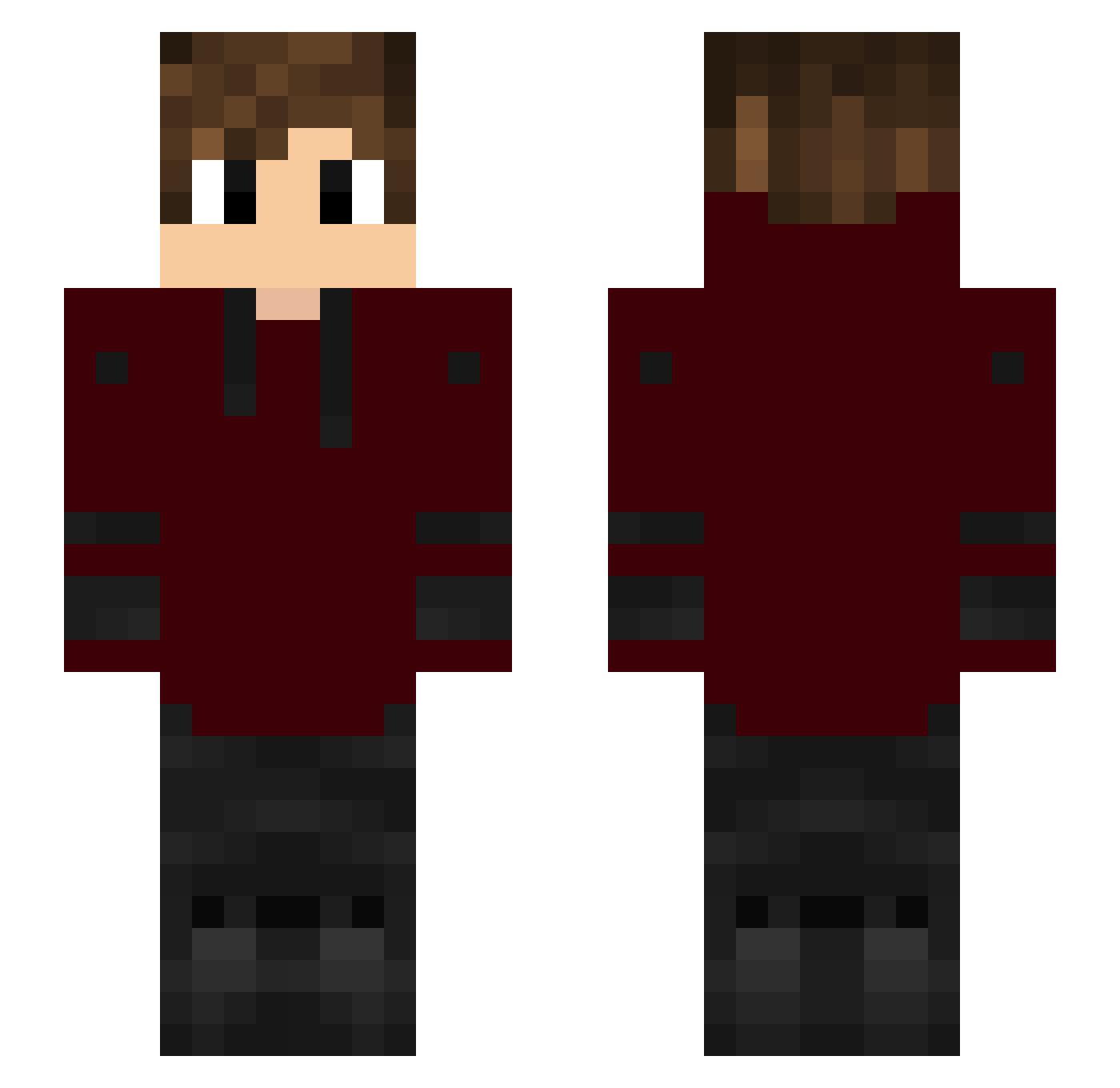
Current Minecraft skin of the player AVV17, loaded from the official Mojang API. Rotate the 3D model with your mouse or finger, then download the skin as a PNG file and use it in Minecraft: Bedrock Edition or Java Edition for free. When AVV17 changes their skin, this page updates automatically and the old skin stays in the history below.
Other players with this skin (149)
AVV17 was the 26th player we have seen with this skin, first spotted on 12.08.2026. The same skin was seen on these players. Open a nickname to see their current skin and skin history.
 Ranbir27 saulheredia77 DJNRTE iJamaicanPunch itzHessien valluci CjMiner Voxizy Ugala SrFyasUwU WalkTheShadows Sparky6060 FzN_ReFl3x TheJappernaut supremeback bookboy89 IArdaAksuI Pandas8169 Dusu_Pl lililili10 DmrFR Connerman2009 kyaguji TheIrishMVP Andrea_Mantegna fifi_no_mercy ebrahimi_1388 Blue_BLZ Banditt Sumsarg Gradation TheChico_GOD 0Arda8 Spiderman7508 667lucas no99af CANBATE Booba1oo jadejade2 X_Dean_X LordXtreme iFinest_ BakokaDiBatata azlk323 Nursejoyfanfic Bigza44 TomicSNF iamdanyy TSPMOTSPMOTSPMO Kota1602 Totrix izskill tiger261108 Quackers09 CrogTV Koover7 ILoveChaHaeIn iido7 msking123 youas_
How to install the AVV17 skin
- Press the Download button above to save the skin as a PNG file.
- Minecraft: Bedrock Edition (PE): open the Dressing Room from the main menu (or tap your character → Edit Character), go to Classic Skins → Owned, press the + (new skin) button, choose the downloaded PNG and pick the Slim (Alex) model. Works on PC and mobile; consoles cannot import custom skins.
- Minecraft: Java Edition: open the Minecraft Launcher, go to the Skins tab, click New Skin, load the PNG, pick the Slim (Alex) model and press Save & Use. You can also upload it at minecraft.net → Profile → Change Skin.
The skin does not show up after import - what should I do?
Restart Minecraft and open the Dressing Room again - imported skins sometimes appear only after a restart. Also make sure you selected the imported skin and picked the Slim (Alex) model.
Which model should I choose, Classic or Slim?
This skin is designed for the Slim (Alex) model. If you pick the wrong model, the arms of the skin will look stretched or squeezed.
Is the skin of AVV17 free to download?
Yes. Press Download, save the PNG file and use it in Minecraft: Bedrock Edition or Java Edition - no payment or registration needed. The skin also works on multiplayer servers and Realms.
More skins
Looking for more? Go back to all Minecraft skins and check the top skins of the week, month and all time, or find any player's skin by nickname.