
ATough - Minecraft Skins & Skin History
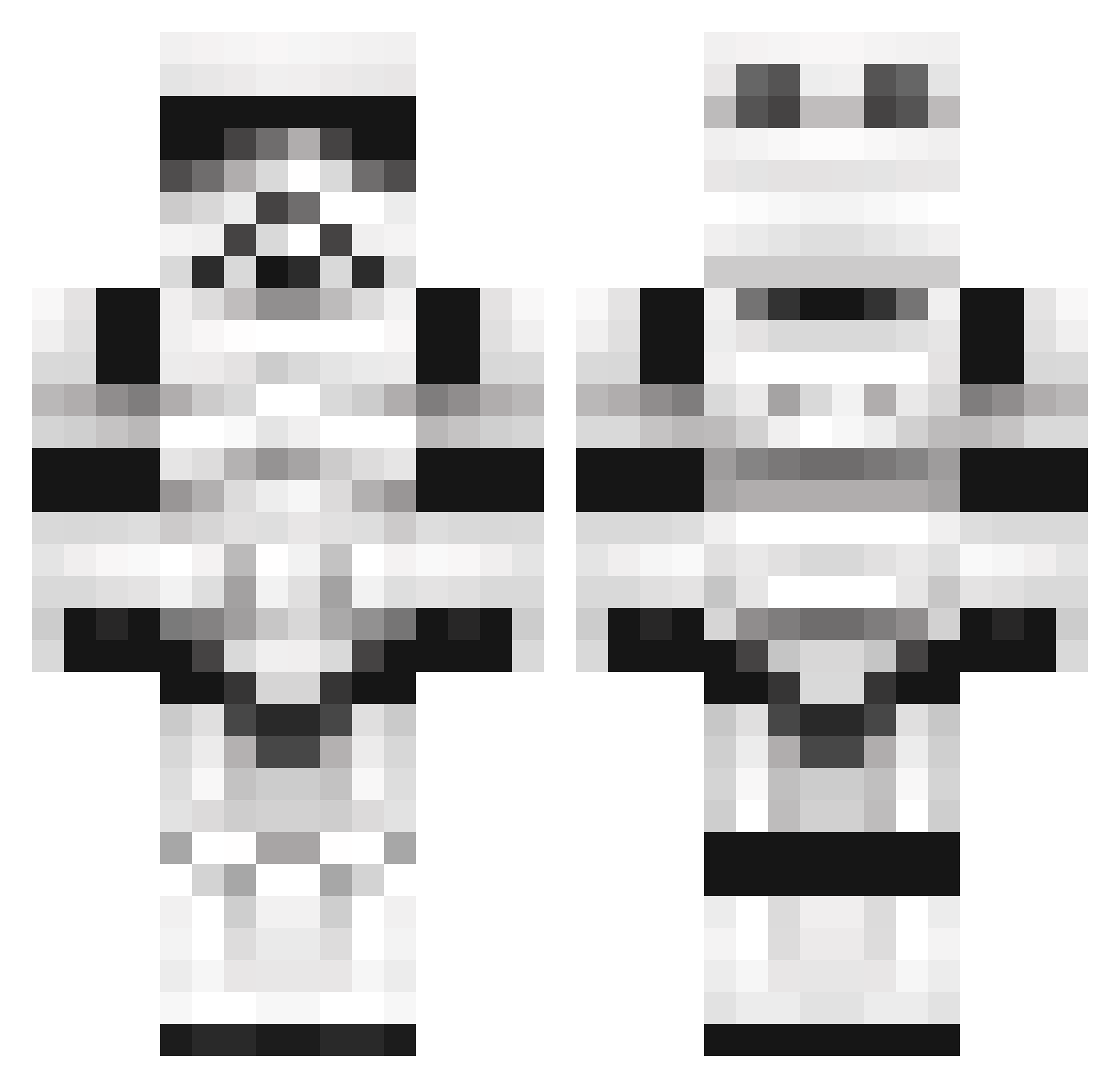
Current Minecraft skin of the player ATough, loaded from the official Mojang API. Rotate the 3D model with your mouse or finger, then download the skin as a PNG file and use it in Minecraft: Bedrock Edition or Java Edition for free. When ATough changes their skin, this page updates automatically and the old skin stays in the history below.
Other players with this skin (1377)
ATough was the 1265th player we have seen with this skin, first spotted on 12.11.2026. The same skin was seen on these players. Open a nickname to see their current skin and skin history.
 arnold8a Archeoptryx AnimatedTopaz mcelf3000 ComandanteCody 1999jbi Mceiner sinkerofships GBHIce zuio97 AssaultxZero xXCP3BALLERXx Mus7yyy Zebizu RichthofenPvP ExplodingJaguar phxsonlv06 stuartmcdade Manwich10 Sphenosquamosal TheGrinch exdx14 jag333 thecraigster9 EvilRako ihavenaname213 Pedrok1103 Rovanor starvenmarven Raycan1 sergint14 scarabeem Palle2014 Lawstreets tibbz Cocoebeans VicTiiimZz stereoquake spidvej TWICH_BEACH ZemMattress Skiirata PelliNero Wiki71 Kwarkman1 ohham zola2521 madmanoz01 Thanard JTogo BDKent TheRealScradley Benja135 eliaserlo sylverrose janeko123456789 bawkwarrior2 Joking_Cupcake Balbusaurus gamb1no
More Trooper Minecraft skins
How to install the ATough skin
- Press the Download button above to save the skin as a PNG file.
- Minecraft: Bedrock Edition (PE): open the Dressing Room from the main menu (or tap your character → Edit Character), go to Classic Skins → Owned, press the + (new skin) button, choose the downloaded PNG and pick the Classic (Steve) model. Works on PC and mobile; consoles cannot import custom skins.
- Minecraft: Java Edition: open the Minecraft Launcher, go to the Skins tab, click New Skin, load the PNG, pick the Classic (Steve) model and press Save & Use. You can also upload it at minecraft.net → Profile → Change Skin.
The skin does not show up after import - what should I do?
Restart Minecraft and open the Dressing Room again - imported skins sometimes appear only after a restart. Also make sure you selected the imported skin and picked the Classic (Steve) model.
Which model should I choose, Classic or Slim?
This skin is designed for the Classic (Steve) model. If you pick the wrong model, the arms of the skin will look stretched or squeezed.
Is the skin of ATough free to download?
Yes. Press Download, save the PNG file and use it in Minecraft: Bedrock Edition or Java Edition - no payment or registration needed. The skin also works on multiplayer servers and Realms.
More skins
Looking for more? Go back to all Minecraft skins and check the top skins of the week, month and all time, or find any player's skin by nickname.