
ATES_PRO118 - Minecraft Skins & Skin History
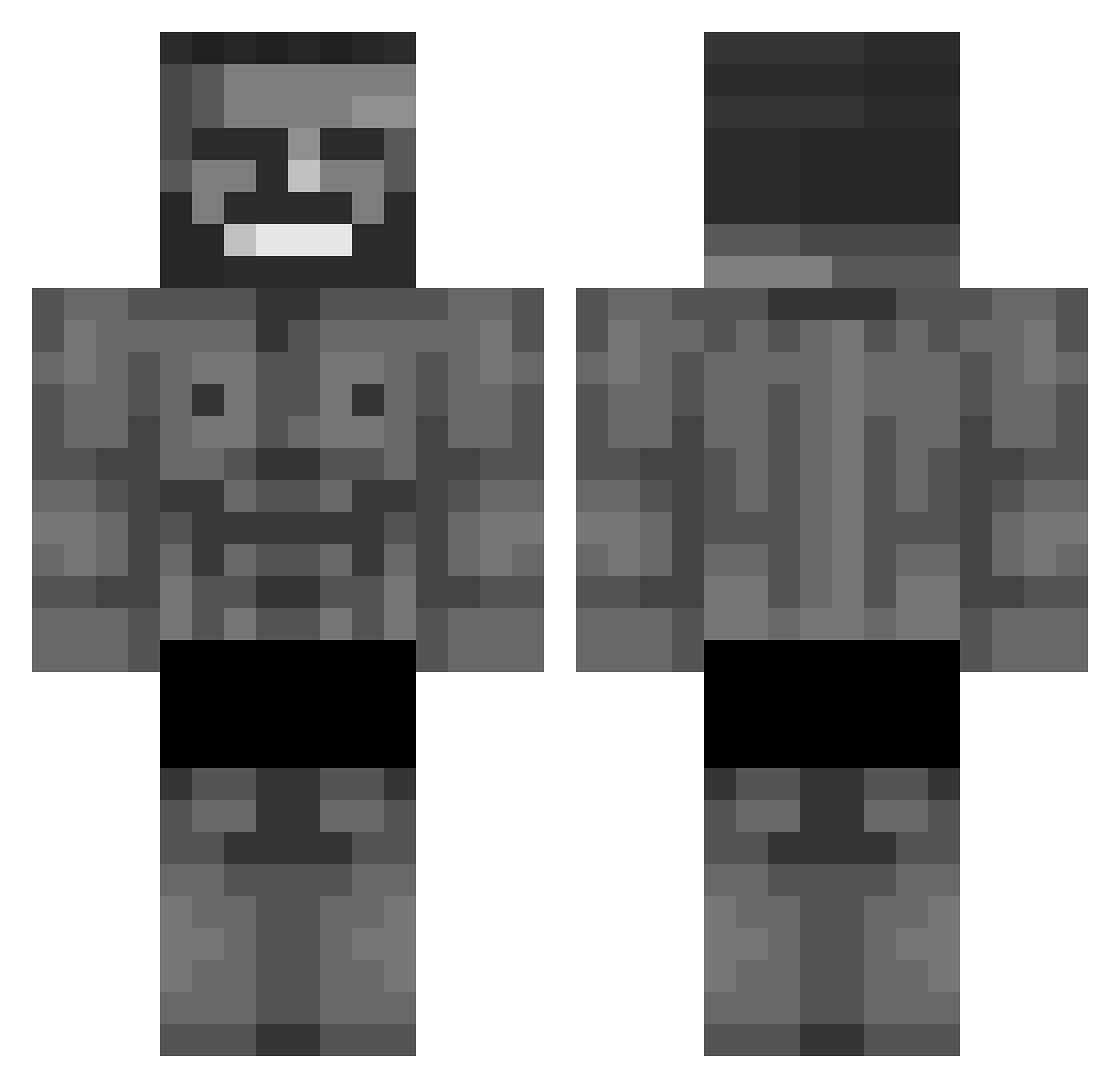
Current Minecraft skin of the player ATES_PRO118, loaded from the official Mojang API. Rotate the 3D model with your mouse or finger, then download the skin as a PNG file and use it in Minecraft: Bedrock Edition or Java Edition for free. When ATES_PRO118 changes their skin, this page updates automatically and the old skin stays in the history below.
Other players with this skin (677)
ATES_PRO118 was the 609th player we have seen with this skin, first spotted on 22.10.2026. The same skin was seen on these players. Open a nickname to see their current skin and skin history.
 JustHere17 Core001 YiLin__ bontempii Screampa lilox78 Realise IceWellowCame Albrkn ktoorvi Bakarana sharkattack_ clement010902030 v3rmont Shadow_of_death1 Kim_J RSXTown HabyG Simnouille Lachiebtw Crazy_Tacoo Mykuhll Polyanthro Fjunda07 Bartio_ chickenwatermelo J_Sauce MisterChorizo michalovvsky armarian MrMooton Max07 LordSquonzinton hadi25 ItzNebby1402 Xilanga123 Falus2137 Piotrusieeq PioDaSpree commandogideon FIuni Zkaface LORDCR34AMP13 GokuBat KronossPb apolla911 20ss Jvkeee Naylos IAmDeLusiOnL Inphintum Thunderpixels_ Hagopaziru MatOctopus Vnyyy ElBlackOG Katsicovic Samkooooo Whizzed_My_Pants Wizzlar
More Gigachad Minecraft skins
How to install the ATES_PRO118 skin
- Press the Download button above to save the skin as a PNG file.
- Minecraft: Bedrock Edition (PE): open the Dressing Room from the main menu (or tap your character → Edit Character), go to Classic Skins → Owned, press the + (new skin) button, choose the downloaded PNG and pick the Classic (Steve) model. Works on PC and mobile; consoles cannot import custom skins.
- Minecraft: Java Edition: open the Minecraft Launcher, go to the Skins tab, click New Skin, load the PNG, pick the Classic (Steve) model and press Save & Use. You can also upload it at minecraft.net → Profile → Change Skin.
The skin does not show up after import - what should I do?
Restart Minecraft and open the Dressing Room again - imported skins sometimes appear only after a restart. Also make sure you selected the imported skin and picked the Classic (Steve) model.
Which model should I choose, Classic or Slim?
This skin is designed for the Classic (Steve) model. If you pick the wrong model, the arms of the skin will look stretched or squeezed.
Is the skin of ATES_PRO118 free to download?
Yes. Press Download, save the PNG file and use it in Minecraft: Bedrock Edition or Java Edition - no payment or registration needed. The skin also works on multiplayer servers and Realms.
More skins
Looking for more? Go back to all Minecraft skins and check the top skins of the week, month and all time, or find any player's skin by nickname.