
APPLEPOOL - Minecraft Skins & Skin History
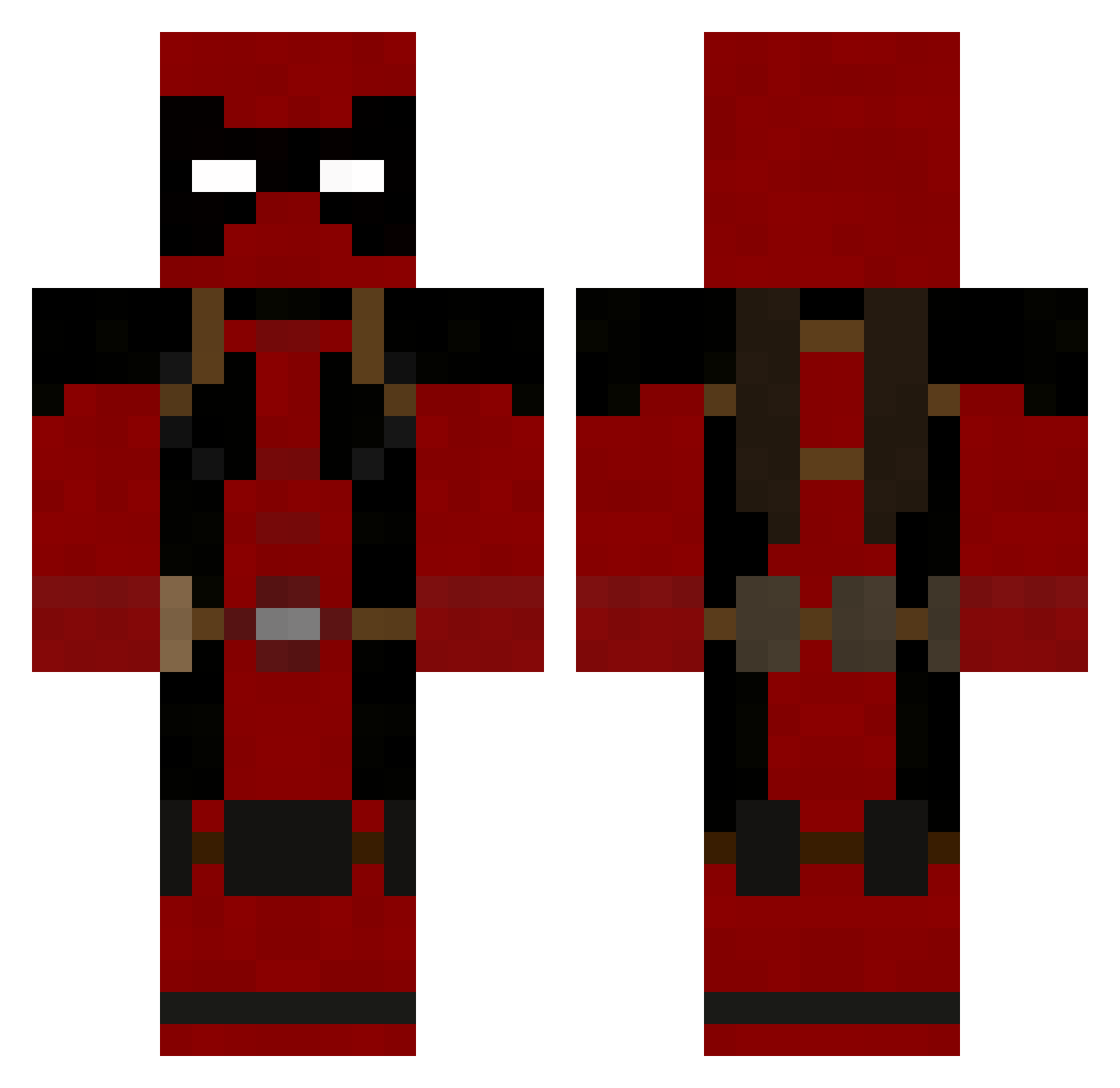
Current Minecraft skin of the player APPLEPOOL, loaded from the official Mojang API. Rotate the 3D model with your mouse or finger, then download the skin as a PNG file and use it in Minecraft: Bedrock Edition or Java Edition for free. When APPLEPOOL changes their skin, this page updates automatically and the old skin stays in the history below.
Other players with this skin (986)
APPLEPOOL was the 752nd player we have seen with this skin, first spotted on 22.10.2026. The same skin was seen on these players. Open a nickname to see their current skin and skin history.
 ofwgkta96 grimmolds Trystann SpiralEnergy Sneddo10 jista54 Hydrazill NBArICK XxXKIDXxX ninjacow133 CodexSaurus bflblz Omega1291 Astereotypical lenny_hzd x8mongoose kalli678 SnakeTv_ ValenMox OrangeLigh7ning e1diab1o Iammax45 harrisongirl jackrabbit11 YungSide TRAW99 Callofanand I_Showoff_I DeathReapers13 101sdrawkcab SheepKiller007 deadpoolathome Jay_Huncho TorrentDay HDawg3 Mysticmunch Daveed802 n_samurai mister_briches8 Craggerlaval Graveljaw Shovelfight robotmonkey15 oaksalex eddiemj89 MuSic48 vroomerify Lycros The_Spartan1 Diduknow Titegadae Apachest yuuko08 TheDavies117 supachimp31 Crazy_Abe Android40 kravenex clqymore PsYkOozZ
More Deadpool Minecraft skins
How to install the APPLEPOOL skin
- Press the Download button above to save the skin as a PNG file.
- Minecraft: Bedrock Edition (PE): open the Dressing Room from the main menu (or tap your character → Edit Character), go to Classic Skins → Owned, press the + (new skin) button, choose the downloaded PNG and pick the Classic (Steve) model. Works on PC and mobile; consoles cannot import custom skins.
- Minecraft: Java Edition: open the Minecraft Launcher, go to the Skins tab, click New Skin, load the PNG, pick the Classic (Steve) model and press Save & Use. You can also upload it at minecraft.net → Profile → Change Skin.
The skin does not show up after import - what should I do?
Restart Minecraft and open the Dressing Room again - imported skins sometimes appear only after a restart. Also make sure you selected the imported skin and picked the Classic (Steve) model.
Which model should I choose, Classic or Slim?
This skin is designed for the Classic (Steve) model. If you pick the wrong model, the arms of the skin will look stretched or squeezed.
Is the skin of APPLEPOOL free to download?
Yes. Press Download, save the PNG file and use it in Minecraft: Bedrock Edition or Java Edition - no payment or registration needed. The skin also works on multiplayer servers and Realms.
More skins
Looking for more? Go back to all Minecraft skins and check the top skins of the week, month and all time, or find any player's skin by nickname.