
ABU_AK - Minecraft Skins & Skin History
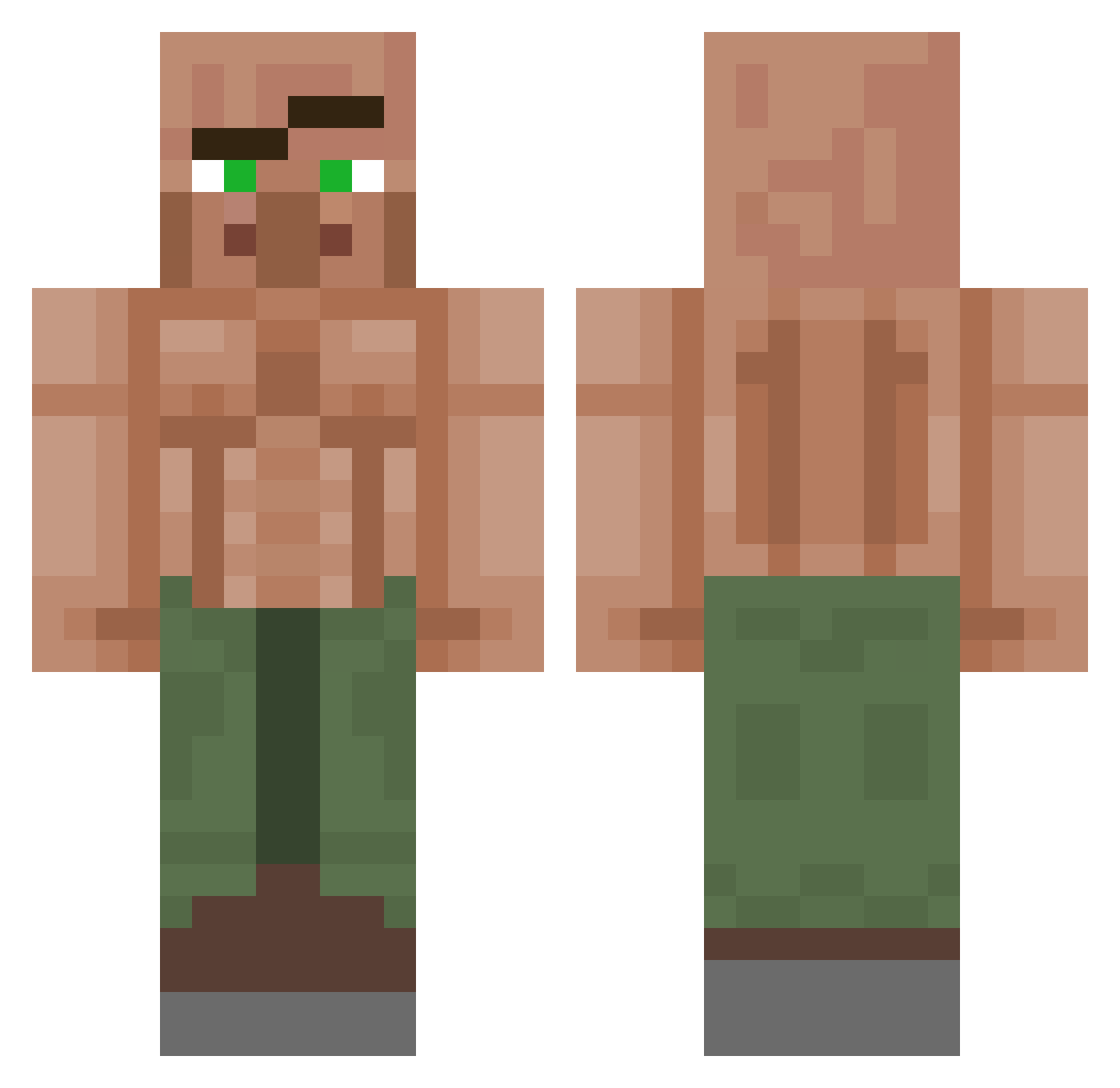
Current Minecraft skin of the player ABU_AK, loaded from the official Mojang API. Rotate the 3D model with your mouse or finger, then download the skin as a PNG file and use it in Minecraft: Bedrock Edition or Java Edition for free. When ABU_AK changes their skin, this page updates automatically and the old skin stays in the history below.
Other players with this skin (1150)
ABU_AK was the 29th player we have seen with this skin, first spotted on 25.07.2026. The same skin was seen on these players. Open a nickname to see their current skin and skin history.
 OndraaTR Insee jorangina FilouDidlou Green_Warrior823 EmileeBootylious donttalktometha Baldshinee Bigodauun JohnCidus Therealdeal21 Jinxmo Skarl_k BrotherKe Maneliboy ItsBrittish xMikolaj TheMothmaaan senpai_cop FlashBlackCatT BERNY0333 MessyMlke megamind6969420 Nightmare23055 Brodstanator Chad_ThunderCauk SunnyMist18 Majestic_Nixon dIsoriental kkami1sei SL_INDUWA 1Pale 60warrior ShardZer0 Nemurit0r EzCaravez Loofm ryxzen71 Bube2 Devo4President __nosmoh__ amberswag
 _Lighter rdy04 FlewMe Kris6996 Oswaldo704 itsjeman sambucca1 Abdallah2256 paperella234 Eli280411 Cleaverj88 Supra_gaming57 origami4you Walexx_ G4brieI_ Artx1985 Trintenn Makcyr
More Buff Villager Minecraft skins
See all 40 Buff Villager skins
How to install the ABU_AK skin
- Press the Download button above to save the skin as a PNG file.
- Minecraft: Bedrock Edition (PE): open the Dressing Room from the main menu (or tap your character → Edit Character), go to Classic Skins → Owned, press the + (new skin) button, choose the downloaded PNG and pick the Classic (Steve) model. Works on PC and mobile; consoles cannot import custom skins.
- Minecraft: Java Edition: open the Minecraft Launcher, go to the Skins tab, click New Skin, load the PNG, pick the Classic (Steve) model and press Save & Use. You can also upload it at minecraft.net → Profile → Change Skin.
The skin does not show up after import - what should I do?
Restart Minecraft and open the Dressing Room again - imported skins sometimes appear only after a restart. Also make sure you selected the imported skin and picked the Classic (Steve) model.
Which model should I choose, Classic or Slim?
This skin is designed for the Classic (Steve) model. If you pick the wrong model, the arms of the skin will look stretched or squeezed.
Is the skin of ABU_AK free to download?
Yes. Press Download, save the PNG file and use it in Minecraft: Bedrock Edition or Java Edition - no payment or registration needed. The skin also works on multiplayer servers and Realms.
More skins
Looking for more? Go back to all Minecraft skins and check the top skins of the week, month and all time, or find any player's skin by nickname.