
AAE1609 - Minecraft Skins & Skin History
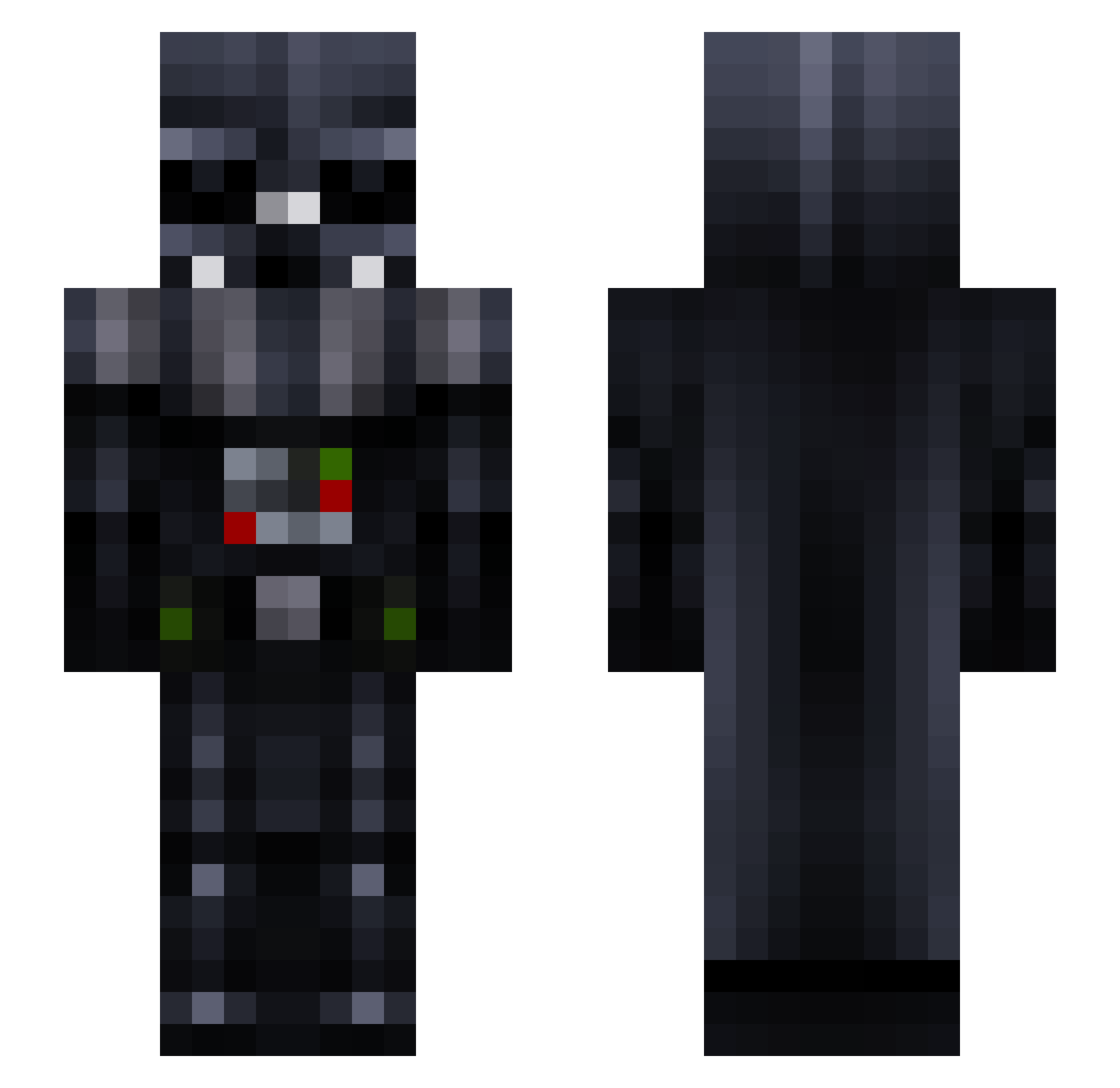
Current Minecraft skin of the player AAE1609, loaded from the official Mojang API. Rotate the 3D model with your mouse or finger, then download the skin as a PNG file and use it in Minecraft: Bedrock Edition or Java Edition for free. When AAE1609 changes their skin, this page updates automatically and the old skin stays in the history below.
Other players with this skin (114)
AAE1609 was the 50th player we have seen with this skin, first spotted on 15.09.2026. The same skin was seen on these players. Open a nickname to see their current skin and skin history.
 WallahiYourDead _Greeck_ Jaycour Dark_Vador1 Kongo92 fefrisao xVFive Okay_I_Goose Bakezlol MasterCIV69 Tiibzz Inugami_eclipse Vindic8or bastiflores Cratzel blaskss Just_Falco Hagord JustStep immaLung Veganczyk Titorri Doulouis bumblubee Blizzi912 cosciii R0cky691 Kev1401_2 SunnyYuen Nofloah Aliceex7 DrVikng qRg0d xXxTONIxXx Santos19 Ericsteffens BriefChief I3ulleter1993 Kabcn Guigagamer163 rainboolin Haldoer Erathorn1976 Utyty Papavier _Wallaby_ PatoAsado7200 santana3 CrispiCrusher MattyF4tty Joaovlfb Didsicles primusludio IGoOutside David_COL Silpin King_Johaness Fixusa UltraWich C4ETheClown
More Darth Vader Minecraft skins
How to install the AAE1609 skin
- Press the Download button above to save the skin as a PNG file.
- Minecraft: Bedrock Edition (PE): open the Dressing Room from the main menu (or tap your character → Edit Character), go to Classic Skins → Owned, press the + (new skin) button, choose the downloaded PNG and pick the Slim (Alex) model. Works on PC and mobile; consoles cannot import custom skins.
- Minecraft: Java Edition: open the Minecraft Launcher, go to the Skins tab, click New Skin, load the PNG, pick the Slim (Alex) model and press Save & Use. You can also upload it at minecraft.net → Profile → Change Skin.
The skin does not show up after import - what should I do?
Restart Minecraft and open the Dressing Room again - imported skins sometimes appear only after a restart. Also make sure you selected the imported skin and picked the Slim (Alex) model.
Which model should I choose, Classic or Slim?
This skin is designed for the Slim (Alex) model. If you pick the wrong model, the arms of the skin will look stretched or squeezed.
Is the skin of AAE1609 free to download?
Yes. Press Download, save the PNG file and use it in Minecraft: Bedrock Edition or Java Edition - no payment or registration needed. The skin also works on multiplayer servers and Realms.
More skins
Looking for more? Go back to all Minecraft skins and check the top skins of the week, month and all time, or find any player's skin by nickname.