
A1eX1997 - Minecraft Skins & Skin History
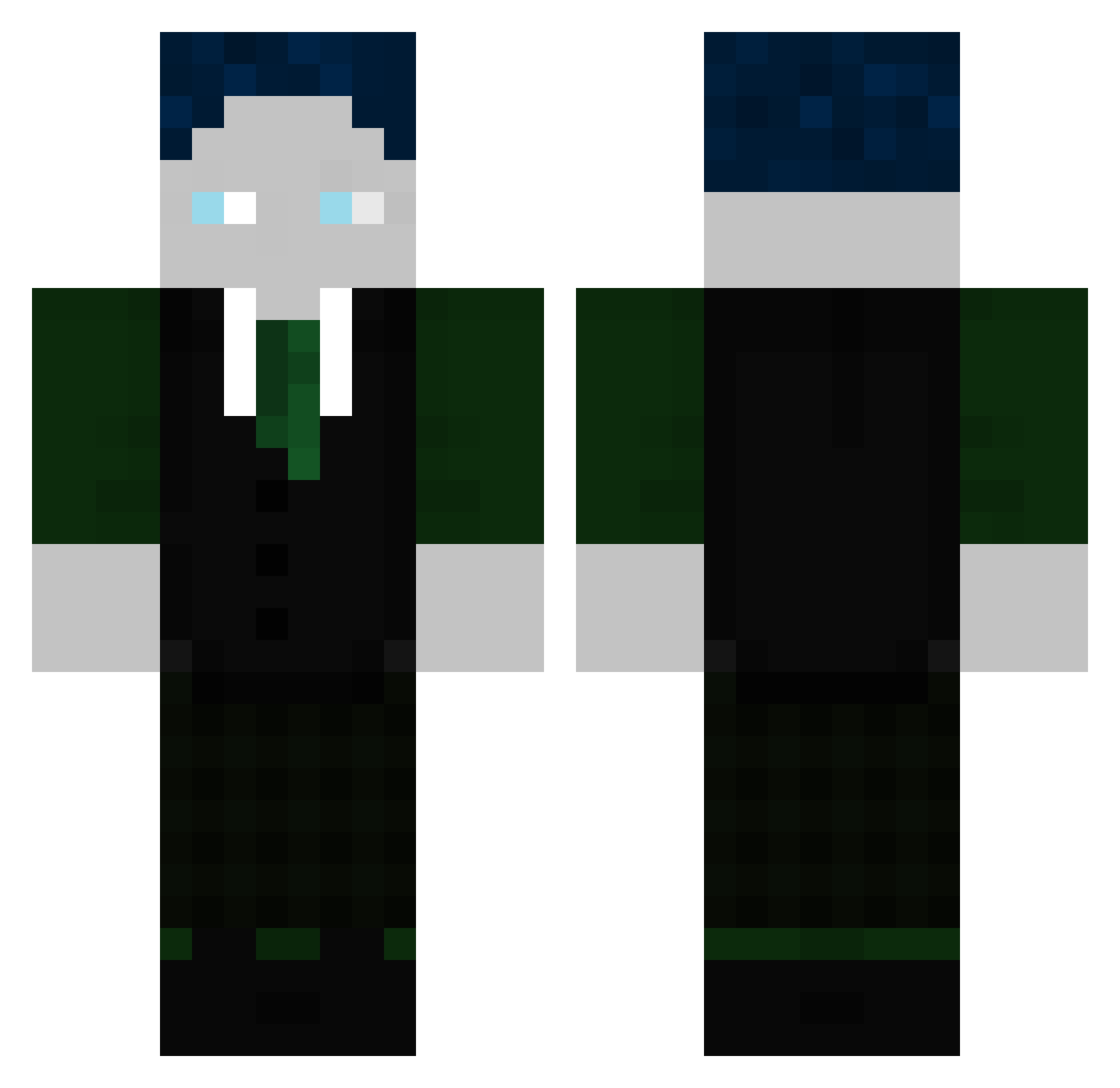
Current Minecraft skin of the player A1eX1997, loaded from the official Mojang API. Rotate the 3D model with your mouse or finger, then download the skin as a PNG file and use it in Minecraft: Bedrock Edition or Java Edition for free. When A1eX1997 changes their skin, this page updates automatically and the old skin stays in the history below.
Other players with this skin (299)
A1eX1997 was the 259th player we have seen with this skin, first spotted on 18.10.2026. The same skin was seen on these players. Open a nickname to see their current skin and skin history.
 Lokinator36 74leo Basti26102011 MischkaWhiTe 2000tmax Lemmi123 LuisPro13 burda1979 Ente_19 LBDH N1K745 Olafgasbricki Noahgo007 Collin807 MarinoInauen MikaelGHG Markonm0n Trickbuilder fabiboxedyou DerProu Groesstesnapmap PatriceHD Blackspall86 Fabio_280812 AndiTheke565 Daml001 DekuGaming toxicplayerX _Sparky24 Snowro TomN1609 LupiHd alvarnyx Noah102013 flosisim121 ArifHund Luca00989 stevichang634 BastiGHG_CAM1 Ronny2356 ZugBohne124 blacky_944 LegendofJP SaibotKarl Andreas2252 watnlosdikki Anti_Schwerkraft thewoobe MasterTino10 CapibaraGHG Eleganz06 Majo2020 GHGMaxim MaelXJulien deryanni finnsch567 _DER_SCHNULLI_ Haruki_13 GwnMax2007 Jxnnis95
More Ender Dragon Minecraft skins
See all 649 Ender Dragon skins
How to install the A1eX1997 skin
- Press the Download button above to save the skin as a PNG file.
- Minecraft: Bedrock Edition (PE): open the Dressing Room from the main menu (or tap your character → Edit Character), go to Classic Skins → Owned, press the + (new skin) button, choose the downloaded PNG and pick the Classic (Steve) model. Works on PC and mobile; consoles cannot import custom skins.
- Minecraft: Java Edition: open the Minecraft Launcher, go to the Skins tab, click New Skin, load the PNG, pick the Classic (Steve) model and press Save & Use. You can also upload it at minecraft.net → Profile → Change Skin.
The skin does not show up after import - what should I do?
Restart Minecraft and open the Dressing Room again - imported skins sometimes appear only after a restart. Also make sure you selected the imported skin and picked the Classic (Steve) model.
Which model should I choose, Classic or Slim?
This skin is designed for the Classic (Steve) model. If you pick the wrong model, the arms of the skin will look stretched or squeezed.
Is the skin of A1eX1997 free to download?
Yes. Press Download, save the PNG file and use it in Minecraft: Bedrock Edition or Java Edition - no payment or registration needed. The skin also works on multiplayer servers and Realms.
More skins
Looking for more? Go back to all Minecraft skins and check the top skins of the week, month and all time, or find any player's skin by nickname.