
A1e5s - Minecraft Skins & Skin History
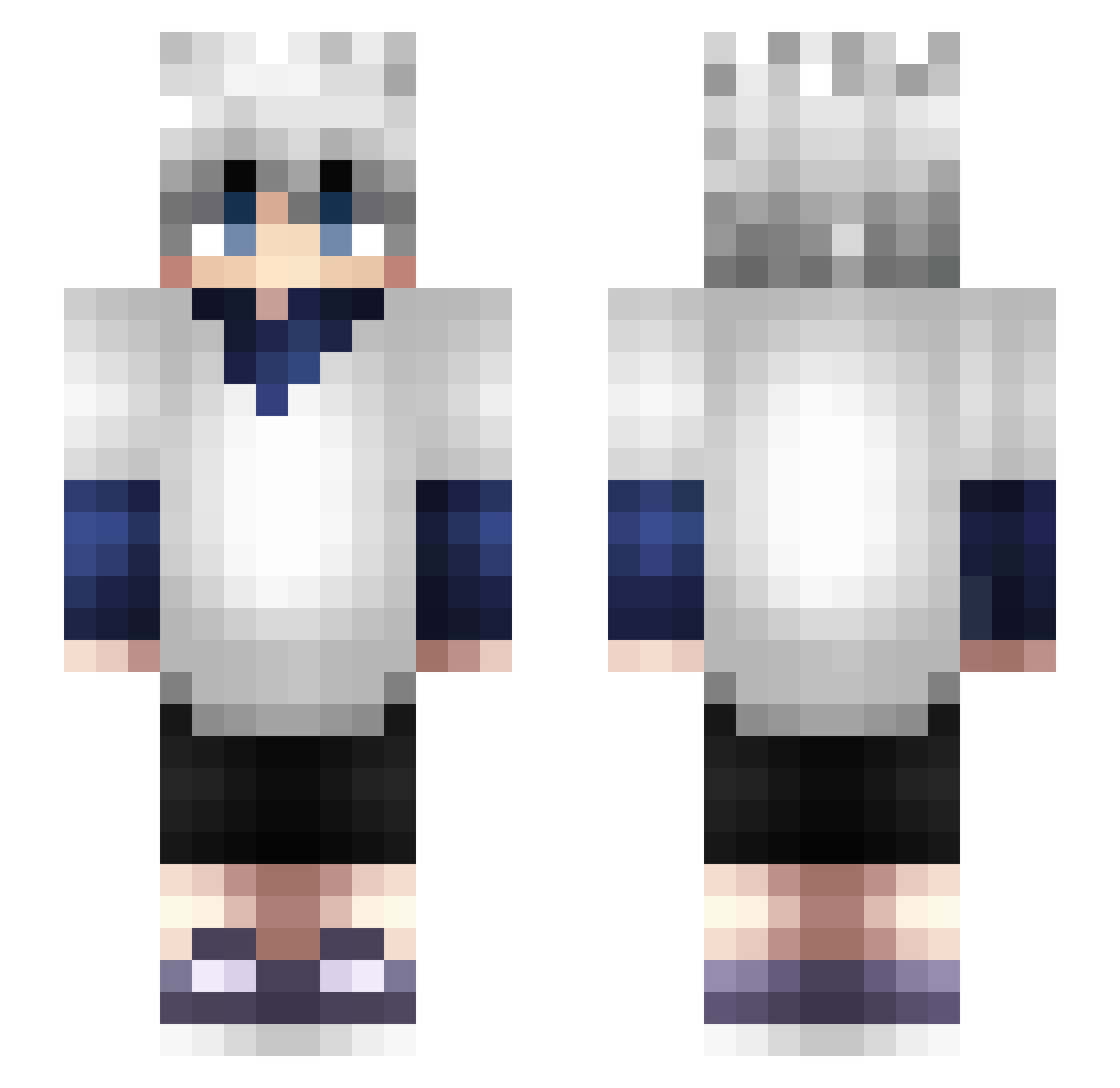
Current Minecraft skin of the player A1e5s, loaded from the official Mojang API. Rotate the 3D model with your mouse or finger, then download the skin as a PNG file and use it in Minecraft: Bedrock Edition or Java Edition for free. When A1e5s changes their skin, this page updates automatically and the old skin stays in the history below.
Other players with this skin (365)
A1e5s was the 212th player we have seen with this skin, first spotted on 26.09.2026. The same skin was seen on these players. Open a nickname to see their current skin and skin history.
 vojtadar Vedouz mtDitto Bavab79 yeaboy1234 HunTerX010 ILLUM1N4TI ToMinecraft54 Darkness9816 Killua93 BooLair Castiel73 Sono45 Alvise17 LeckMeinEi2012 Cleanness Killua_Hunterxh alexportgarcia JoAlMi05 LilTeejay xXxPickleRick GEKYUMESFORESKlN DEGHMUNN CrazyPlup kackey_RW alyjee SodachiLost qsqs1 HenryMulletHawk YungSchleep ItIsSchmity Fatwhaleee eVShisui swiftrz SuperDest Buddersxo TheShadowM0narch Urmelhinoo Ballsafury 1Nero Mosule Caspian0E deigerr KILLUA4564 Naymakl Igneo94 David13amk MurkyCrawdad196 JuanZ0_CS MrShuuu PBANDJ105 dTooTb vamp75 LawDeus Iman_Stumpert shawty_garret Cuculosolitario fantaclaus Dafter_ masterkoru
More Killua Zoldyck Minecraft skins
See all 181 Killua Zoldyck skins
How to install the A1e5s skin
- Press the Download button above to save the skin as a PNG file.
- Minecraft: Bedrock Edition (PE): open the Dressing Room from the main menu (or tap your character → Edit Character), go to Classic Skins → Owned, press the + (new skin) button, choose the downloaded PNG and pick the Slim (Alex) model. Works on PC and mobile; consoles cannot import custom skins.
- Minecraft: Java Edition: open the Minecraft Launcher, go to the Skins tab, click New Skin, load the PNG, pick the Slim (Alex) model and press Save & Use. You can also upload it at minecraft.net → Profile → Change Skin.
The skin does not show up after import - what should I do?
Restart Minecraft and open the Dressing Room again - imported skins sometimes appear only after a restart. Also make sure you selected the imported skin and picked the Slim (Alex) model.
Which model should I choose, Classic or Slim?
This skin is designed for the Slim (Alex) model. If you pick the wrong model, the arms of the skin will look stretched or squeezed.
Is the skin of A1e5s free to download?
Yes. Press Download, save the PNG file and use it in Minecraft: Bedrock Edition or Java Edition - no payment or registration needed. The skin also works on multiplayer servers and Realms.
More skins
Looking for more? Go back to all Minecraft skins and check the top skins of the week, month and all time, or find any player's skin by nickname.