
78Nagisa - Minecraft Skins & Skin History
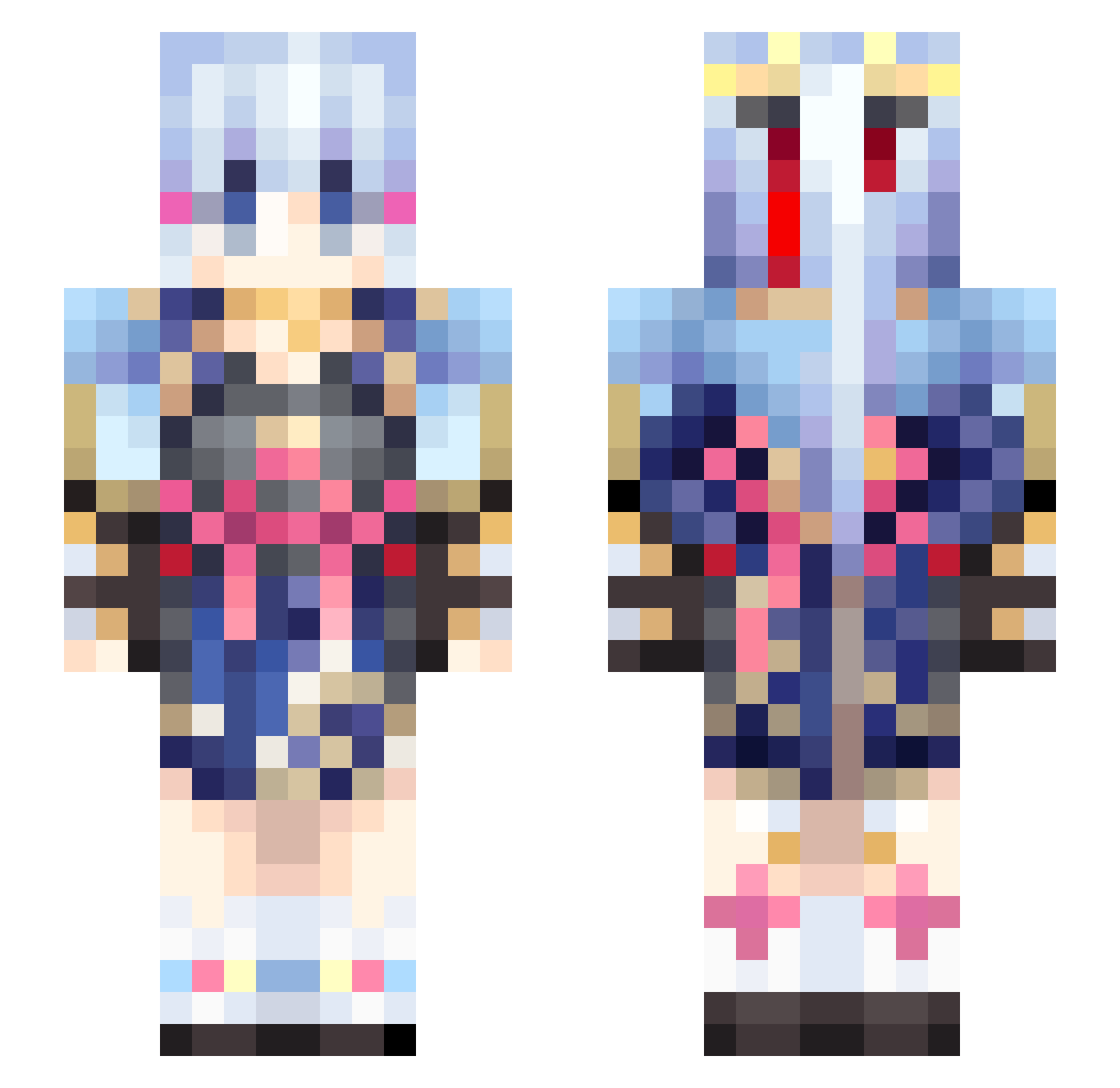
Current Minecraft skin of the player 78Nagisa, loaded from the official Mojang API. Rotate the 3D model with your mouse or finger, then download the skin as a PNG file and use it in Minecraft: Bedrock Edition or Java Edition for free. When 78Nagisa changes their skin, this page updates automatically and the old skin stays in the history below.
Other players with this skin (559)
78Nagisa was the 541st player we have seen with this skin, first spotted on 15.11.2026. The same skin was seen on these players. Open a nickname to see their current skin and skin history.
 ICEFlame114 Bad_Gods Supergatti AyakaWaifu Mushrit ice_carrot JCTIKUN12138 MISAKA003 wobuwan_yuanshen cipb yaoyifeng Blackdragon179 Itsjadenx3x raidenshogun0 iamstrix Ploova Best_Mashiro ling_114514 LittleBirdie_ jeonlae hopey408 VgWDAmtYsPpDf404 _s0NgD4enG_ White_Giver VXKOsr Bailanggan AnloveBT santiagogtr HuangShan Polydeucess Pearaki A_SB 77zhiye fcmgy Russia_Yang ljl112 Gsik SasugaTMT Sasha32Rus Zephicus zsqghv Tiittahina xabruh HORROWER Asiachou diamondcode85 LilEggles Sacmf TATke 74Ls138 kyi0719 lovexiaoyang AV1101 Rifledrone SkyKipz_ SPin_Wonderland QIX_OvO Chino_kawaii SoFiK10 YoYoYodayo
More Kimono Minecraft skins
How to install the 78Nagisa skin
- Press the Download button above to save the skin as a PNG file.
- Minecraft: Bedrock Edition (PE): open the Dressing Room from the main menu (or tap your character → Edit Character), go to Classic Skins → Owned, press the + (new skin) button, choose the downloaded PNG and pick the Slim (Alex) model. Works on PC and mobile; consoles cannot import custom skins.
- Minecraft: Java Edition: open the Minecraft Launcher, go to the Skins tab, click New Skin, load the PNG, pick the Slim (Alex) model and press Save & Use. You can also upload it at minecraft.net → Profile → Change Skin.
The skin does not show up after import - what should I do?
Restart Minecraft and open the Dressing Room again - imported skins sometimes appear only after a restart. Also make sure you selected the imported skin and picked the Slim (Alex) model.
Which model should I choose, Classic or Slim?
This skin is designed for the Slim (Alex) model. If you pick the wrong model, the arms of the skin will look stretched or squeezed.
Is the skin of 78Nagisa free to download?
Yes. Press Download, save the PNG file and use it in Minecraft: Bedrock Edition or Java Edition - no payment or registration needed. The skin also works on multiplayer servers and Realms.
More skins
Looking for more? Go back to all Minecraft skins and check the top skins of the week, month and all time, or find any player's skin by nickname.