
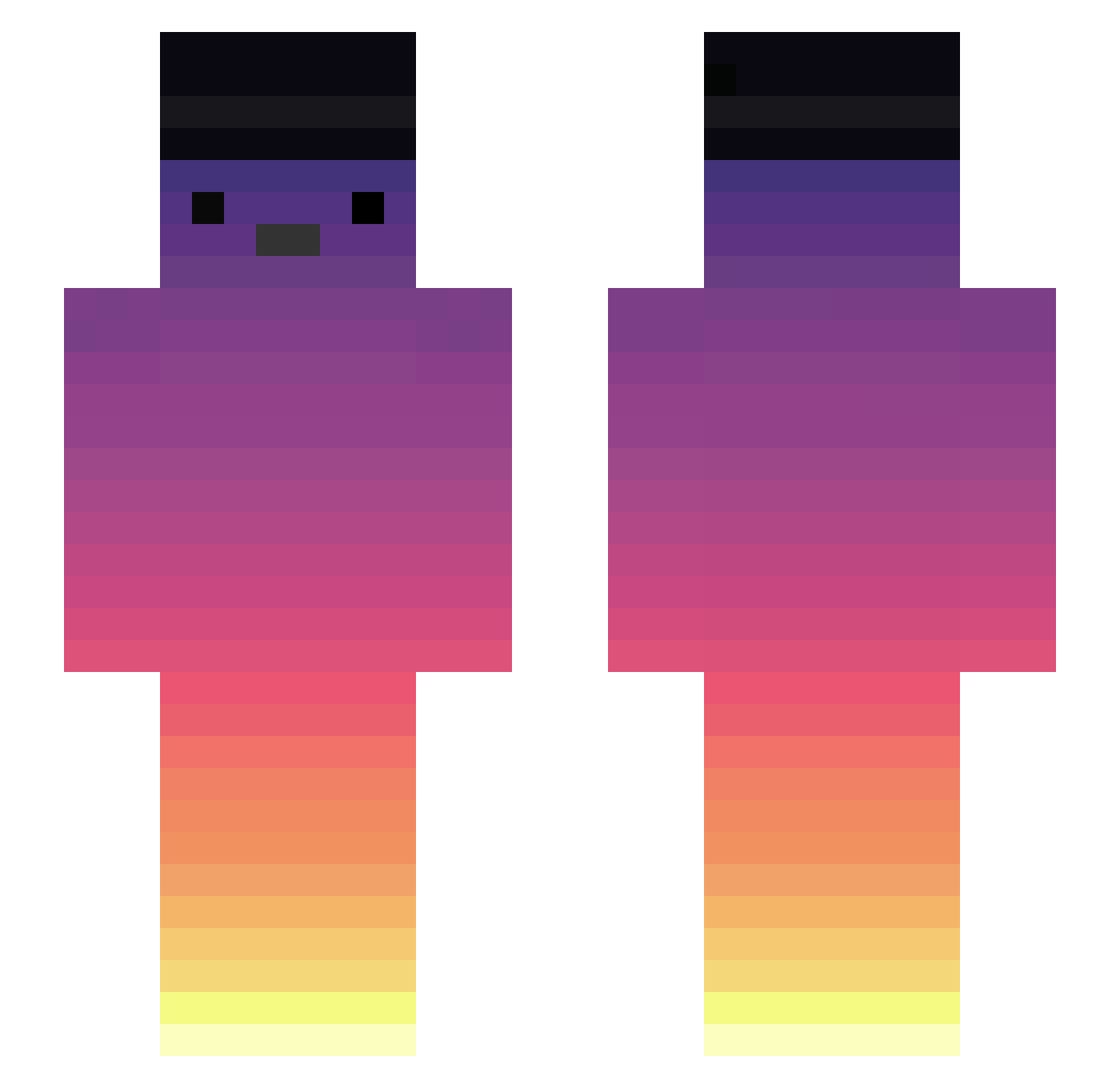
Current Minecraft skin of the player 6ustavoh, loaded from the official Mojang API. Rotate the 3D model with your mouse or finger, then download the skin as a PNG file and use it in Minecraft: Bedrock Edition or Java Edition for free. When 6ustavoh changes their skin, this page updates automatically and the old skin stays in the history below.
Other players with this skin (289)
6ustavoh was the 246th player we have seen with this skin, first spotted on 06.10.2026. The same skin was seen on these players. Open a nickname to see their current skin and skin history.
 K3RZZZ Loyalace DG0311 rayanqur frogzindomal nikooneplus cherrwtea Lolowann JarSank ginnosuke0928 CameloNeves GuiHSouz Solocod _ghostBR Serviral NickName2511 mafias333 Jhossepe Mc_Myrymans StirCrazyFlameYT Liima theFlxp david_898_ EngenheiroAlaor yazirusizip s2shkenpanda BruhICantCrystal casaleoo Kingg1112 Spartanin Ritarado bngtzz Vixzzyy DisDolphin uWuWU_Uw lnwTarZa TOF2 fanoxs satoru6633 Jou1904 Bwyn0138 ARGO_d_NAUTA lukkkka Kirito278 StoCee SyriansNeverdies JuPii18 SkrxzzZ kocokoco Thigor piggyzomb12 Pzzrz SnownY3 Cata2411 Bolotaa Suzanin inggillitty Vin28WasFound Biel321 noob_snow
More Sunset Minecraft skins
How to install the 6ustavoh skin
- Press the Download button above to save the skin as a PNG file.
- Minecraft: Bedrock Edition (PE): open the Dressing Room from the main menu (or tap your character → Edit Character), go to Classic Skins → Owned, press the + (new skin) button, choose the downloaded PNG and pick the Slim (Alex) model. Works on PC and mobile; consoles cannot import custom skins.
- Minecraft: Java Edition: open the Minecraft Launcher, go to the Skins tab, click New Skin, load the PNG, pick the Slim (Alex) model and press Save & Use. You can also upload it at minecraft.net → Profile → Change Skin.
The skin does not show up after import - what should I do?
Restart Minecraft and open the Dressing Room again - imported skins sometimes appear only after a restart. Also make sure you selected the imported skin and picked the Slim (Alex) model.
Which model should I choose, Classic or Slim?
This skin is designed for the Slim (Alex) model. If you pick the wrong model, the arms of the skin will look stretched or squeezed.
Is the skin of 6ustavoh free to download?
Yes. Press Download, save the PNG file and use it in Minecraft: Bedrock Edition or Java Edition - no payment or registration needed. The skin also works on multiplayer servers and Realms.
More skins
Looking for more? Go back to all Minecraft skins and check the top skins of the week, month and all time, or find any player's skin by nickname.