
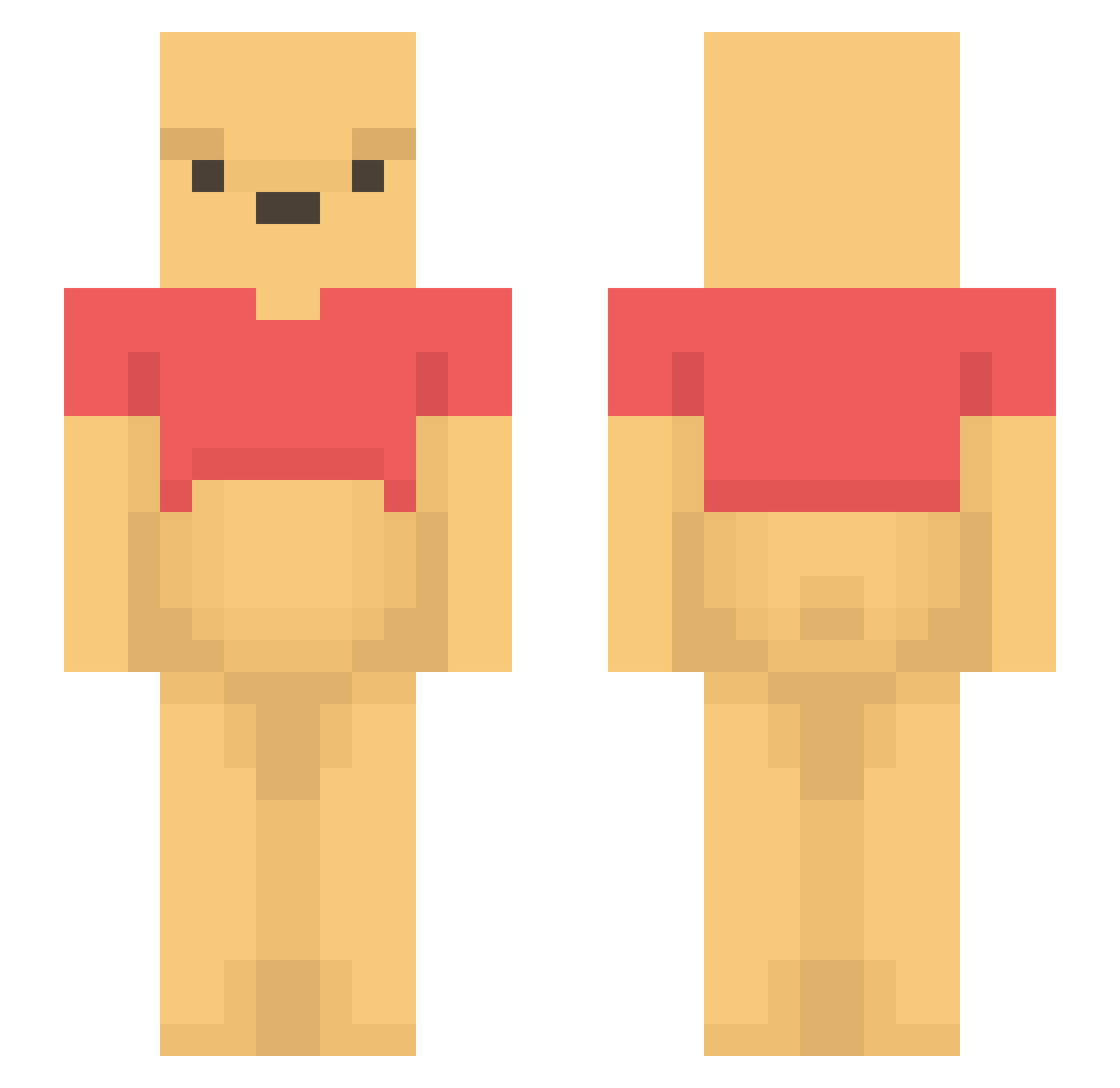
Current Minecraft skin of the player 6nZ0, loaded from the official Mojang API. Rotate the 3D model with your mouse or finger, then download the skin as a PNG file and use it in Minecraft: Bedrock Edition or Java Edition for free. When 6nZ0 changes their skin, this page updates automatically and the old skin stays in the history below.
Other players with this skin (1100)
6nZ0 was the 896th player we have seen with this skin, first spotted on 03.10.2026. The same skin was seen on these players. Open a nickname to see their current skin and skin history.
 actyuu Hatuuta TangentCloth62 bing2 goldpeaks21 mzglr56_ EightCylinders Fang3620 xiuhsiu XWCEVRBTNY Kubsonpl82 Tautropfen98 SleepyN1na Gleldge PastelCastle123 DONGYAMA hoon0928 gob_des_cavernes unagi1 FalkeenPlay Alboowh dave_825 Unversedgamer madmax111210 JefferAn 14_FEB simo_p TAETOBI finnjannis26 MaoLouisGalagame winnieman Luh05 2k48 123tmd123 Asonsol FarazGP flowerduck1 Mang0_47 EDPSLeader jlsnq01 ixwqp Pableichon Fjuzn rangatyler sunny88698 manko0 GSSMAN afhifo90jv JIAJIN_XX Keukenrol_Power SamTheBoov _Sulky_ Bobonbon FirstRider75 Chris9952 Delph0 Lorenaacs HenStar3 LeRoastBeef luluuc
More Winnie The Pooh Minecraft skins
See all 292 Winnie The Pooh skins
How to install the 6nZ0 skin
- Press the Download button above to save the skin as a PNG file.
- Minecraft: Bedrock Edition (PE): open the Dressing Room from the main menu (or tap your character → Edit Character), go to Classic Skins → Owned, press the + (new skin) button, choose the downloaded PNG and pick the Slim (Alex) model. Works on PC and mobile; consoles cannot import custom skins.
- Minecraft: Java Edition: open the Minecraft Launcher, go to the Skins tab, click New Skin, load the PNG, pick the Slim (Alex) model and press Save & Use. You can also upload it at minecraft.net → Profile → Change Skin.
The skin does not show up after import - what should I do?
Restart Minecraft and open the Dressing Room again - imported skins sometimes appear only after a restart. Also make sure you selected the imported skin and picked the Slim (Alex) model.
Which model should I choose, Classic or Slim?
This skin is designed for the Slim (Alex) model. If you pick the wrong model, the arms of the skin will look stretched or squeezed.
Is the skin of 6nZ0 free to download?
Yes. Press Download, save the PNG file and use it in Minecraft: Bedrock Edition or Java Edition - no payment or registration needed. The skin also works on multiplayer servers and Realms.
More skins
Looking for more? Go back to all Minecraft skins and check the top skins of the week, month and all time, or find any player's skin by nickname.