
6ix7evenMiner - Minecraft Skins & Skin History
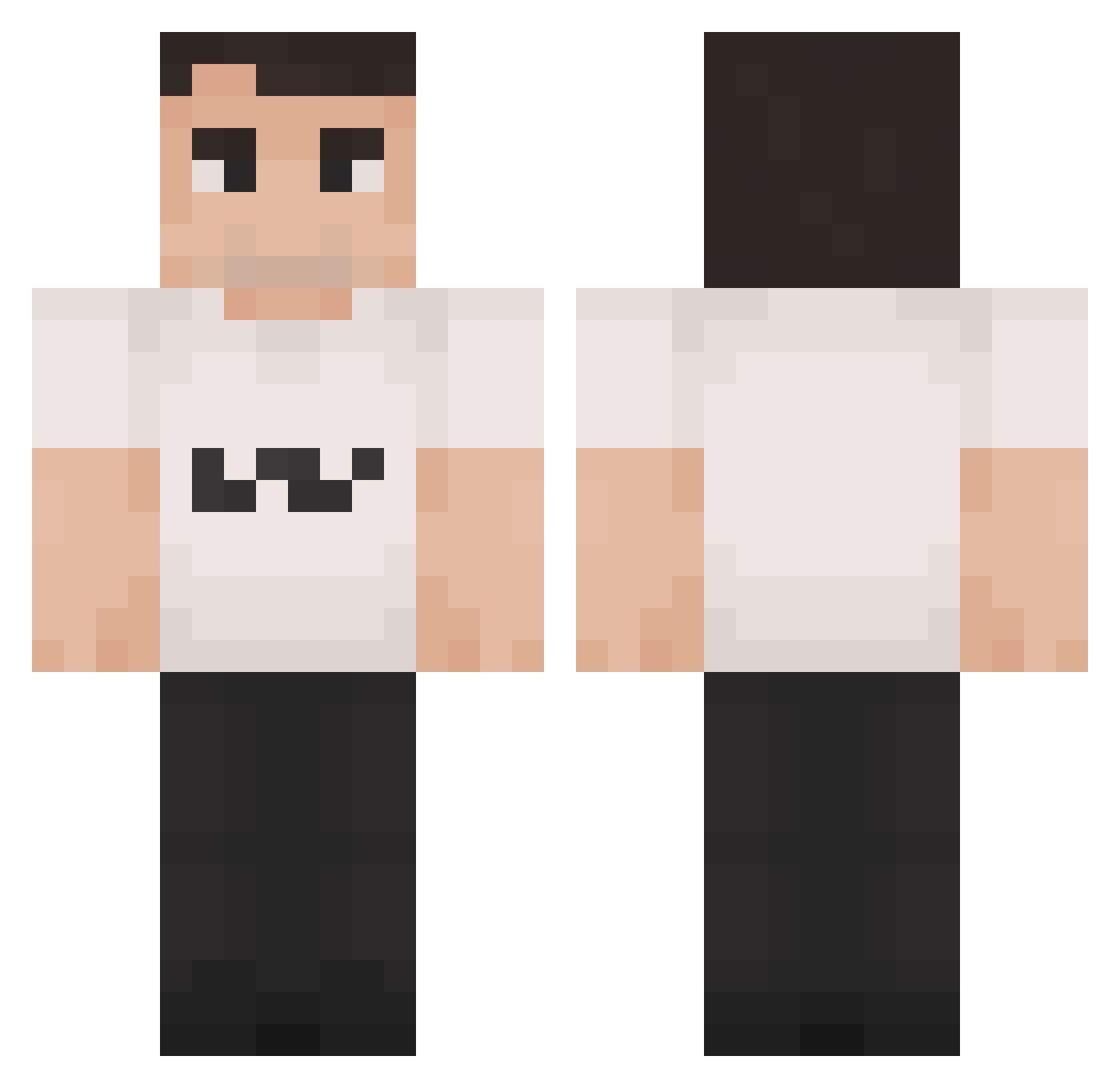
Current Minecraft skin of the player 6ix7evenMiner, loaded from the official Mojang API. Rotate the 3D model with your mouse or finger, then download the skin as a PNG file and use it in Minecraft: Bedrock Edition or Java Edition for free. When 6ix7evenMiner changes their skin, this page updates automatically and the old skin stays in the history below.
Other players with this skin (1198)
6ix7evenMiner was the 591st player we have seen with this skin, first spotted on 06.09.2026. The same skin was seen on these players. Open a nickname to see their current skin and skin history.
 Codgod9507 TheKirkinator1 imTangyy D4rKQiK MrGee19 muzyn_na_jawie Azteque k7ppn Kasumin1203 huziuzi krank_x AndySteve
 Elian2200 LittleGamerMonke forrestnelson SlackToast12 Iljaboo LEN0610
 AntiOptimistic KieferKorn57 srwhitereal_XD Henio_Tesco Carson1134 TestoEndgegner gat0oo BMTP11 MrPilotz epicbro99 Cloud_Stride Paduan Docker56 ThatOrcaWhale elpoop298 ThunderJoe_ Flying_Buss LachsImMund gamer_andrew thugmaster27 Pharao17 JuicemanSparks assdust yanny109
 Bluepaw123 twiks0901 ZEEEEUUUUUSSSSS Pagoma8 KevinLauren Tacua68 bxe1
 Mortimer19 kkkisok spewkiCNC King_yyy Oxmyr joeisverybad KINGcharlieKIRKK runb4b dylanoonk1 YkImCharlieKirk
 asdfa_
More Schlatt Minecraft skins
How to install the 6ix7evenMiner skin
- Press the Download button above to save the skin as a PNG file.
- Minecraft: Bedrock Edition (PE): open the Dressing Room from the main menu (or tap your character → Edit Character), go to Classic Skins → Owned, press the + (new skin) button, choose the downloaded PNG and pick the Classic (Steve) model. Works on PC and mobile; consoles cannot import custom skins.
- Minecraft: Java Edition: open the Minecraft Launcher, go to the Skins tab, click New Skin, load the PNG, pick the Classic (Steve) model and press Save & Use. You can also upload it at minecraft.net → Profile → Change Skin.
The skin does not show up after import - what should I do?
Restart Minecraft and open the Dressing Room again - imported skins sometimes appear only after a restart. Also make sure you selected the imported skin and picked the Classic (Steve) model.
Which model should I choose, Classic or Slim?
This skin is designed for the Classic (Steve) model. If you pick the wrong model, the arms of the skin will look stretched or squeezed.
Is the skin of 6ix7evenMiner free to download?
Yes. Press Download, save the PNG file and use it in Minecraft: Bedrock Edition or Java Edition - no payment or registration needed. The skin also works on multiplayer servers and Realms.
More skins
Looking for more? Go back to all Minecraft skins and check the top skins of the week, month and all time, or find any player's skin by nickname.