
55ATA3 - Minecraft Skins & Skin History
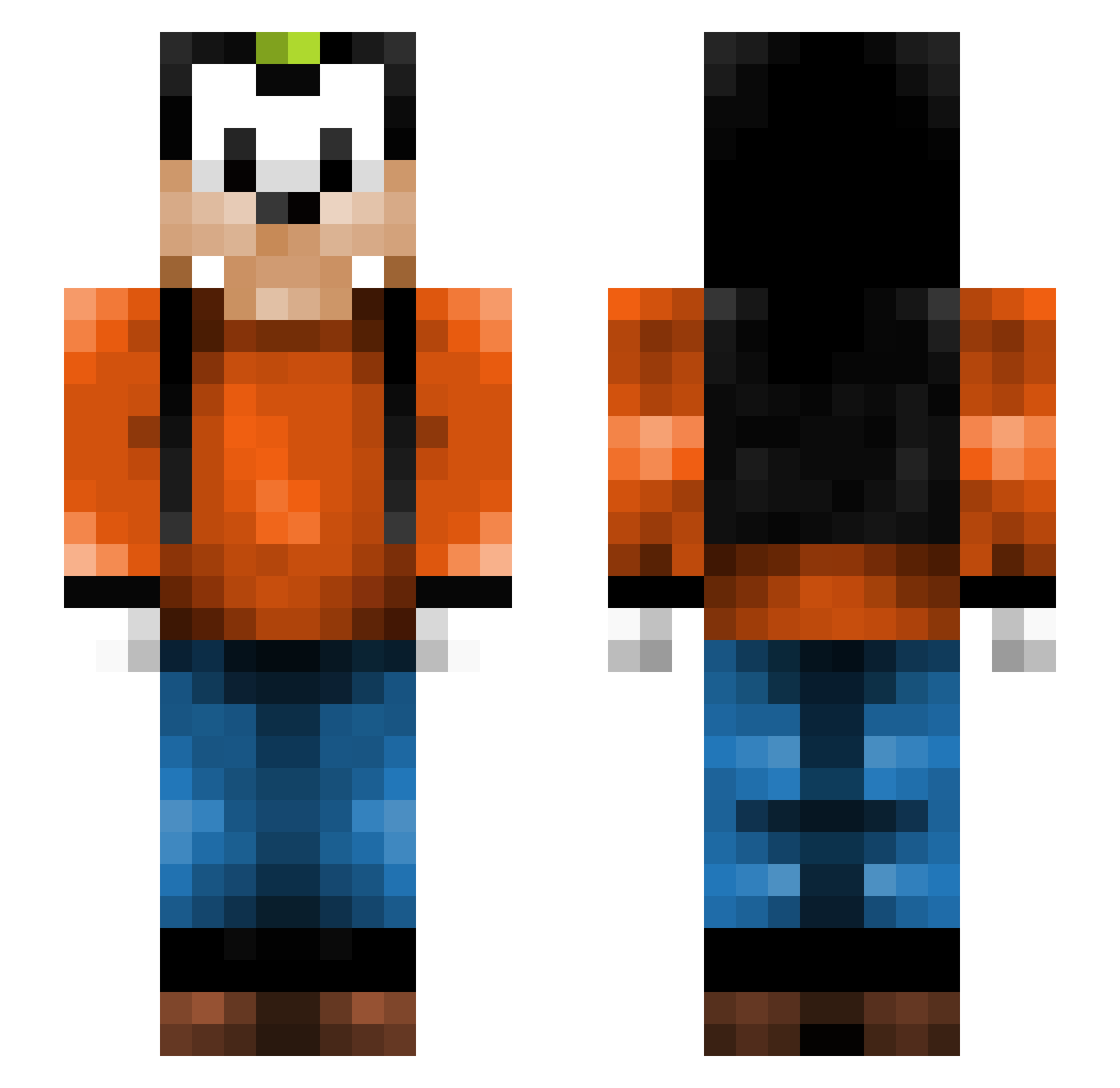
Current Minecraft skin of the player 55ATA3, loaded from the official Mojang API. Rotate the 3D model with your mouse or finger, then download the skin as a PNG file and use it in Minecraft: Bedrock Edition or Java Edition for free. When 55ATA3 changes their skin, this page updates automatically and the old skin stays in the history below.
Other players with this skin (266)
55ATA3 was the 108th player we have seen with this skin, first spotted on 06.09.2026. The same skin was seen on these players. Open a nickname to see their current skin and skin history.
 banangubben Abishma neodennis20 Goofeh tpunkt1000 dvtibo Santtu20 flockzi Watnath DerAlexBoy bballa1 Jungle83ast missurine Soul11059 MrEmrok Harlow1 turbokaas josuphhh jshwahh T0nz4 SannasBoy feliferbat hap1 Naicouz Lunecross vicente361 TrusseKongen Mooshoek TohsNug SitrusTV chosenboy11 werkki duckie331 Madsandersen90 BaseballBugs Madhax197 Escorch RotoRArtz lynks16 GoonerGirl laurensvreem vampdolphin Alowyx GoofyL Wintheria LordMorkai fekter narwhaQUEEN JsonMC CumDumpLily nikthabaus Nexxarion Shootinstar111 Abstract_Alt Goofy_OW hon69 GasFan97 mcdawson Nirppu JiiMiiiiiiiiiiii
More Goofy Minecraft skins
How to install the 55ATA3 skin
- Press the Download button above to save the skin as a PNG file.
- Minecraft: Bedrock Edition (PE): open the Dressing Room from the main menu (or tap your character → Edit Character), go to Classic Skins → Owned, press the + (new skin) button, choose the downloaded PNG and pick the Slim (Alex) model. Works on PC and mobile; consoles cannot import custom skins.
- Minecraft: Java Edition: open the Minecraft Launcher, go to the Skins tab, click New Skin, load the PNG, pick the Slim (Alex) model and press Save & Use. You can also upload it at minecraft.net → Profile → Change Skin.
The skin does not show up after import - what should I do?
Restart Minecraft and open the Dressing Room again - imported skins sometimes appear only after a restart. Also make sure you selected the imported skin and picked the Slim (Alex) model.
Which model should I choose, Classic or Slim?
This skin is designed for the Slim (Alex) model. If you pick the wrong model, the arms of the skin will look stretched or squeezed.
Is the skin of 55ATA3 free to download?
Yes. Press Download, save the PNG file and use it in Minecraft: Bedrock Edition or Java Edition - no payment or registration needed. The skin also works on multiplayer servers and Realms.
More skins
Looking for more? Go back to all Minecraft skins and check the top skins of the week, month and all time, or find any player's skin by nickname.