
510st - Minecraft Skins & Skin History
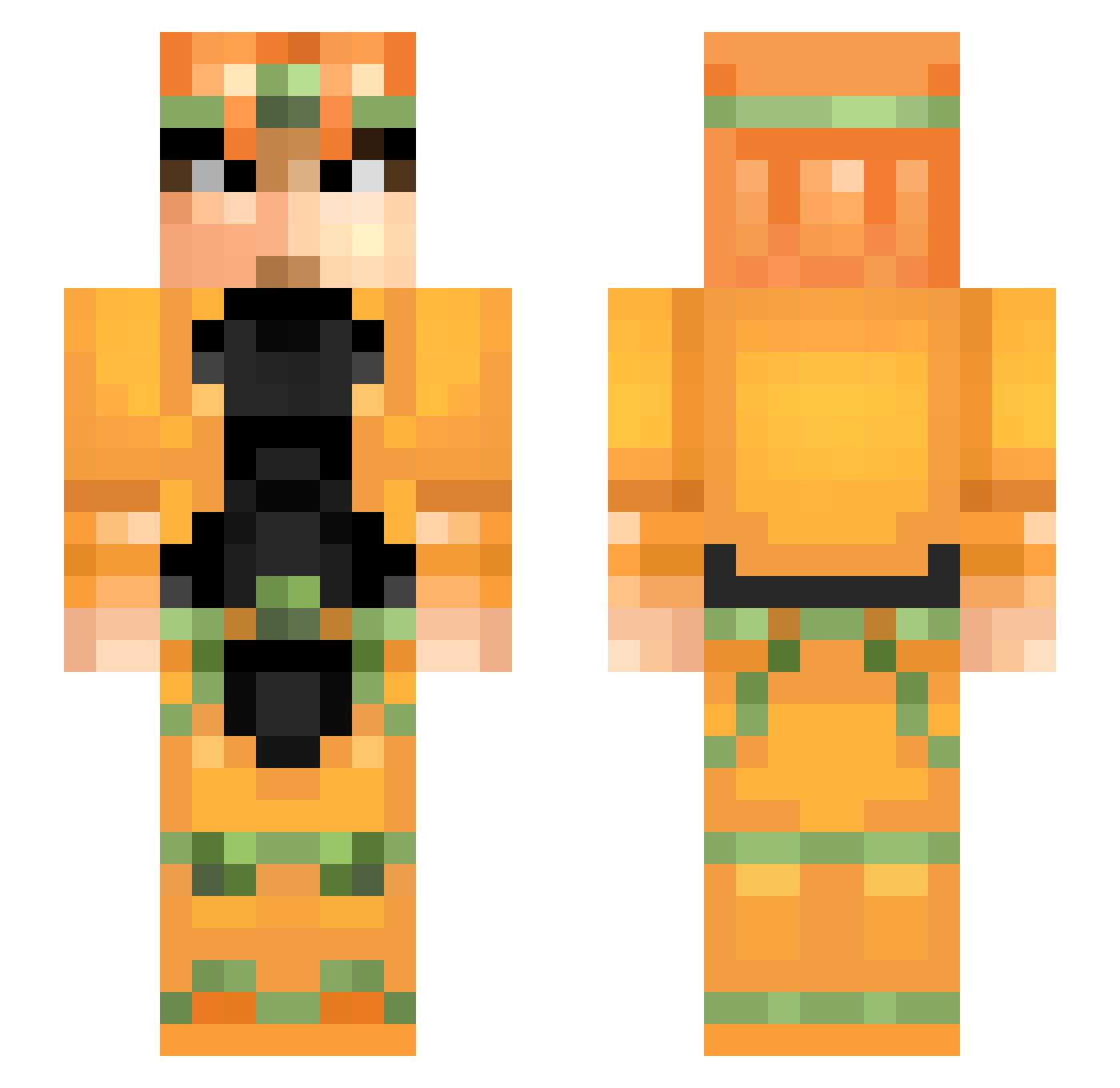
Current Minecraft skin of the player 510st, loaded from the official Mojang API. Rotate the 3D model with your mouse or finger, then download the skin as a PNG file and use it in Minecraft: Bedrock Edition or Java Edition for free. When 510st changes their skin, this page updates automatically and the old skin stays in the history below.
Other players with this skin (61)
510st was the 18th player we have seen with this skin, first spotted on 18.08.2026. The same skin was seen on these players. Open a nickname to see their current skin and skin history.
 Celtyyyyyyyy a1clock maleaque yoyo1128 HuanNa64 SEISEIKIN kyometal7 Vergil8825 Mushdalush MK_SEAL Heimurinn zuliam Sennhey Jokerino99 Pixelated_Pimp KMNNW_M Athrich yusachang _shatraug_ myent brookgcg StucK_Valentin Timo1212 eeeloiseee Darko1996 BewareTheBass IXkanekiXI DDarklaw Loallyy YerrowKZ Packsii Tirolat cephalopodic RainyHope TERikka TrollJestJa freako91 RaFFFcrta sneak889 anjovins_ t1taN___ El_Tomma13 haptschi ANGELorDEATH regret14 Stealth_criminal Sisset Umbraam danil_kaleka ZERO4000 Sidnews Hack1886 rrrrryo Batpat75 Elotakucristiano MorMoe hahasimone spearmintys XxROGERxX tobipls
More Dio Brando Minecraft skins
How to install the 510st skin
- Press the Download button above to save the skin as a PNG file.
- Minecraft: Bedrock Edition (PE): open the Dressing Room from the main menu (or tap your character → Edit Character), go to Classic Skins → Owned, press the + (new skin) button, choose the downloaded PNG and pick the Slim (Alex) model. Works on PC and mobile; consoles cannot import custom skins.
- Minecraft: Java Edition: open the Minecraft Launcher, go to the Skins tab, click New Skin, load the PNG, pick the Slim (Alex) model and press Save & Use. You can also upload it at minecraft.net → Profile → Change Skin.
The skin does not show up after import - what should I do?
Restart Minecraft and open the Dressing Room again - imported skins sometimes appear only after a restart. Also make sure you selected the imported skin and picked the Slim (Alex) model.
Which model should I choose, Classic or Slim?
This skin is designed for the Slim (Alex) model. If you pick the wrong model, the arms of the skin will look stretched or squeezed.
Is the skin of 510st free to download?
Yes. Press Download, save the PNG file and use it in Minecraft: Bedrock Edition or Java Edition - no payment or registration needed. The skin also works on multiplayer servers and Realms.
More skins
Looking for more? Go back to all Minecraft skins and check the top skins of the week, month and all time, or find any player's skin by nickname.