
41senso - Minecraft Skins & Skin History
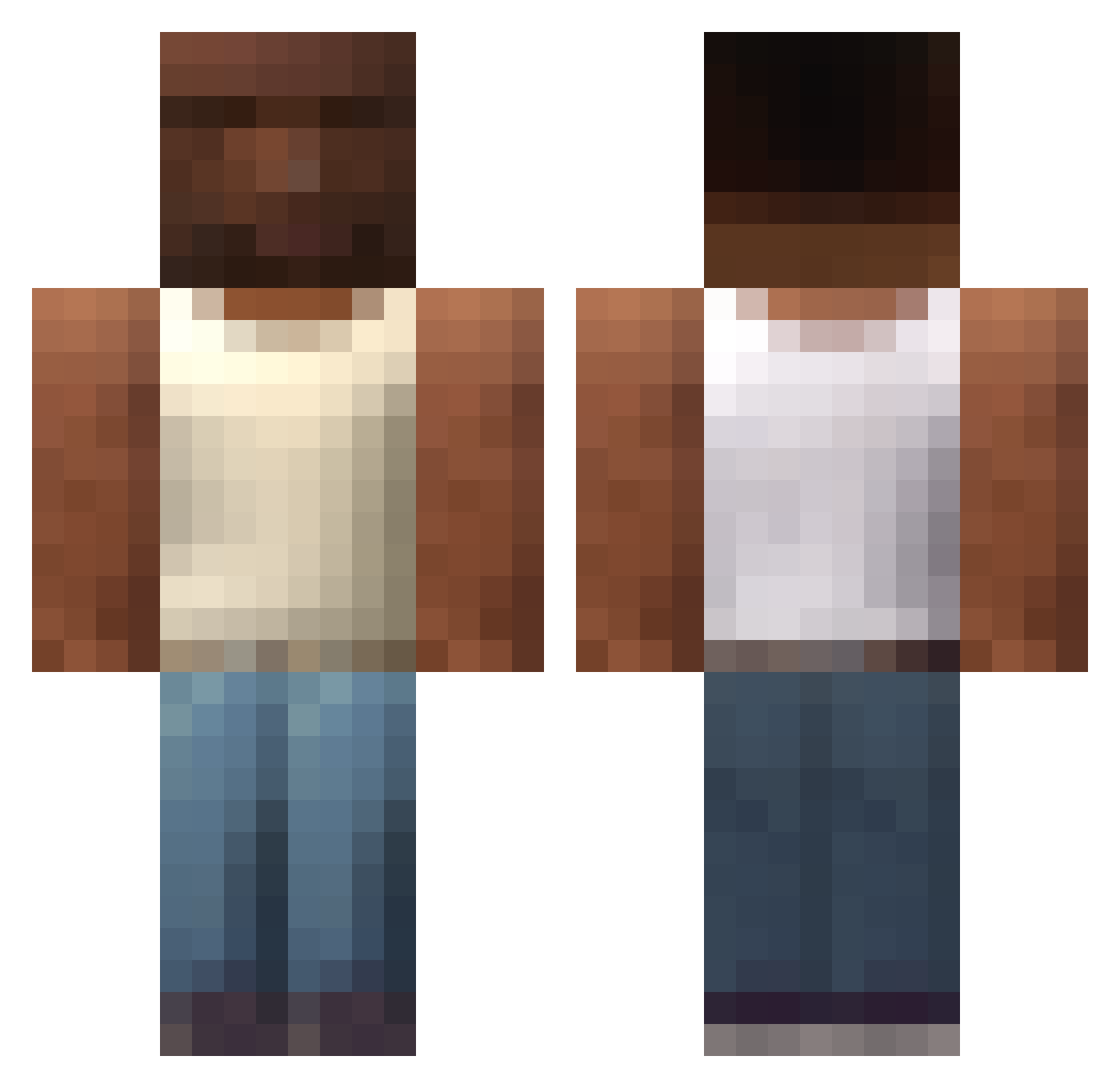
Current Minecraft skin of the player 41senso, loaded from the official Mojang API. Rotate the 3D model with your mouse or finger, then download the skin as a PNG file and use it in Minecraft: Bedrock Edition or Java Edition for free. When 41senso changes their skin, this page updates automatically and the old skin stays in the history below.
Other players with this skin (588)
41senso was the 414th player we have seen with this skin, first spotted on 08.10.2026. The same skin was seen on these players. Open a nickname to see their current skin and skin history.
 rjz_nyce OnionTm WeatherBaton108 ZD_212 implacablejaguar Josdav_57 JLD974 jockybae casn99 Tyrone7996 Jonmat123 _Skorn_ droid10craft Tehijsie TheBlackestPaq Ciomez ____YUMMY____ SwirlIrritant837 lepax_ PhilipyLopes RottenDan223 mc_potion pedropedrunio Alqeren_01 Hamza6761 Kermott23 JulianTaglia LuckVish TomatoSoup007 Giffayy Spunii ilekx 25ai Jak54 jack_weeko ungmon makuha94 biglahd Chrix1512 legendaryweedle FNP11 Albicocca_ Milart thlrasgo nuruihoude SIAKAP3RASA MaxTheMax_ BuDDer_Dik Kilianoxo XKodeX Ranulf117 Julo_Julo JusArookie _999ping iwanntteen NNascimento qhzx Snowconejim RamiroDD StefaTheBuilder
More San Andreas Minecraft skins
How to install the 41senso skin
- Press the Download button above to save the skin as a PNG file.
- Minecraft: Bedrock Edition (PE): open the Dressing Room from the main menu (or tap your character → Edit Character), go to Classic Skins → Owned, press the + (new skin) button, choose the downloaded PNG and pick the Classic (Steve) model. Works on PC and mobile; consoles cannot import custom skins.
- Minecraft: Java Edition: open the Minecraft Launcher, go to the Skins tab, click New Skin, load the PNG, pick the Classic (Steve) model and press Save & Use. You can also upload it at minecraft.net → Profile → Change Skin.
The skin does not show up after import - what should I do?
Restart Minecraft and open the Dressing Room again - imported skins sometimes appear only after a restart. Also make sure you selected the imported skin and picked the Classic (Steve) model.
Which model should I choose, Classic or Slim?
This skin is designed for the Classic (Steve) model. If you pick the wrong model, the arms of the skin will look stretched or squeezed.
Is the skin of 41senso free to download?
Yes. Press Download, save the PNG file and use it in Minecraft: Bedrock Edition or Java Edition - no payment or registration needed. The skin also works on multiplayer servers and Realms.
More skins
Looking for more? Go back to all Minecraft skins and check the top skins of the week, month and all time, or find any player's skin by nickname.