
3than_1ee - Minecraft Skins & Skin History
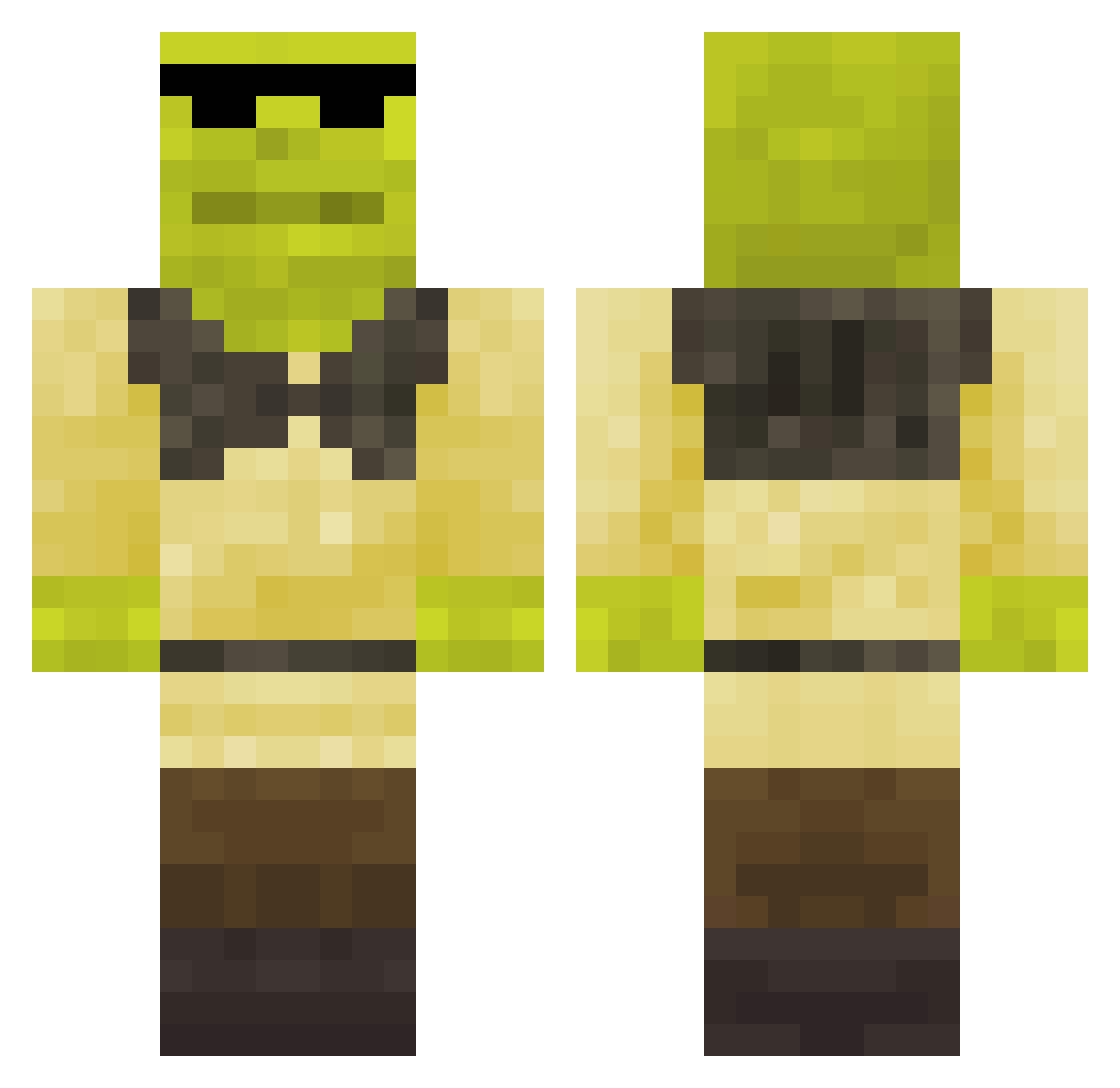
Current Minecraft skin of the player 3than_1ee, loaded from the official Mojang API. Rotate the 3D model with your mouse or finger, then download the skin as a PNG file and use it in Minecraft: Bedrock Edition or Java Edition for free. When 3than_1ee changes their skin, this page updates automatically and the old skin stays in the history below.
Other players with this skin (148)
3than_1ee was the 127th player we have seen with this skin, first spotted on 17.10.2026. The same skin was seen on these players. Open a nickname to see their current skin and skin history.
 Josemene AlikePluto Luxanonymous FerbBoi Zayez JAMPOTSI7 Robo_076 bletillo BowieKnife199 sandwich_melo1 Jachiviry eclipse69420 Fraw1 Exale pinpinn5937 dabol41 Progamer453858 xdefend3rr gasby222 StiggyZA swat7mk123 Coalikesanta AdicTyy Dargor_fline Ymn0708Ycl thekeegs312 Mikarob CarlaoGROSSO Mat3lis Papania99 arnellis Alpha031129 BqckOnRossn_ Brayoten KarbonDeezy KmicaUbica Pisduk Stazed DOG_POunD20 polishamaslo Jack4t dismonk RedoxFun Armypower1 W1LD_Hair warclainer anthony2019 marchewka123o mazeeen albitron akira190 xcnv maycon_oliveira chuckiphone frankoide123 Kusbyy Slaiq Tmk15 Benjaminz08 eldritchoreo
More Shrek Minecraft skins
How to install the 3than_1ee skin
- Press the Download button above to save the skin as a PNG file.
- Minecraft: Bedrock Edition (PE): open the Dressing Room from the main menu (or tap your character → Edit Character), go to Classic Skins → Owned, press the + (new skin) button, choose the downloaded PNG and pick the Classic (Steve) model. Works on PC and mobile; consoles cannot import custom skins.
- Minecraft: Java Edition: open the Minecraft Launcher, go to the Skins tab, click New Skin, load the PNG, pick the Classic (Steve) model and press Save & Use. You can also upload it at minecraft.net → Profile → Change Skin.
The skin does not show up after import - what should I do?
Restart Minecraft and open the Dressing Room again - imported skins sometimes appear only after a restart. Also make sure you selected the imported skin and picked the Classic (Steve) model.
Which model should I choose, Classic or Slim?
This skin is designed for the Classic (Steve) model. If you pick the wrong model, the arms of the skin will look stretched or squeezed.
Is the skin of 3than_1ee free to download?
Yes. Press Download, save the PNG file and use it in Minecraft: Bedrock Edition or Java Edition - no payment or registration needed. The skin also works on multiplayer servers and Realms.
More skins
Looking for more? Go back to all Minecraft skins and check the top skins of the week, month and all time, or find any player's skin by nickname.