
31w0 - Minecraft Skins & Skin History
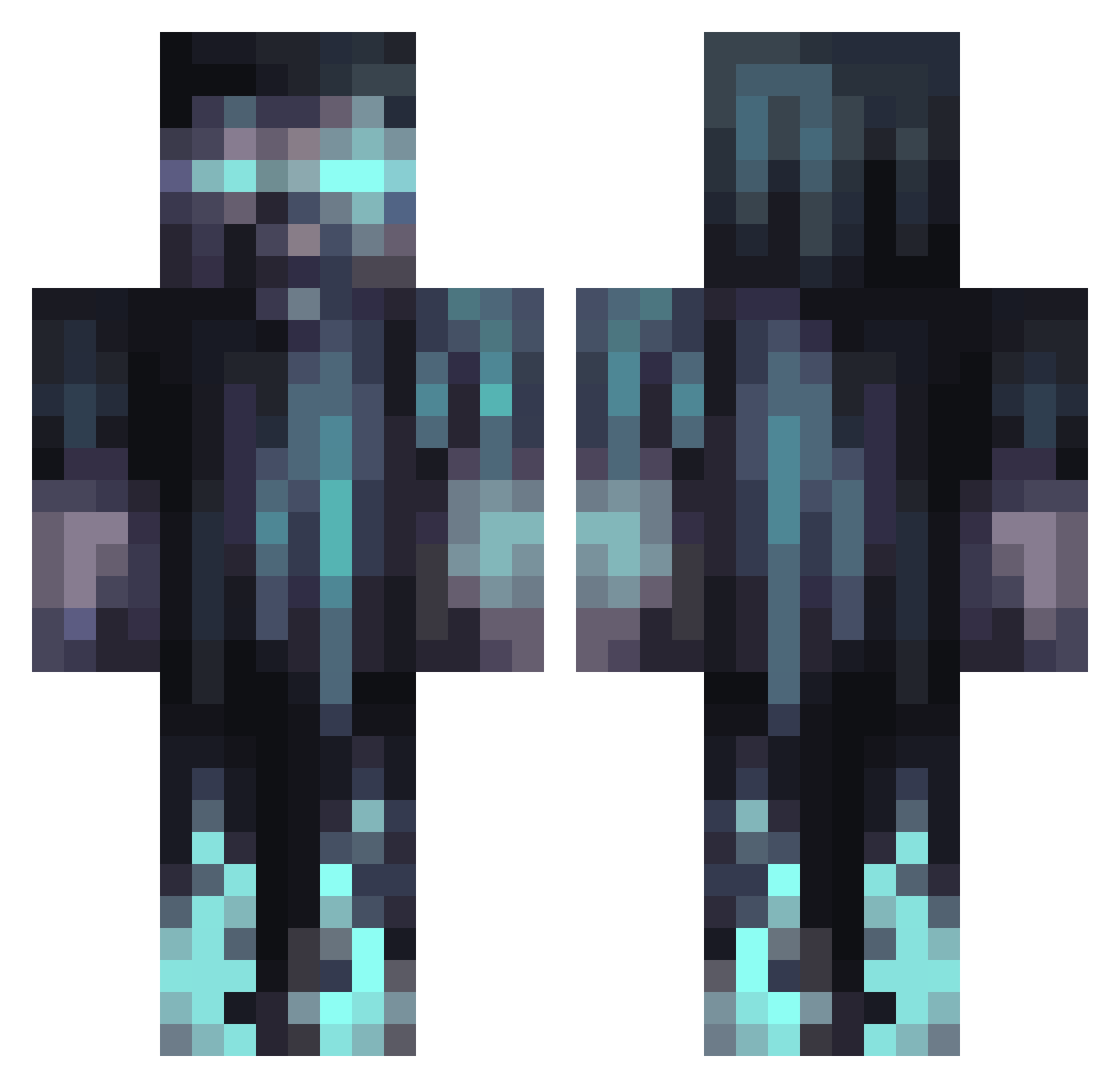
Current Minecraft skin of the player 31w0, loaded from the official Mojang API. Rotate the 3D model with your mouse or finger, then download the skin as a PNG file and use it in Minecraft: Bedrock Edition or Java Edition for free. When 31w0 changes their skin, this page updates automatically and the old skin stays in the history below.
Other players with this skin (1067)
31w0 was the 26th player we have seen with this skin, first spotted on 25.07.2026. The same skin was seen on these players. Open a nickname to see their current skin and skin history.
 BravoMikeGamma HelmuthX ScarceBugle9407 123soleile Jensendar
 asakai2022 ant55555 Tobsl69 Foghi G_host0 XMoeHawkX Thors_Hand sweetxd_754 CugeHock11 biscrit_ JHJAL Creach2011 ketenpere22 EstebanARGBJ KAPAN18 SirBenedict92 vinnyv99 Snoops132 JohnDeereX9 DannyDragon115 Flo1913 CherryDunk2 NotEagleDude romm0109 PepsiMaxzz Diegoh_n Topvoetballer lolerbest Left4bloks KwispyGod That95Gamer Maciejos22 RemedyRumaday whatever62 Coastal135 levstars105
 TitasuzZ TrippyTribesman MIKOLAJ12334 Emeraldbells TOXICELF alpha_wolf_999 Sangaz NullRef_0x00 Riftshaper Mr_Yumi Tur5u ji_unknown BadLuckBrain Disrxspect Rathd9 Bugomago TobiasHeltVaek Alv357283 SSJ_Vader
More Warden Minecraft skins
How to install the 31w0 skin
- Press the Download button above to save the skin as a PNG file.
- Minecraft: Bedrock Edition (PE): open the Dressing Room from the main menu (or tap your character → Edit Character), go to Classic Skins → Owned, press the + (new skin) button, choose the downloaded PNG and pick the Classic (Steve) model. Works on PC and mobile; consoles cannot import custom skins.
- Minecraft: Java Edition: open the Minecraft Launcher, go to the Skins tab, click New Skin, load the PNG, pick the Classic (Steve) model and press Save & Use. You can also upload it at minecraft.net → Profile → Change Skin.
The skin does not show up after import - what should I do?
Restart Minecraft and open the Dressing Room again - imported skins sometimes appear only after a restart. Also make sure you selected the imported skin and picked the Classic (Steve) model.
Which model should I choose, Classic or Slim?
This skin is designed for the Classic (Steve) model. If you pick the wrong model, the arms of the skin will look stretched or squeezed.
Is the skin of 31w0 free to download?
Yes. Press Download, save the PNG file and use it in Minecraft: Bedrock Edition or Java Edition - no payment or registration needed. The skin also works on multiplayer servers and Realms.
More skins
Looking for more? Go back to all Minecraft skins and check the top skins of the week, month and all time, or find any player's skin by nickname.