
2ler_ - Minecraft Skins & Skin History
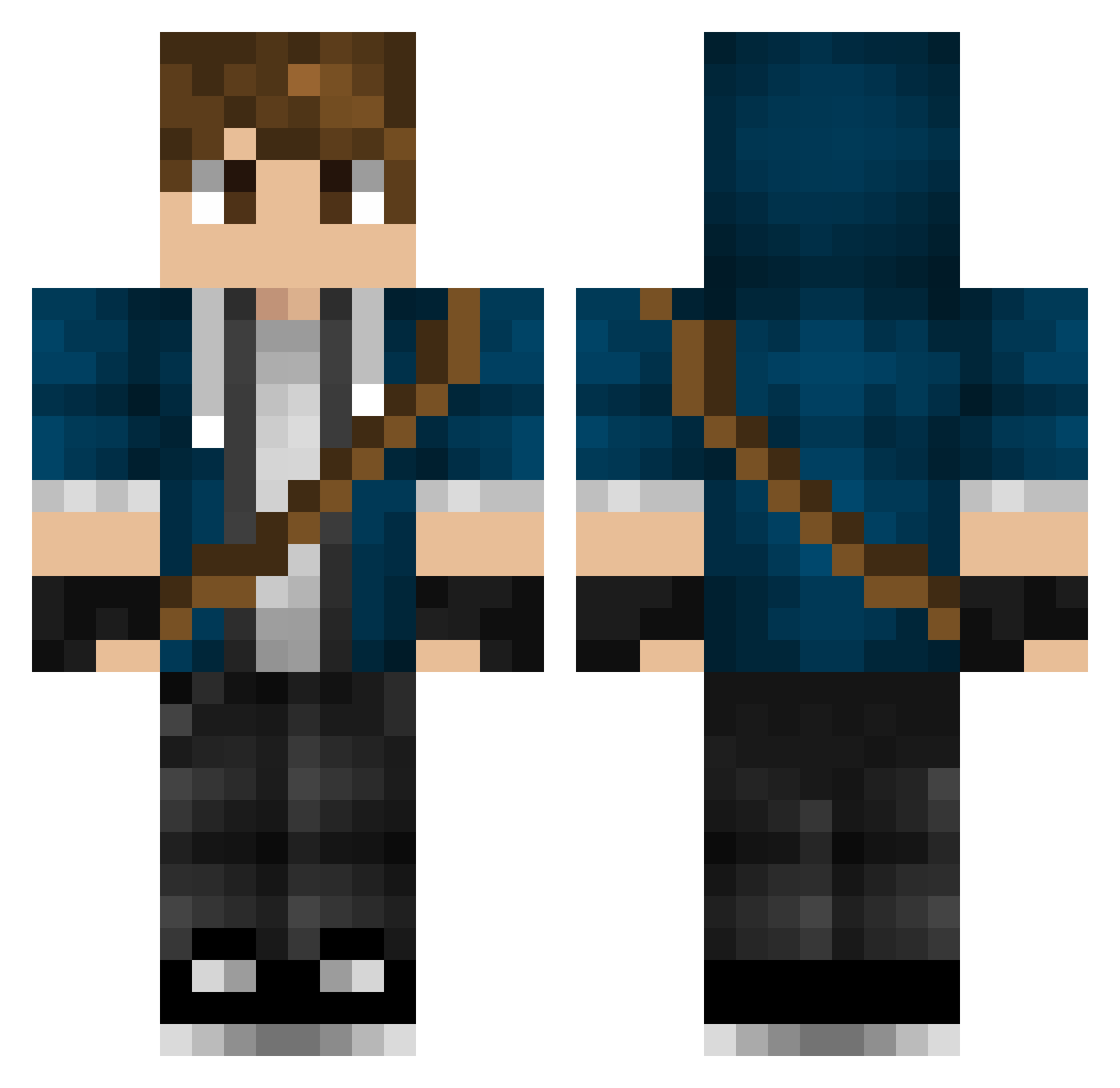
Current Minecraft skin of the player 2ler_, loaded from the official Mojang API. Rotate the 3D model with your mouse or finger, then download the skin as a PNG file and use it in Minecraft: Bedrock Edition or Java Edition for free. When 2ler_ changes their skin, this page updates automatically and the old skin stays in the history below.
Other players with this skin (447)
2ler_ was the 325th player we have seen with this skin, first spotted on 08.10.2026. The same skin was seen on these players. Open a nickname to see their current skin and skin history.
 SonicPluxey DaffierBaton594 Xela15 Adrame Brandonloving l0n3w07f Mortal023 minganin0315 YZH12345678 GeorgeThePierce Mugi1 IvanPenGem seaweed1015 MahuMaeMae TH3f0rg0tt3nON3 teeraaa1 takumi71413 Austiinnnn XiphusArathorn Grayx_ Dreyar03 iCoRe12 MadsRiis399 hexablocks Carton_of_Sushi LizardDK CuauhtliTheGreat RankedTie Clement2006191 Habanek Ranju GruPZzy FatherBoofku Vaffelgutten budexee Zaading Ark3s BlueGround08 AmericanoGamer Talonfoot zillionare MidnightSun518 natedogg111919 D4rpel IIINickIII pizza_tmp JDBentorii Majorasho1e Liioon_ Gaycollegeboi Robbo_Frobbo MiningMika Ithrial12 diablo_moab rodrigovigario kacp34 dynast64 xFeeshy BluedooHK AR3NLive
More Messenger Bag Minecraft skins
See all 535 Messenger Bag skins
How to install the 2ler_ skin
- Press the Download button above to save the skin as a PNG file.
- Minecraft: Bedrock Edition (PE): open the Dressing Room from the main menu (or tap your character → Edit Character), go to Classic Skins → Owned, press the + (new skin) button, choose the downloaded PNG and pick the Classic (Steve) model. Works on PC and mobile; consoles cannot import custom skins.
- Minecraft: Java Edition: open the Minecraft Launcher, go to the Skins tab, click New Skin, load the PNG, pick the Classic (Steve) model and press Save & Use. You can also upload it at minecraft.net → Profile → Change Skin.
The skin does not show up after import - what should I do?
Restart Minecraft and open the Dressing Room again - imported skins sometimes appear only after a restart. Also make sure you selected the imported skin and picked the Classic (Steve) model.
Which model should I choose, Classic or Slim?
This skin is designed for the Classic (Steve) model. If you pick the wrong model, the arms of the skin will look stretched or squeezed.
Is the skin of 2ler_ free to download?
Yes. Press Download, save the PNG file and use it in Minecraft: Bedrock Edition or Java Edition - no payment or registration needed. The skin also works on multiplayer servers and Realms.
More skins
Looking for more? Go back to all Minecraft skins and check the top skins of the week, month and all time, or find any player's skin by nickname.