
2big2 - Minecraft Skins & Skin History
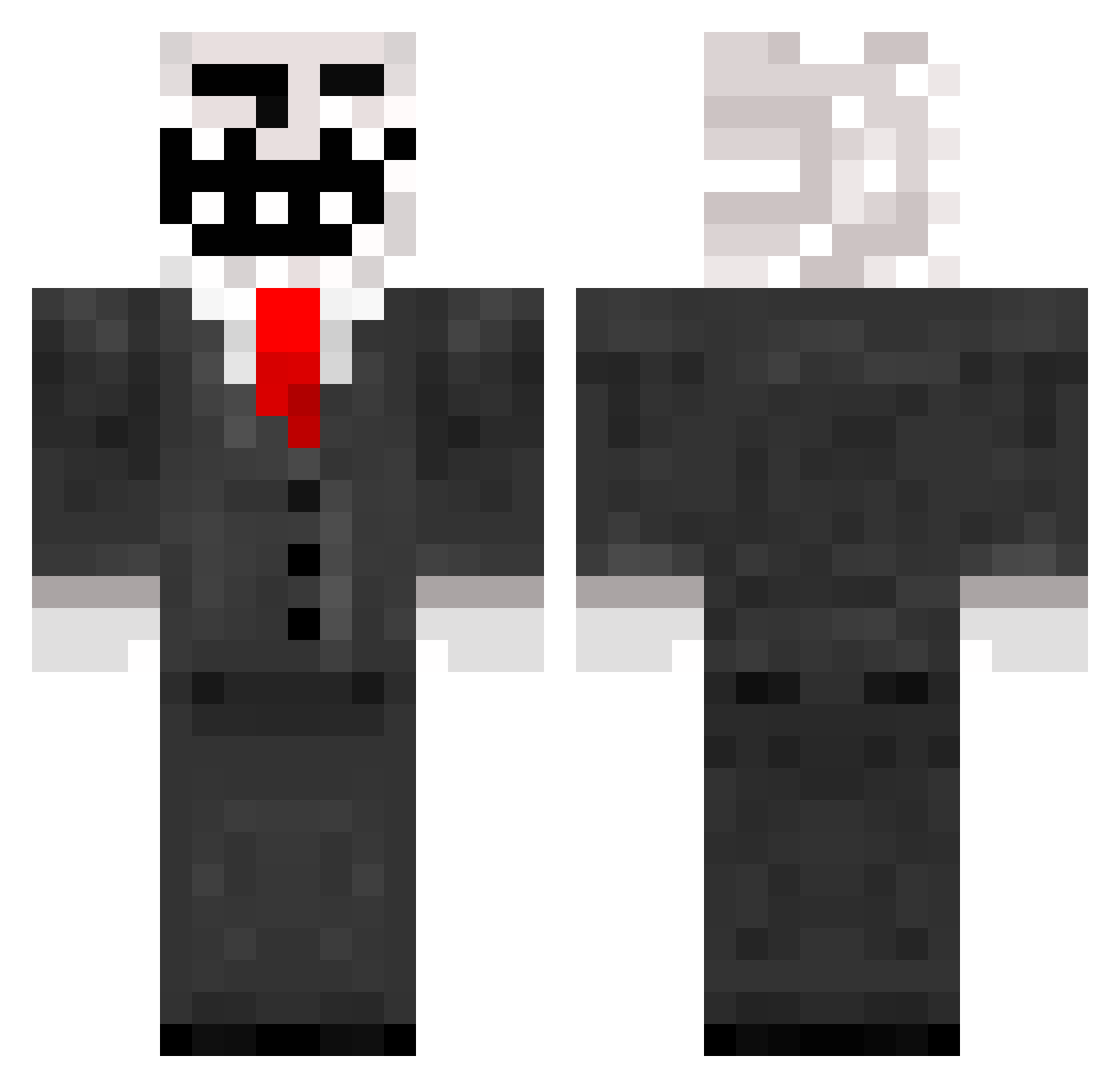
Current Minecraft skin of the player 2big2, loaded from the official Mojang API. Rotate the 3D model with your mouse or finger, then download the skin as a PNG file and use it in Minecraft: Bedrock Edition or Java Edition for free. When 2big2 changes their skin, this page updates automatically and the old skin stays in the history below.
Other players with this skin (272)
2big2 was the 150th player we have seen with this skin, first spotted on 30.09.2026. The same skin was seen on these players. Open a nickname to see their current skin and skin history.
 LeonardoFarcas TaHkucT_WoT Rnop Boatau slimezballz Trembolon Lmaster2003 imvo11er marcoooo1111111 b371928456 tEmBo354 JACKYMANY lautymelga 1_Hannibal_ WatchYT Trackzz_420 felipejudeu DeathChinpo Noob_Lin RenatoGamerodi connorlovesmc6 kidosekpiter Dexprozius pallijanteri Corpsell phwatertester Mc_bolus renato8979 archiewheeler3 Kurc312 moooriiitz mewiing EternaL1th zPhoen1x_ BIGBENISXXX BittySmile Devox0 grayn543 kleesixth turtlekeeper13 NoobSlayer42 buzerov ssSssSbb ryze_improv Tanble Buy_roses rzqy dreams2105 Cgthvf BromoZzzz Yesman421 Rappubattle BloodyZombie100 MikiTrkiPro Deniablesole89 adafcaefc Matryx26 Fogginess_ Dragoh78 ible9
More Trollface Minecraft skins
How to install the 2big2 skin
- Press the Download button above to save the skin as a PNG file.
- Minecraft: Bedrock Edition (PE): open the Dressing Room from the main menu (or tap your character → Edit Character), go to Classic Skins → Owned, press the + (new skin) button, choose the downloaded PNG and pick the Classic (Steve) model. Works on PC and mobile; consoles cannot import custom skins.
- Minecraft: Java Edition: open the Minecraft Launcher, go to the Skins tab, click New Skin, load the PNG, pick the Classic (Steve) model and press Save & Use. You can also upload it at minecraft.net → Profile → Change Skin.
The skin does not show up after import - what should I do?
Restart Minecraft and open the Dressing Room again - imported skins sometimes appear only after a restart. Also make sure you selected the imported skin and picked the Classic (Steve) model.
Which model should I choose, Classic or Slim?
This skin is designed for the Classic (Steve) model. If you pick the wrong model, the arms of the skin will look stretched or squeezed.
Is the skin of 2big2 free to download?
Yes. Press Download, save the PNG file and use it in Minecraft: Bedrock Edition or Java Edition - no payment or registration needed. The skin also works on multiplayer servers and Realms.
More skins
Looking for more? Go back to all Minecraft skins and check the top skins of the week, month and all time, or find any player's skin by nickname.