
2OMC - Minecraft Skins & Skin History
Current Minecraft skin of the player 2OMC, loaded from the official Mojang API. Rotate the 3D model with your mouse or finger, then download the skin as a PNG file and use it in Minecraft: Bedrock Edition or Java Edition for free. When 2OMC changes their skin, this page updates automatically and the old skin stays in the history below.
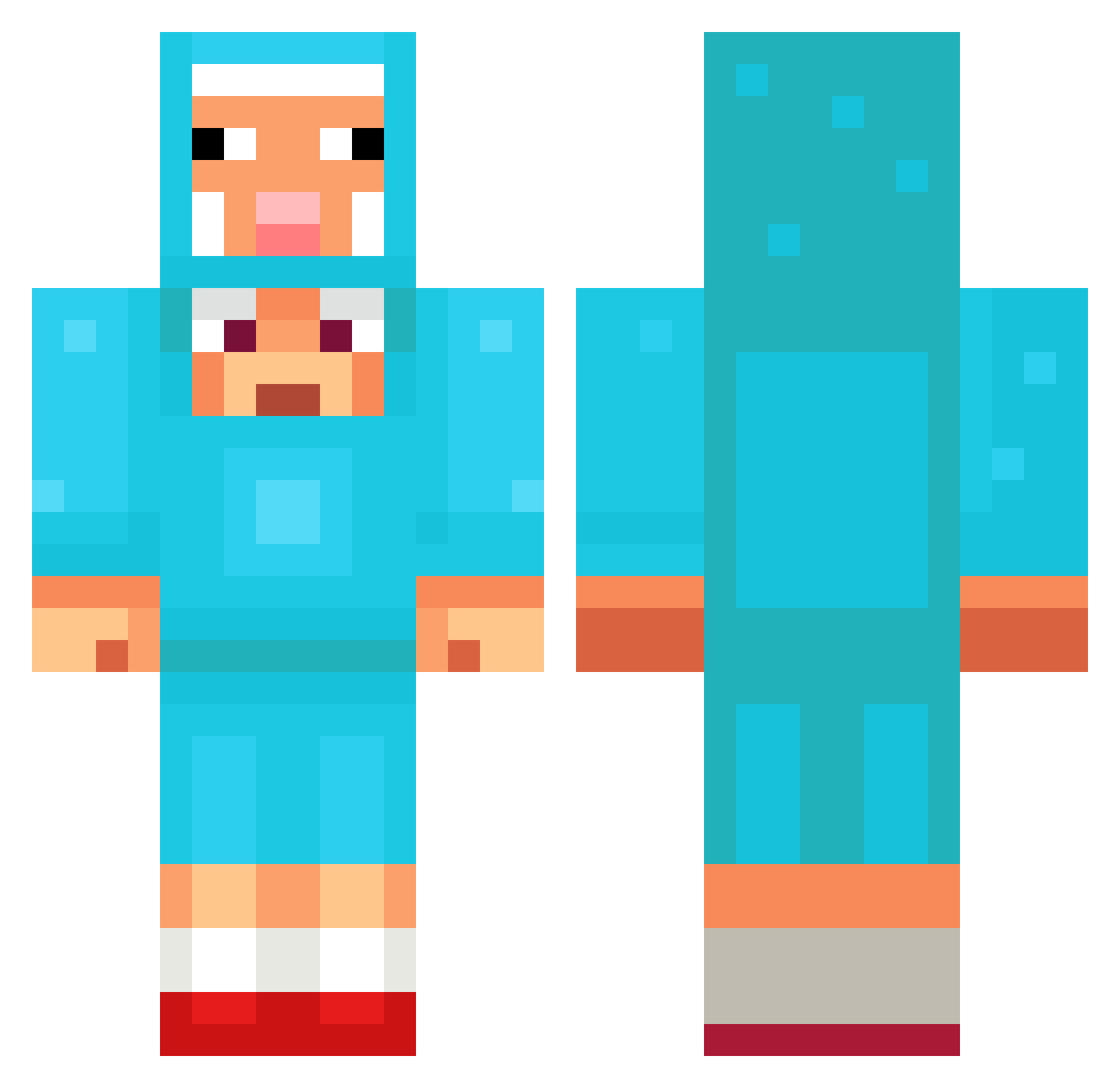
Other players with this skin (1096)
2OMC was the 101st player we have seen with this skin, first spotted on 01.08.2026. The same skin was seen on these players. Open a nickname to see their current skin and skin history.
 BlobbyBloy XziisT SebastianBear5 Kauzakas
 Yoc8 shinjm0209 theappleenjoyer
 Gluestick9 Gamer692 SylvestriZ SouthVB Wol1n Joshywoshy6 HotterEsel123 issacg1235 YaoYao297 dinosaurkller66
 Px141 Funsize8396 isla252 boybean Mikiguy123 5forever
 Allitralli13 dongbin140325 IrateNine008986 mryur HeyDennis FridaSuper Ehley143 Jenik15 JackWebbs7 IndianerLangholz Powertang charlie1291098 Etito Syrnik87 MrWenie batuafk Hamham3424 Jun1or_Z Hotdog652
 NamiUmma Trumtriggerbot LMTQ1 lililllllll
 SMAFRO11NS SuperiorDuck23 ineedmoney67 duongkute41 ruddyizzy Ronin479909 Tongkhocbd peekathebest PomatoFish Missyuniko Andrushkaka lilyleon CR4ZEDx2
 TillGioh
More Sheep Minecraft skins
How to install the 2OMC skin
- Press the Download button above to save the skin as a PNG file.
- Minecraft: Bedrock Edition (PE): open the Dressing Room from the main menu (or tap your character → Edit Character), go to Classic Skins → Owned, press the + (new skin) button, choose the downloaded PNG and pick the Classic (Steve) model. Works on PC and mobile; consoles cannot import custom skins.
- Minecraft: Java Edition: open the Minecraft Launcher, go to the Skins tab, click New Skin, load the PNG, pick the Classic (Steve) model and press Save & Use. You can also upload it at minecraft.net → Profile → Change Skin.
The skin does not show up after import - what should I do?
Restart Minecraft and open the Dressing Room again - imported skins sometimes appear only after a restart. Also make sure you selected the imported skin and picked the Classic (Steve) model.
Which model should I choose, Classic or Slim?
This skin is designed for the Classic (Steve) model. If you pick the wrong model, the arms of the skin will look stretched or squeezed.
Is the skin of 2OMC free to download?
Yes. Press Download, save the PNG file and use it in Minecraft: Bedrock Edition or Java Edition - no payment or registration needed. The skin also works on multiplayer servers and Realms.
More skins
Looking for more? Go back to all Minecraft skins and check the top skins of the week, month and all time, or find any player's skin by nickname.