
1_Fabian_1 - Minecraft Skins & Skin History
Current Minecraft skin of the player 1_Fabian_1, loaded from the official Mojang API. Rotate the 3D model with your mouse or finger, then download the skin as a PNG file and use it in Minecraft: Bedrock Edition or Java Edition for free. When 1_Fabian_1 changes their skin, this page updates automatically and the old skin stays in the history below.
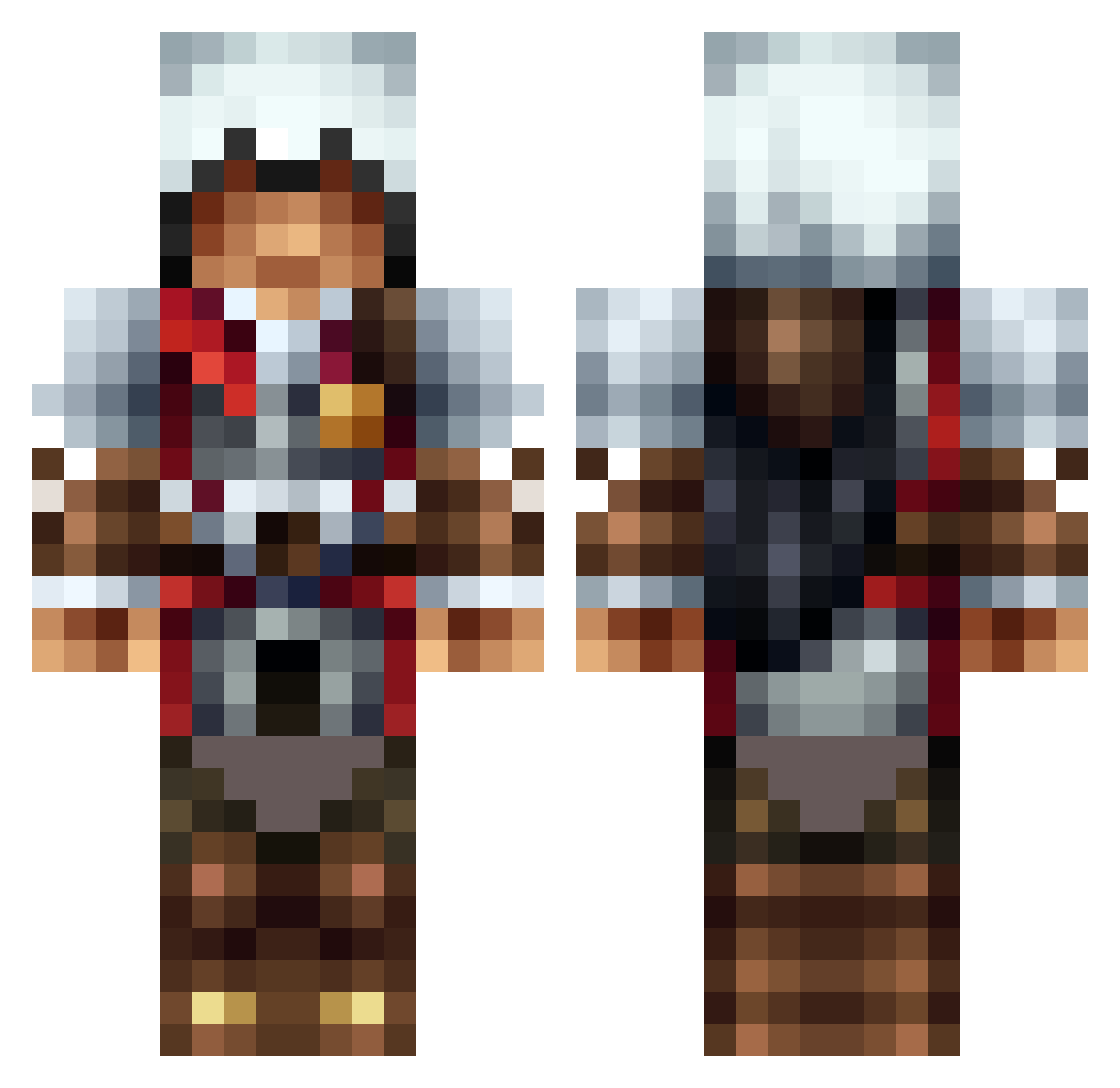
Other players with this skin (1312)
1_Fabian_1 was the 378th player we have seen with this skin, first spotted on 26.08.2026. The same skin was seen on these players. Open a nickname to see their current skin and skin history.
 mcook1012 lflea Valhall22 SkeletonCr33k Flo_243 bigdavesmc infection_13 xXNewYorkXx Minewiz11 Firanos IGU0128 MrBioMatrix Katosayshello Sadlife1995 Freak_Star redpandagamer11 bananakid2 speedie2003 SciFiLady martinkletter HBB36 XxBloodAxexX Chema5 kaos67 TheoOo36 vrv34 Sea_Biscuiteer UnknownViruz jamiecian Ultratimmi RaptorMaster22 madpanda25 Harley_Quinnn HozeSio BiteoftheWolf NaristarCraft Rikkity digiegg Kyle_Girga_14 ShadyManOG osprey99 pinquin93 TravusDV stealthgunner99 Sternenpower arno64160 jopek2222 maximus8181 fondiz2 Bjunior1 elfonao PTOTE Tman200155 H2OAmbush zazzafrax wizard24jr IanEmpire hao194 shen14 glubsch2011
More Altair Minecraft skins
How to install the 1_Fabian_1 skin
- Press the Download button above to save the skin as a PNG file.
- Minecraft: Bedrock Edition (PE): open the Dressing Room from the main menu (or tap your character → Edit Character), go to Classic Skins → Owned, press the + (new skin) button, choose the downloaded PNG and pick the Classic (Steve) model. Works on PC and mobile; consoles cannot import custom skins.
- Minecraft: Java Edition: open the Minecraft Launcher, go to the Skins tab, click New Skin, load the PNG, pick the Classic (Steve) model and press Save & Use. You can also upload it at minecraft.net → Profile → Change Skin.
The skin does not show up after import - what should I do?
Restart Minecraft and open the Dressing Room again - imported skins sometimes appear only after a restart. Also make sure you selected the imported skin and picked the Classic (Steve) model.
Which model should I choose, Classic or Slim?
This skin is designed for the Classic (Steve) model. If you pick the wrong model, the arms of the skin will look stretched or squeezed.
Is the skin of 1_Fabian_1 free to download?
Yes. Press Download, save the PNG file and use it in Minecraft: Bedrock Edition or Java Edition - no payment or registration needed. The skin also works on multiplayer servers and Realms.
More skins
Looking for more? Go back to all Minecraft skins and check the top skins of the week, month and all time, or find any player's skin by nickname.