
1H8TH3ANT1CHR1ST - Minecraft Skins & Skin History
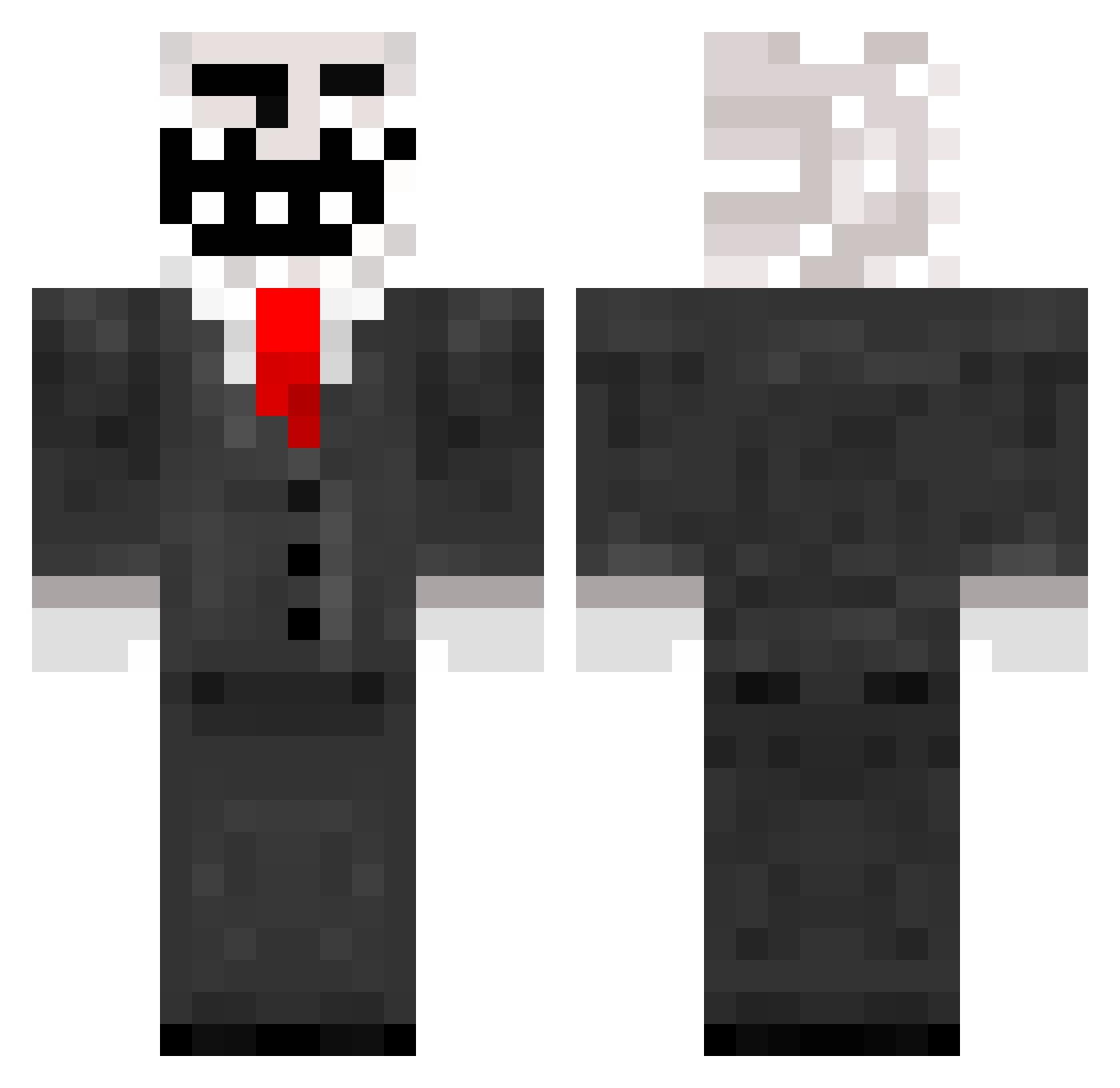
Current Minecraft skin of the player 1H8TH3ANT1CHR1ST, loaded from the official Mojang API. Rotate the 3D model with your mouse or finger, then download the skin as a PNG file and use it in Minecraft: Bedrock Edition or Java Edition for free. When 1H8TH3ANT1CHR1ST changes their skin, this page updates automatically and the old skin stays in the history below.
Other players with this skin (208)
1H8TH3ANT1CHR1ST was the 164th player we have seen with this skin, first spotted on 13.10.2026. The same skin was seen on these players. Open a nickname to see their current skin and skin history.
 stargasm69 Dunderrrzutt g3t_dr1lled bextavaz Eye_Zay_Uh Sekken_gironde iktidar AndyTierp yung_tapatio Paytontd Jared520 theamazingcarl Eskil_Erik Alspasse SoreSucc iTz677aaa Biggie_Cheese26 JakeyBaby117 David_Goggins69 wrsmy FISHYFISHY22222 sham17 supermage22 AAQCX_ iMBv86 what_mati TheRealSoku guppgotswag naevisx CirtifiedStinko JayJamMC Nickeyyy1 LifeIsMobius Namseh TheDup soulgriever Oversized_Lizard FRISCO66 v0rt3x9870 Raisio gumCuzzzler _cptE_ THEbadmicnut PubertShoe CyganOnFire yolopolo123 pogchamper21 xTrollx BorivojSlama Hrommy Fridge_Boi Aurora_Borealis2 kazuri07 thiccXautism YuuuOWO kradnecopopadnie Retu22 Malte888 Dukey_Gaming nnayzlu
More Trollface Minecraft skins
How to install the 1H8TH3ANT1CHR1ST skin
- Press the Download button above to save the skin as a PNG file.
- Minecraft: Bedrock Edition (PE): open the Dressing Room from the main menu (or tap your character → Edit Character), go to Classic Skins → Owned, press the + (new skin) button, choose the downloaded PNG and pick the Classic (Steve) model. Works on PC and mobile; consoles cannot import custom skins.
- Minecraft: Java Edition: open the Minecraft Launcher, go to the Skins tab, click New Skin, load the PNG, pick the Classic (Steve) model and press Save & Use. You can also upload it at minecraft.net → Profile → Change Skin.
The skin does not show up after import - what should I do?
Restart Minecraft and open the Dressing Room again - imported skins sometimes appear only after a restart. Also make sure you selected the imported skin and picked the Classic (Steve) model.
Which model should I choose, Classic or Slim?
This skin is designed for the Classic (Steve) model. If you pick the wrong model, the arms of the skin will look stretched or squeezed.
Is the skin of 1H8TH3ANT1CHR1ST free to download?
Yes. Press Download, save the PNG file and use it in Minecraft: Bedrock Edition or Java Edition - no payment or registration needed. The skin also works on multiplayer servers and Realms.
More skins
Looking for more? Go back to all Minecraft skins and check the top skins of the week, month and all time, or find any player's skin by nickname.