
1337wafflez - Minecraft Skins & Skin History
Current Minecraft skin of the player 1337wafflez, loaded from the official Mojang API. Rotate the 3D model with your mouse or finger, then download the skin as a PNG file and use it in Minecraft: Bedrock Edition or Java Edition for free. When 1337wafflez changes their skin, this page updates automatically and the old skin stays in the history below.
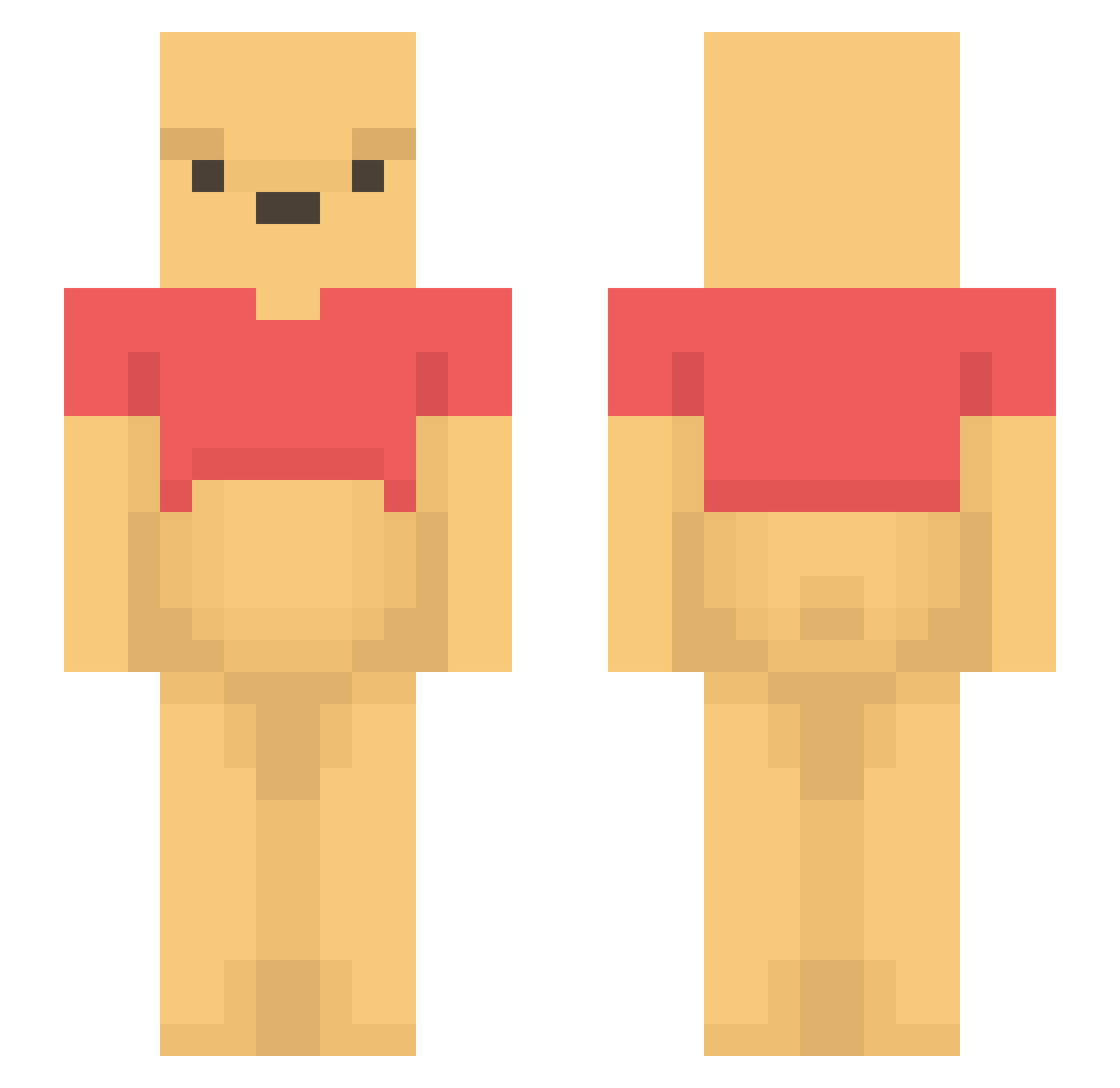
Other players with this skin (1202)
1337wafflez was the 125th player we have seen with this skin, first spotted on 03.08.2026. The same skin was seen on these players. Open a nickname to see their current skin and skin history.
 Rafapix sysy11 Aleksr16 BEN_OKOCHXA count3r_king 3cm_xD DVDPALO SqueakyBooty Jason4193 Kipling527 cultivatedzombie HarugucII MassaKaos TnTizz fateismywife god_j1 TerryLaw aka_Elvis mydognamedtruck ssondergaard WinnieAce miitaro39 love_cat123 alvarofarrona OPman_ wjdgml McDodgy ItzHiyaaaaa Castana_ running_wild1 KahulaRicky hirokl1997 NotOwan JappieJumbo dongbin0918 gahee0105 eddybans123 oaji_0819 Potato_yummeh itsooscarr Franghy AIN_13 HonieBonie CHARLOTTE_111 JuicyMcSanders HyeonnyHoney corea1095 Maroro2023 Yoon0605 Petschuin1 draqonsnax
 Charlieiz devolcuk08 Call_Me_Ronald CodeNameWinnie rocckstar animaMcraft JangMyDang69 jpetro_ TtvRicaneswag
More Winnie The Pooh Minecraft skins
See all 306 Winnie The Pooh skins
How to install the 1337wafflez skin
- Press the Download button above to save the skin as a PNG file.
- Minecraft: Bedrock Edition (PE): open the Dressing Room from the main menu (or tap your character → Edit Character), go to Classic Skins → Owned, press the + (new skin) button, choose the downloaded PNG and pick the Slim (Alex) model. Works on PC and mobile; consoles cannot import custom skins.
- Minecraft: Java Edition: open the Minecraft Launcher, go to the Skins tab, click New Skin, load the PNG, pick the Slim (Alex) model and press Save & Use. You can also upload it at minecraft.net → Profile → Change Skin.
The skin does not show up after import - what should I do?
Restart Minecraft and open the Dressing Room again - imported skins sometimes appear only after a restart. Also make sure you selected the imported skin and picked the Slim (Alex) model.
Which model should I choose, Classic or Slim?
This skin is designed for the Slim (Alex) model. If you pick the wrong model, the arms of the skin will look stretched or squeezed.
Is the skin of 1337wafflez free to download?
Yes. Press Download, save the PNG file and use it in Minecraft: Bedrock Edition or Java Edition - no payment or registration needed. The skin also works on multiplayer servers and Realms.
More skins
Looking for more? Go back to all Minecraft skins and check the top skins of the week, month and all time, or find any player's skin by nickname.