
123koekiemonster - Minecraft Skins & Skin History
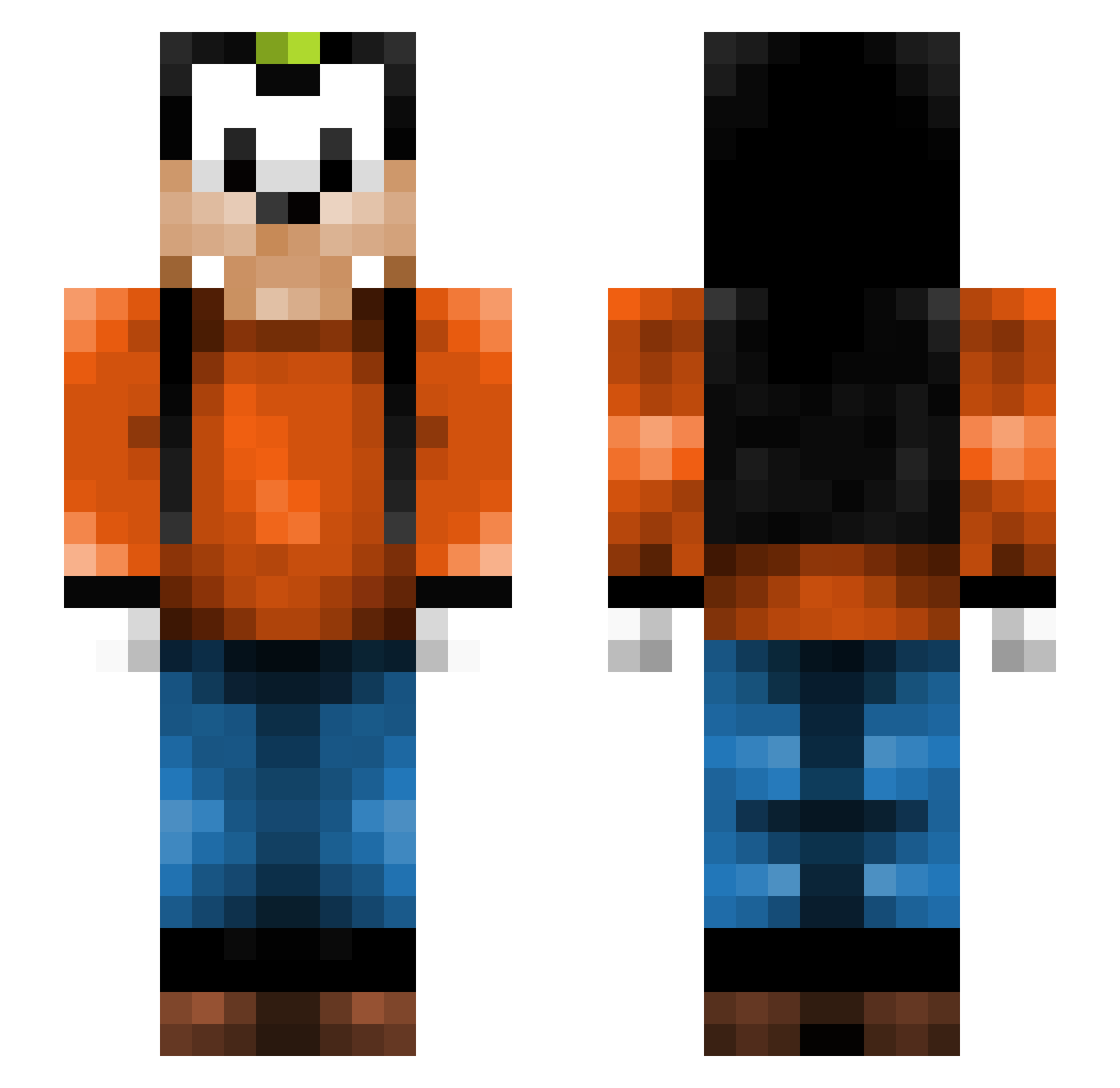
Current Minecraft skin of the player 123koekiemonster, loaded from the official Mojang API. Rotate the 3D model with your mouse or finger, then download the skin as a PNG file and use it in Minecraft: Bedrock Edition or Java Edition for free. When 123koekiemonster changes their skin, this page updates automatically and the old skin stays in the history below.
Other players with this skin (266)
123koekiemonster was the 203rd player we have seen with this skin, first spotted on 07.10.2026. The same skin was seen on these players. Open a nickname to see their current skin and skin history.
 connorgiese m0le_man JonahFeist Damo95 Roedefire eemaki rykiller999 nsfwumbo lumonosdude Dee01 CDW01 Killamang993 Baldiis chris2k7sears thegoofy mrapa21 oPaaLi ohm1011 RenegateRu BetGirl Ducktape17 Friendly_Fellow wlntgrv BerikBrandt Blackpossum Frydendal ztytony SKlSpawN vrbJan LiamLinsday1 xwazzapx kikonne rahhfue 1MisterCookie1 Rattos2010 FatLetsPlay sander907 CreeperBuster345 glizzy2urdome MrAndr3a Akamarumax Johnsson1997 ANTUNIK harmens emilkh2002 Chooky2003 BoltHonk Moose_Min BigDaddE iBOWpigs Hoff22 _Tobalos_ F1r3flie MissyMags Andoz07 cyu00 StegiCH osg23 Adisboii Birdeyh
More Goofy Minecraft skins
How to install the 123koekiemonster skin
- Press the Download button above to save the skin as a PNG file.
- Minecraft: Bedrock Edition (PE): open the Dressing Room from the main menu (or tap your character → Edit Character), go to Classic Skins → Owned, press the + (new skin) button, choose the downloaded PNG and pick the Slim (Alex) model. Works on PC and mobile; consoles cannot import custom skins.
- Minecraft: Java Edition: open the Minecraft Launcher, go to the Skins tab, click New Skin, load the PNG, pick the Slim (Alex) model and press Save & Use. You can also upload it at minecraft.net → Profile → Change Skin.
The skin does not show up after import - what should I do?
Restart Minecraft and open the Dressing Room again - imported skins sometimes appear only after a restart. Also make sure you selected the imported skin and picked the Slim (Alex) model.
Which model should I choose, Classic or Slim?
This skin is designed for the Slim (Alex) model. If you pick the wrong model, the arms of the skin will look stretched or squeezed.
Is the skin of 123koekiemonster free to download?
Yes. Press Download, save the PNG file and use it in Minecraft: Bedrock Edition or Java Edition - no payment or registration needed. The skin also works on multiplayer servers and Realms.
More skins
Looking for more? Go back to all Minecraft skins and check the top skins of the week, month and all time, or find any player's skin by nickname.