
10mans - Minecraft Skins & Skin History
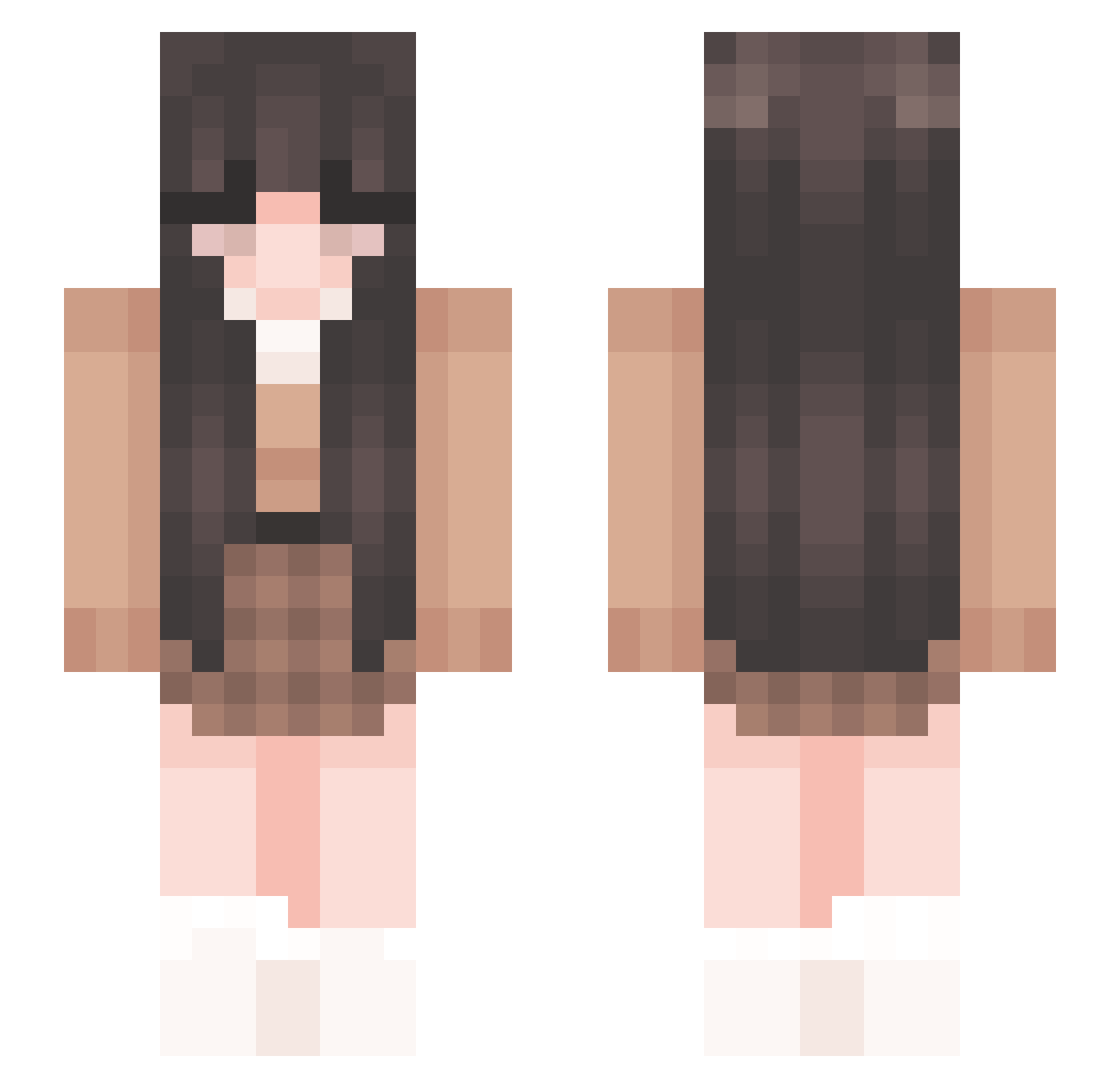
Current Minecraft skin of the player 10mans, loaded from the official Mojang API. Rotate the 3D model with your mouse or finger, then download the skin as a PNG file and use it in Minecraft: Bedrock Edition or Java Edition for free. When 10mans changes their skin, this page updates automatically and the old skin stays in the history below.
Other players with this skin (266)
10mans was the 245th player we have seen with this skin, first spotted on 26.10.2026. The same skin was seen on these players. Open a nickname to see their current skin and skin history.
 siliu Spejlbillede GloomyKris YAME69 Kinulek emilyisntagamer Hannanas9000 magnoliamiaaa ItsPidge_ bambanna Anahera_ _Vein millie_290 itscoloqbtw Winter_Blossom0 Dreumi _nav_ rina2002 ch10333 magda2000 Xilitals la99b lilaOOOO D3m0n1cB00ty Veronicaluee j0oo weluvcojax Yosleyk agwmon2 kaitlynmurphyyy jaadee_ lyinnie Iltazyara esmee_xx lyxnsy HheartL Deet51 lastgamerM notlauri ohsphie k4laaa appleju3ce _Ylanou PugsleyBooo LexieLu2 Seashell612 Supermilou04 Sofiaspil laurmka EmmaV2007 Lini0601 breadelyn _milzca_ Biqsit Stary_Moon bigsoup_ eunseo0909 viplayss Artemis_sus isxb3lle
More Cozy Minecraft skins
How to install the 10mans skin
- Press the Download button above to save the skin as a PNG file.
- Minecraft: Bedrock Edition (PE): open the Dressing Room from the main menu (or tap your character → Edit Character), go to Classic Skins → Owned, press the + (new skin) button, choose the downloaded PNG and pick the Slim (Alex) model. Works on PC and mobile; consoles cannot import custom skins.
- Minecraft: Java Edition: open the Minecraft Launcher, go to the Skins tab, click New Skin, load the PNG, pick the Slim (Alex) model and press Save & Use. You can also upload it at minecraft.net → Profile → Change Skin.
The skin does not show up after import - what should I do?
Restart Minecraft and open the Dressing Room again - imported skins sometimes appear only after a restart. Also make sure you selected the imported skin and picked the Slim (Alex) model.
Which model should I choose, Classic or Slim?
This skin is designed for the Slim (Alex) model. If you pick the wrong model, the arms of the skin will look stretched or squeezed.
Is the skin of 10mans free to download?
Yes. Press Download, save the PNG file and use it in Minecraft: Bedrock Edition or Java Edition - no payment or registration needed. The skin also works on multiplayer servers and Realms.
More skins
Looking for more? Go back to all Minecraft skins and check the top skins of the week, month and all time, or find any player's skin by nickname.