
101kiffle101 - Minecraft Skins & Skin History
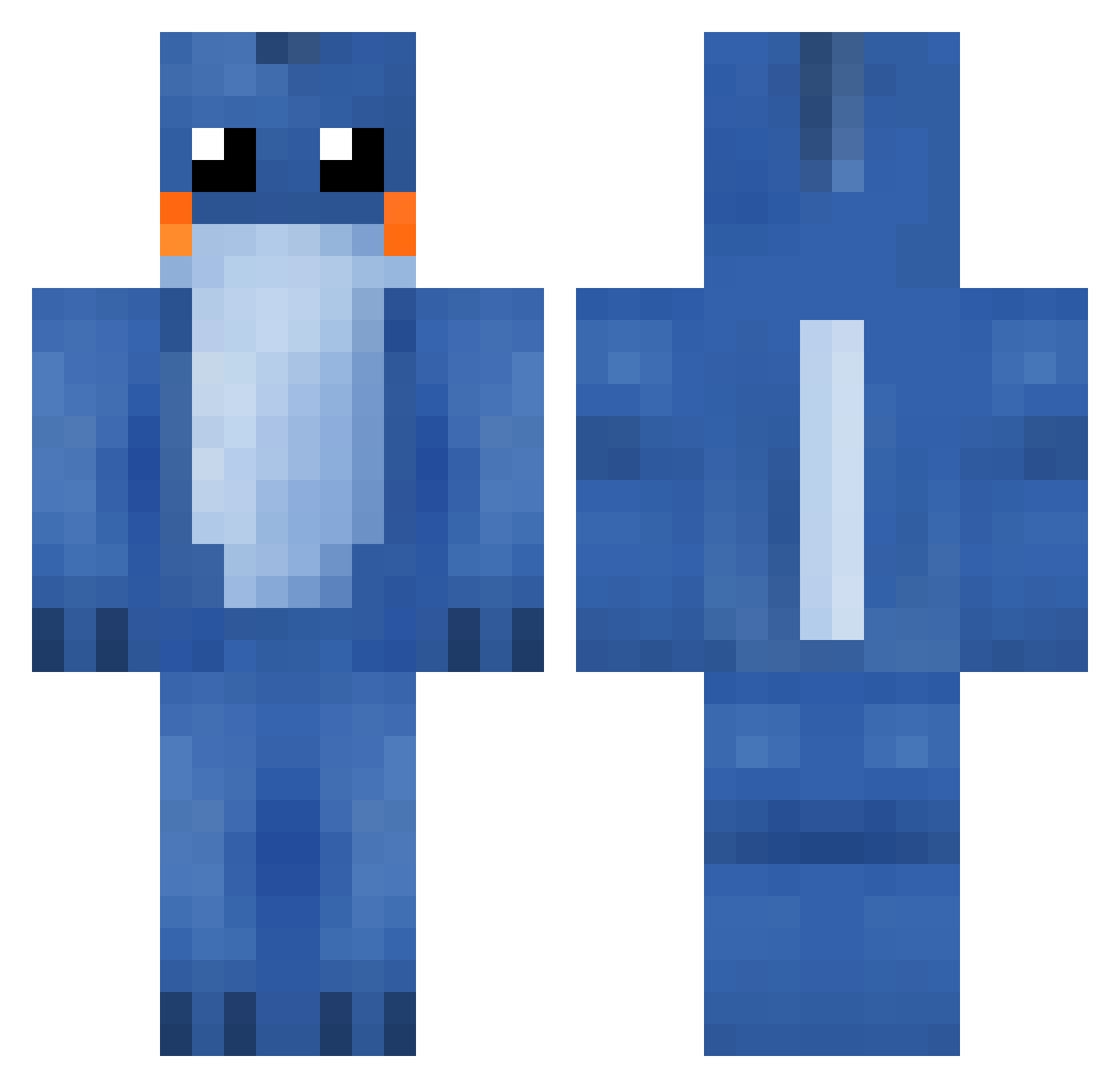
Current Minecraft skin of the player 101kiffle101, loaded from the official Mojang API. Rotate the 3D model with your mouse or finger, then download the skin as a PNG file and use it in Minecraft: Bedrock Edition or Java Edition for free. When 101kiffle101 changes their skin, this page updates automatically and the old skin stays in the history below.
Other players with this skin (287)
101kiffle101 was the 200th player we have seen with this skin, first spotted on 08.10.2026. The same skin was seen on these players. Open a nickname to see their current skin and skin history.
 BananenKoe Stweeven LUVP MoshMang beetbox ghost_rider_500 dolla_ Bluestar007 TheGearmaster thatsalvimarc fti45 GoKooru milaa0703 Magnus_Dissing CasualVader DeeJayArt Aggy13123 Kawaii_Gamer15 Kujii InsaneeK thediamondogking captianbird MarkNuuut Mr_Thaddaeus eri218jp Mudkip854 Bella08888 pingern sammangat ender_ocelot SheGotNoAshe ILikeMyShell jogge97 SirCheddington budderpigman1243 XBriBri1 DERP_THE_PIG cooperg123 Barlie325 deadfromawesome louievh XLR8Energy fredurow Katykinz Wackyjim nugu2 AdmiralMudkipz JitterbugLeaf Tacocat_153 felino_08 B00_Tea laughingloganx20 Kiptide Epicdude105 RileySamurott indiiva Ghostpaskillah rudieculous Sills_Sirtespa BUBBIE_Nugget
More Lilo And Stitch Minecraft skins
See all 491 Lilo And Stitch skins
How to install the 101kiffle101 skin
- Press the Download button above to save the skin as a PNG file.
- Minecraft: Bedrock Edition (PE): open the Dressing Room from the main menu (or tap your character → Edit Character), go to Classic Skins → Owned, press the + (new skin) button, choose the downloaded PNG and pick the Classic (Steve) model. Works on PC and mobile; consoles cannot import custom skins.
- Minecraft: Java Edition: open the Minecraft Launcher, go to the Skins tab, click New Skin, load the PNG, pick the Classic (Steve) model and press Save & Use. You can also upload it at minecraft.net → Profile → Change Skin.
The skin does not show up after import - what should I do?
Restart Minecraft and open the Dressing Room again - imported skins sometimes appear only after a restart. Also make sure you selected the imported skin and picked the Classic (Steve) model.
Which model should I choose, Classic or Slim?
This skin is designed for the Classic (Steve) model. If you pick the wrong model, the arms of the skin will look stretched or squeezed.
Is the skin of 101kiffle101 free to download?
Yes. Press Download, save the PNG file and use it in Minecraft: Bedrock Edition or Java Edition - no payment or registration needed. The skin also works on multiplayer servers and Realms.
More skins
Looking for more? Go back to all Minecraft skins and check the top skins of the week, month and all time, or find any player's skin by nickname.