
0nexion - Minecraft Skins & Skin History
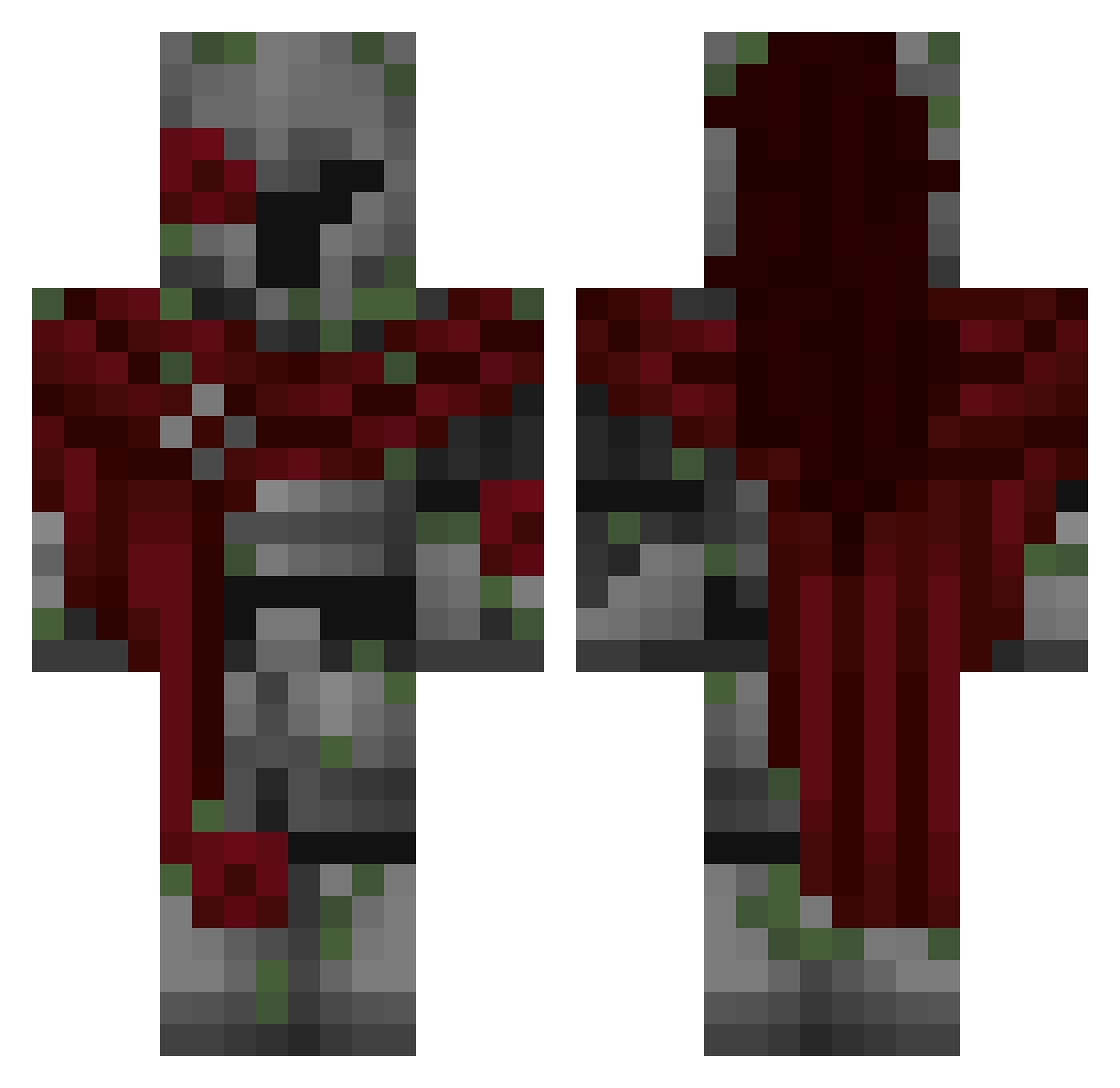
Current Minecraft skin of the player 0nexion, loaded from the official Mojang API. Rotate the 3D model with your mouse or finger, then download the skin as a PNG file and use it in Minecraft: Bedrock Edition or Java Edition for free. When 0nexion changes their skin, this page updates automatically and the old skin stays in the history below.
Other players with this skin (269)
0nexion was the 84th player we have seen with this skin, first spotted on 18.08.2026. The same skin was seen on these players. Open a nickname to see their current skin and skin history.
 Hazmasuit MrBest_ daonebite Aelom QuilinNil jake_the_snake__ SkyborgNinja Spirit_ESC im_a_catboy TrickyMurloc Skirmish72 LUCAS01018 Tuzio_57 JacksonTheWizard PresticalOff Light39 IanHorvat bends64 GabiInTheMatrix MRGENTLEMEN123 MetroIIX AskorLegend
 jarusi30001 hijack166
 SS2Gogeta Romulus90 LOMIKS123 prathamcv Starzz2
 dinmok
 KyrianRay nikzc
 SamaBoyyy Alexandru2706 yearningset1 voidleader Diddy_Aint_DoIt Nix7474 epaREX Gzzzy Frakenstai streixxx TaichiiK 544m0
 SOliver279
 lenny413 RubricBubble755
 RandomBozo340 TiredKev_ 50cat
 TANKAVOD mateo20122 Mateus1702 ViperEmery
 julekniebianski
 Hamsillus Acrospear Hydrx22_ Stanley0106 ZakFiggies
More Mossy Minecraft skins
How to install the 0nexion skin
- Press the Download button above to save the skin as a PNG file.
- Minecraft: Bedrock Edition (PE): open the Dressing Room from the main menu (or tap your character → Edit Character), go to Classic Skins → Owned, press the + (new skin) button, choose the downloaded PNG and pick the Classic (Steve) model. Works on PC and mobile; consoles cannot import custom skins.
- Minecraft: Java Edition: open the Minecraft Launcher, go to the Skins tab, click New Skin, load the PNG, pick the Classic (Steve) model and press Save & Use. You can also upload it at minecraft.net → Profile → Change Skin.
The skin does not show up after import - what should I do?
Restart Minecraft and open the Dressing Room again - imported skins sometimes appear only after a restart. Also make sure you selected the imported skin and picked the Classic (Steve) model.
Which model should I choose, Classic or Slim?
This skin is designed for the Classic (Steve) model. If you pick the wrong model, the arms of the skin will look stretched or squeezed.
Is the skin of 0nexion free to download?
Yes. Press Download, save the PNG file and use it in Minecraft: Bedrock Edition or Java Edition - no payment or registration needed. The skin also works on multiplayer servers and Realms.
More skins
Looking for more? Go back to all Minecraft skins and check the top skins of the week, month and all time, or find any player's skin by nickname.