
0m0n0d0 - Minecraft Skins & Skin History
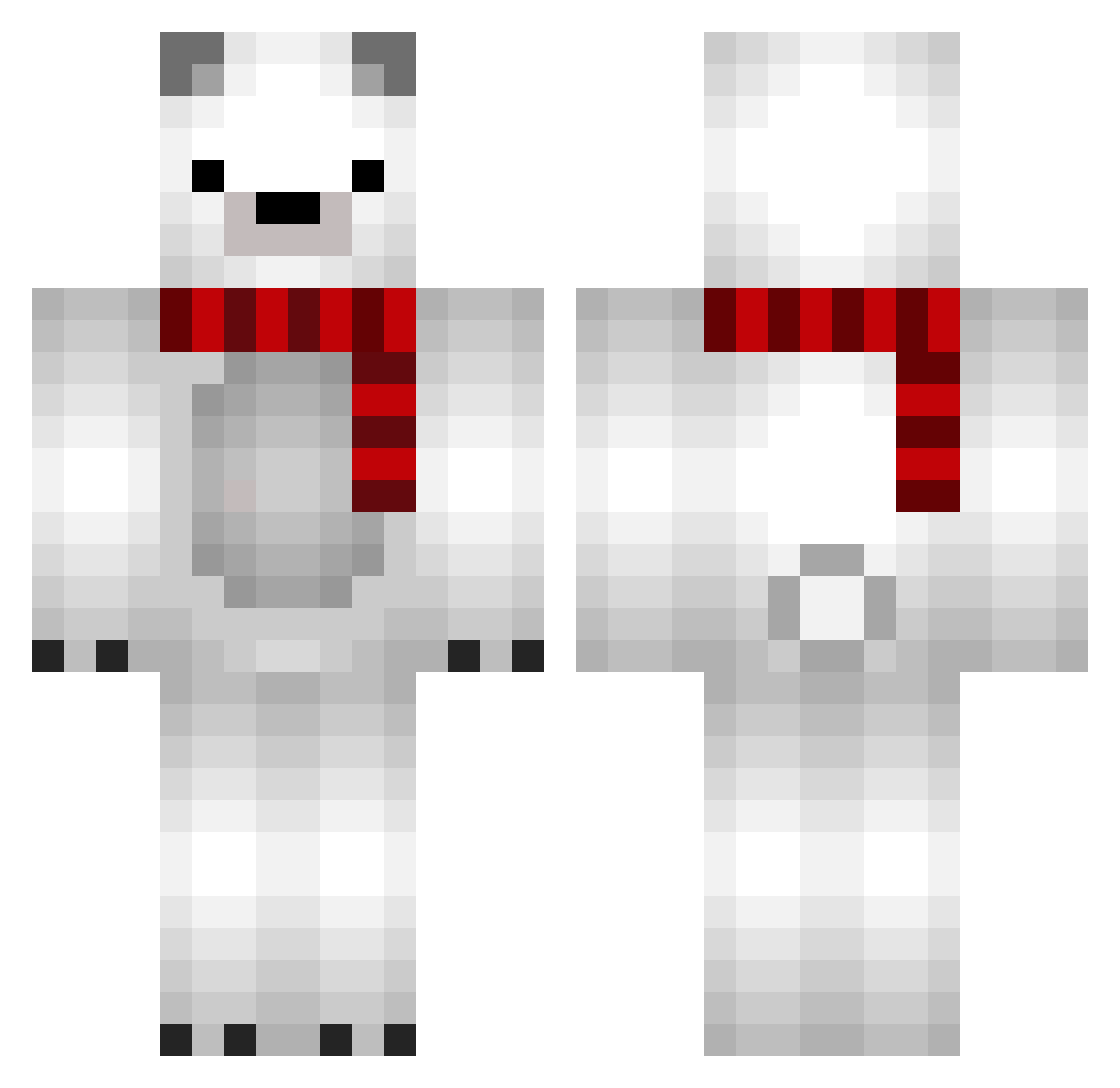
Current Minecraft skin of the player 0m0n0d0, loaded from the official Mojang API. Rotate the 3D model with your mouse or finger, then download the skin as a PNG file and use it in Minecraft: Bedrock Edition or Java Edition for free. When 0m0n0d0 changes their skin, this page updates automatically and the old skin stays in the history below.
Other players with this skin (856)
0m0n0d0 was the 831st player we have seen with this skin, first spotted on 07.11.2026. The same skin was seen on these players. Open a nickname to see their current skin and skin history.
 Apulsic aaakaaa waxbala Dudimen PrettY00 Minorbitch 89neko ca_ramel_ GabrieCRO sapporo753 woh7 deleted9921 osmus26 ARONNII blackbear9902 Billionik Ostrowiczek Give_you_Heart picofiete Seungjorangmal Mreccil wish_944 ccraii MikeyBear99 sh0armapapa LitSpear han_713 TurnToYou merkelhoang5 lukinmedved sefarid MushyCatapillar Excetta dhlcnf420 HasteningHeimd O__O9 Gintoki_Takasugi yorimichiq Sui111 Chrischan98 lives328 Azakli ZIVTHEKING0 Nglcvr Wubzyone jongmin1002 arantirz MrPedro02 GOGUEMA Giants_quid rmath7 hoyanz Greentea_Pocky POLARBEAR35719 Muhammed1300 TheEnderBoy_ rubberduck0608 jinjin5959 Yooohaa orocna
More Polar Bear Minecraft skins
How to install the 0m0n0d0 skin
- Press the Download button above to save the skin as a PNG file.
- Minecraft: Bedrock Edition (PE): open the Dressing Room from the main menu (or tap your character → Edit Character), go to Classic Skins → Owned, press the + (new skin) button, choose the downloaded PNG and pick the Classic (Steve) model. Works on PC and mobile; consoles cannot import custom skins.
- Minecraft: Java Edition: open the Minecraft Launcher, go to the Skins tab, click New Skin, load the PNG, pick the Classic (Steve) model and press Save & Use. You can also upload it at minecraft.net → Profile → Change Skin.
The skin does not show up after import - what should I do?
Restart Minecraft and open the Dressing Room again - imported skins sometimes appear only after a restart. Also make sure you selected the imported skin and picked the Classic (Steve) model.
Which model should I choose, Classic or Slim?
This skin is designed for the Classic (Steve) model. If you pick the wrong model, the arms of the skin will look stretched or squeezed.
Is the skin of 0m0n0d0 free to download?
Yes. Press Download, save the PNG file and use it in Minecraft: Bedrock Edition or Java Edition - no payment or registration needed. The skin also works on multiplayer servers and Realms.
More skins
Looking for more? Go back to all Minecraft skins and check the top skins of the week, month and all time, or find any player's skin by nickname.