
0WNALL - Minecraft Skins & Skin History
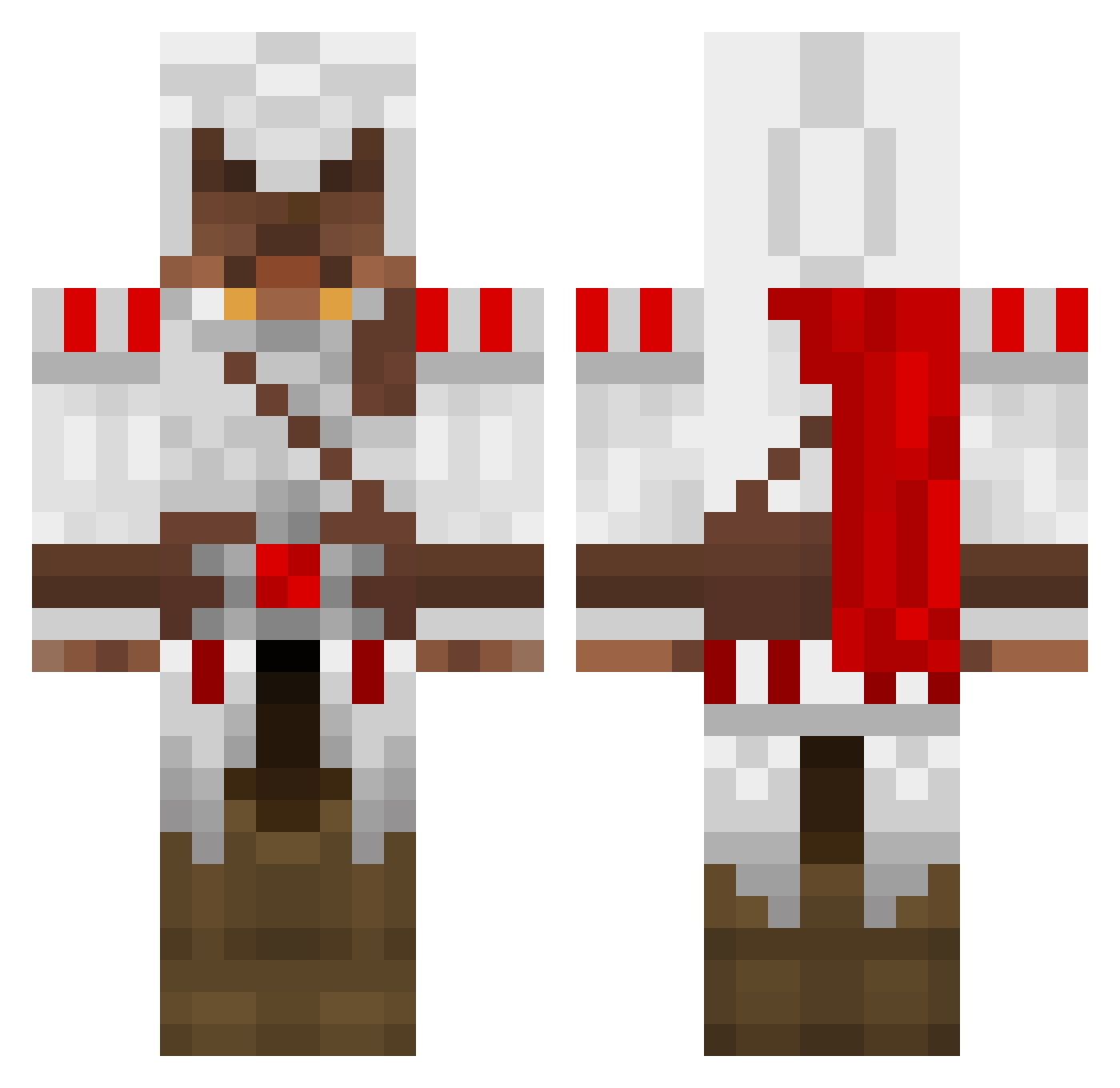
Current Minecraft skin of the player 0WNALL, loaded from the official Mojang API. Rotate the 3D model with your mouse or finger, then download the skin as a PNG file and use it in Minecraft: Bedrock Edition or Java Edition for free. When 0WNALL changes their skin, this page updates automatically and the old skin stays in the history below.
Other players with this skin (1266)
0WNALL was the 609th player we have seen with this skin, first spotted on 11.09.2026. The same skin was seen on these players. Open a nickname to see their current skin and skin history.
 fin98 vanst1 LiLamericanDUDE SuisseCrafter caleb_wu Seth_Newsome Anxiom Dragonias Lezzud COZ2 DoubleShot91 TasteDeath lommene Lewis_is_awesome johnt1996 godzilla567 soka12345 Disturbed327 CrawlingNose INVALBY3 MoTMaster zman91145 MickeyM0use Dam_Few jeppekjeld speedoo25 joppzor chaotic_justice_ Wig weaponX0009 nuzz3 Booboy101101 Dr_Winsley Stormsailor Verners_Z2 BejanCanadian bobthezealot1 bry388 kaiminecrafter GURUFELIX NightBlade888 PrincePingu Pedrad milma22 SugarSnail tratra321 SpyNick6605 123beno123 Michelangelo1969 BoomBrawl fabipohl frear19 Scrumpb3 allysePL Warumdk NatSirTWTTG 26es26es26 meatmonster12 Tatoe123 Ninjaseb66
More Altair Ibn La Ahad Minecraft skins
See all 182 Altair Ibn La Ahad skins
How to install the 0WNALL skin
- Press the Download button above to save the skin as a PNG file.
- Minecraft: Bedrock Edition (PE): open the Dressing Room from the main menu (or tap your character → Edit Character), go to Classic Skins → Owned, press the + (new skin) button, choose the downloaded PNG and pick the Classic (Steve) model. Works on PC and mobile; consoles cannot import custom skins.
- Minecraft: Java Edition: open the Minecraft Launcher, go to the Skins tab, click New Skin, load the PNG, pick the Classic (Steve) model and press Save & Use. You can also upload it at minecraft.net → Profile → Change Skin.
The skin does not show up after import - what should I do?
Restart Minecraft and open the Dressing Room again - imported skins sometimes appear only after a restart. Also make sure you selected the imported skin and picked the Classic (Steve) model.
Which model should I choose, Classic or Slim?
This skin is designed for the Classic (Steve) model. If you pick the wrong model, the arms of the skin will look stretched or squeezed.
Is the skin of 0WNALL free to download?
Yes. Press Download, save the PNG file and use it in Minecraft: Bedrock Edition or Java Edition - no payment or registration needed. The skin also works on multiplayer servers and Realms.
More skins
Looking for more? Go back to all Minecraft skins and check the top skins of the week, month and all time, or find any player's skin by nickname.