
020803 - Minecraft Skins & Skin History
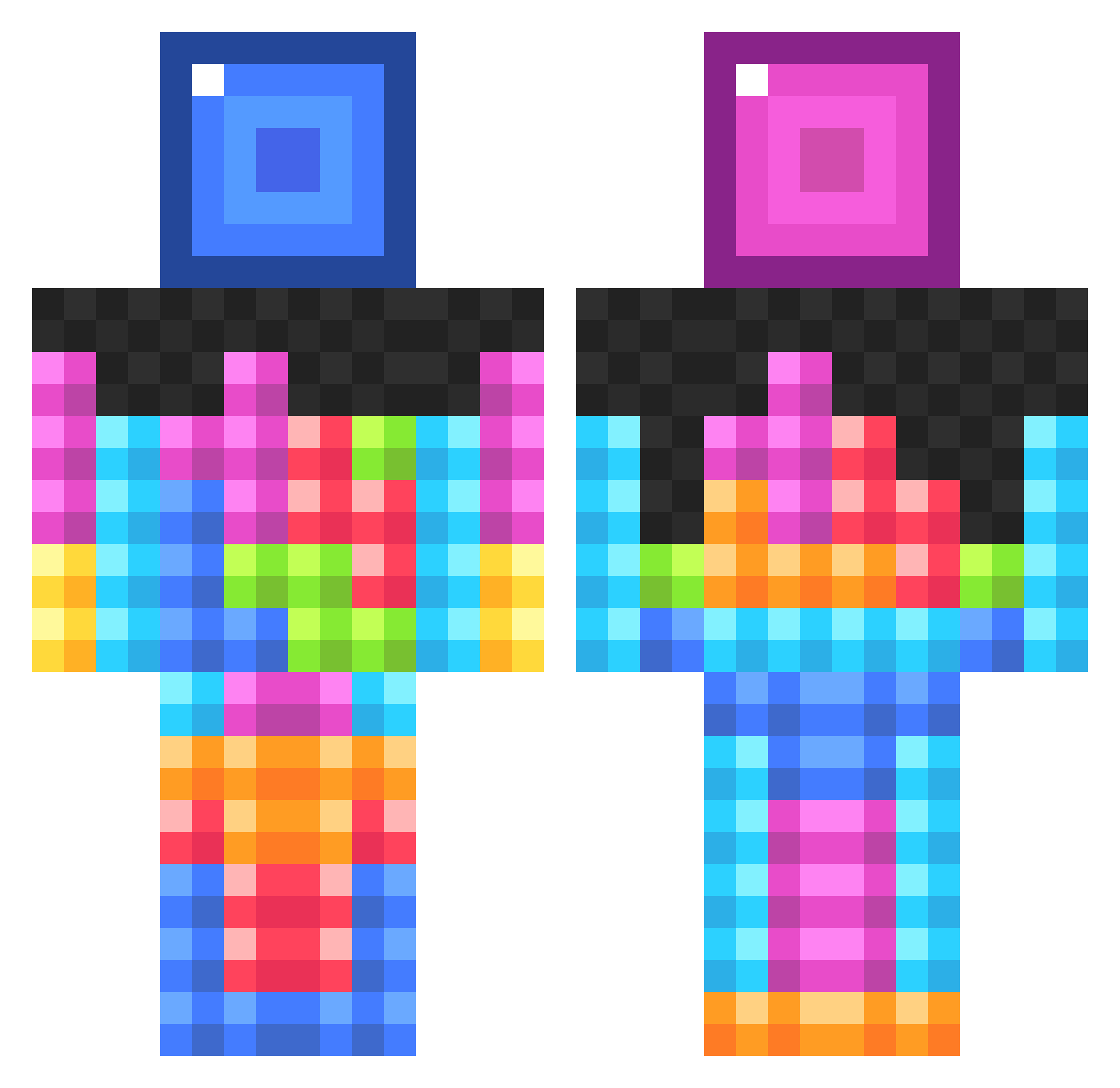
Current Minecraft skin of the player 020803, loaded from the official Mojang API. Rotate the 3D model with your mouse or finger, then download the skin as a PNG file and use it in Minecraft: Bedrock Edition or Java Edition for free. When 020803 changes their skin, this page updates automatically and the old skin stays in the history below.
Other players with this skin (834)
020803 was the 222nd player we have seen with this skin, first spotted on 20.08.2026. The same skin was seen on these players. Open a nickname to see their current skin and skin history.
 yaymeeno24600 Davisty0728 UnbreakableTorch xbubbakongx17 TaylorL1515 snowdogg_NL xHoboGaming matit98 HJNUTZ manaki_N KTB_MONKEY UnTroll CodaxGaming Bobdylan1337 mudkiphunter98 ixBoXai Dreamkite KesKu BricksClay till0987 TedMcEwan AlexBarbs trandulin wajeed_gamer HarrisGali twogame EmeraldX Blaupunkt5211 IFourSevenTwo Cornblakes55 _NeonGiraffe_ FroFreek actpro skijolle firefly1486 coco269 T_bot05 firestar1733 INSANEpony123 ZX_BugerKing_XZ ELiTe_Tjay Hannahlove11 Pigmonkey4000 lilhimmy TweetyBird487 ZestyBiscuit Zeusse9 0rphanDonor Sneik magicch33s3 emix2121 Luke_Michaels lewis_don_123 cheerpopsicle Jon_Perfetto selectname1234 WaterWolfMonk FarkleBeans Feitgris xIBarkerIx
More Tetris Minecraft skins
How to install the 020803 skin
- Press the Download button above to save the skin as a PNG file.
- Minecraft: Bedrock Edition (PE): open the Dressing Room from the main menu (or tap your character → Edit Character), go to Classic Skins → Owned, press the + (new skin) button, choose the downloaded PNG and pick the Classic (Steve) model. Works on PC and mobile; consoles cannot import custom skins.
- Minecraft: Java Edition: open the Minecraft Launcher, go to the Skins tab, click New Skin, load the PNG, pick the Classic (Steve) model and press Save & Use. You can also upload it at minecraft.net → Profile → Change Skin.
The skin does not show up after import - what should I do?
Restart Minecraft and open the Dressing Room again - imported skins sometimes appear only after a restart. Also make sure you selected the imported skin and picked the Classic (Steve) model.
Which model should I choose, Classic or Slim?
This skin is designed for the Classic (Steve) model. If you pick the wrong model, the arms of the skin will look stretched or squeezed.
Is the skin of 020803 free to download?
Yes. Press Download, save the PNG file and use it in Minecraft: Bedrock Edition or Java Edition - no payment or registration needed. The skin also works on multiplayer servers and Realms.
More skins
Looking for more? Go back to all Minecraft skins and check the top skins of the week, month and all time, or find any player's skin by nickname.