
ziD43 - Minecraft Skins & Skin History
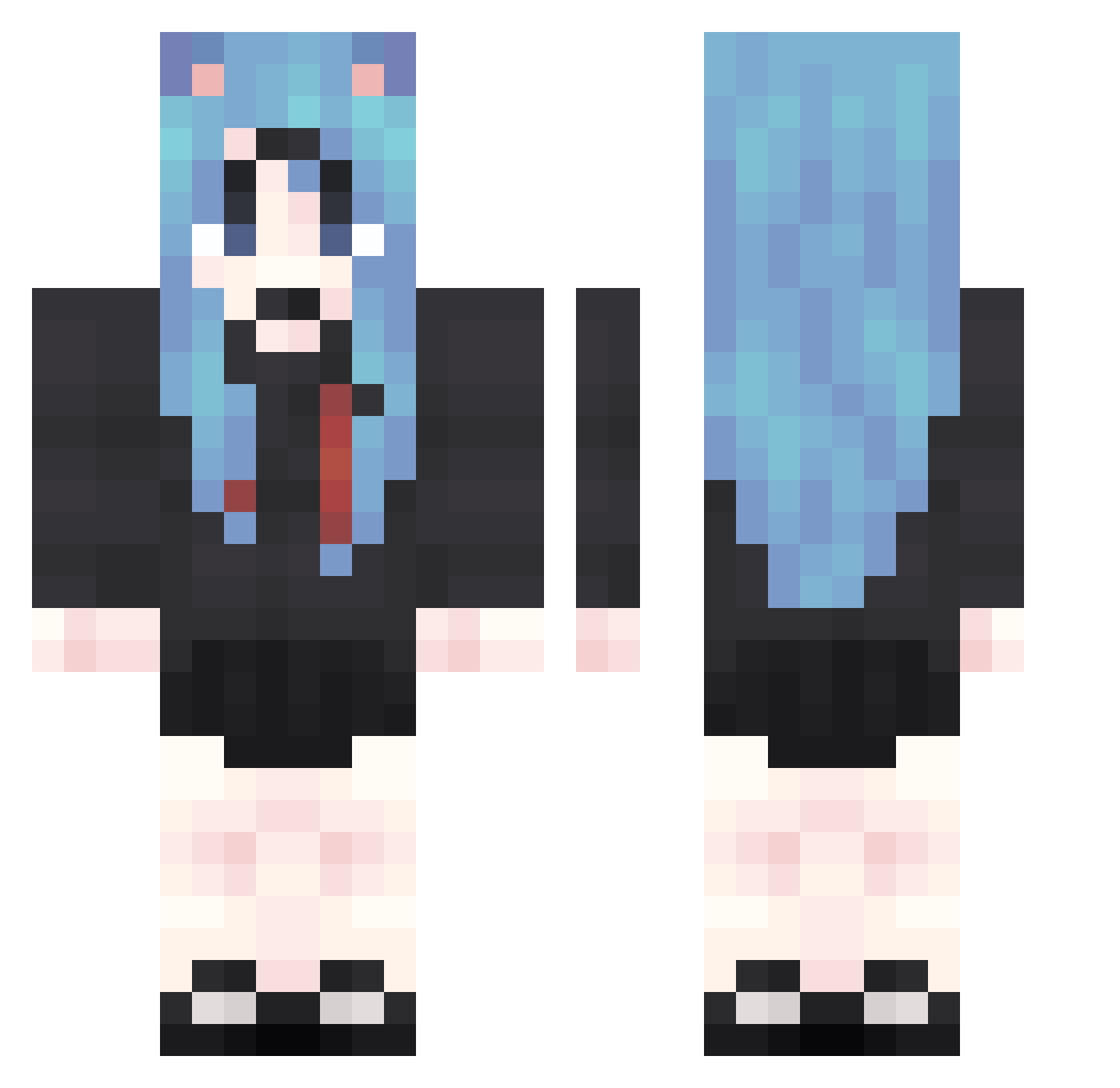
Current Minecraft skin of the player ziD43, loaded from the official Mojang API. Rotate the 3D model with your mouse or finger, then download the skin as a PNG file and use it in Minecraft: Bedrock Edition or Java Edition for free. When ziD43 changes their skin, this page updates automatically and the old skin stays in the history below.
Other players with this skin (1874)
ziD43 was the 1294th player we have seen with this skin, first spotted on 11.10.2026. The same skin was seen on these players. Open a nickname to see their current skin and skin history.
 vOr32 FWV56 XxK36 TMG906 Gho50 kaz144 rdZ120 ENk694 jNE839 dfi750 oxQ68 dgq21 Bbk572 AjJ839 tUp868 jvi5 tZB603 AXQ678 sBT941 URp721 yVN930 TxG458 ExultantSable621 iAi1 sFN783 nWc399 Duy478 oJC169 qoi698 Olf403 XlX916 kkL781 tBY863 OeZ714 yRm270 DkL256 rsC434 Crw49 pUG352 XwV462 ELs565 EaC221 LXx426 qPU937 WhB314 Hez928 ALI190 kjE765 iCH642 yqF328 aDb777 GRx963 PjA644 YTJ184 bVM169 cHM539 Vwt556 TGg651 eQP80 snN923
More School Uniform Minecraft skins
See all 7166 School Uniform skins
How to install the ziD43 skin
- Press the Download button above to save the skin as a PNG file.
- Minecraft: Bedrock Edition (PE): open the Dressing Room from the main menu (or tap your character → Edit Character), go to Classic Skins → Owned, press the + (new skin) button, choose the downloaded PNG and pick the Classic (Steve) model. Works on PC and mobile; consoles cannot import custom skins.
- Minecraft: Java Edition: open the Minecraft Launcher, go to the Skins tab, click New Skin, load the PNG, pick the Classic (Steve) model and press Save & Use. You can also upload it at minecraft.net → Profile → Change Skin.
The skin does not show up after import - what should I do?
Restart Minecraft and open the Dressing Room again - imported skins sometimes appear only after a restart. Also make sure you selected the imported skin and picked the Classic (Steve) model.
Which model should I choose, Classic or Slim?
This skin is designed for the Classic (Steve) model. If you pick the wrong model, the arms of the skin will look stretched or squeezed.
Is the skin of ziD43 free to download?
Yes. Press Download, save the PNG file and use it in Minecraft: Bedrock Edition or Java Edition - no payment or registration needed. The skin also works on multiplayer servers and Realms.
More skins
Looking for more? Go back to all Minecraft skins and check the top skins of the week, month and all time, or find any player's skin by nickname.